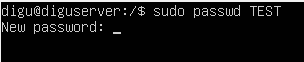
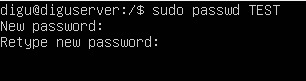
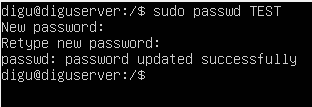
How to change a user password in Linux Server Data 05/09/2021 Autor digulescu gabriel ionut Categorie Soluții -1 389 Configurare noua (How To) Situatie Solutie 1.Open the Server Terminal 2.Write ‘ sudo passwd <username>‘ and press enter 3.Enter the new password and press enter 4.Retype the new password and hit enter 5.Password updated Tip solutiePermanent Voteaza Up Down (22 din 45 persoane apreciaza acest articol) ShareTweetShare Despre Autor digulescu gabriel ionut Solutii Asemanatoare Recunoașterea dăunătorilor și bolilor din culturi cu ajutorul AI rulat local 1 Monitorizarea inteligentă a consumului electric pentru pompe de apă și hidrofoare 2 Ecranul secundar nu este detectat după conectarea prin HDMI 3 These are the only Windows startup apps you actually need to disable 4 Data Recovery after accidental deletion -1 Cum configurezi DKIM pentru un domeniu în Microsoft 365 3 Leave A Comment? × Cancel Reply Save my name, email, and website in this browser for the next time I comment. two + = 5

Leave A Comment?
