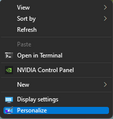
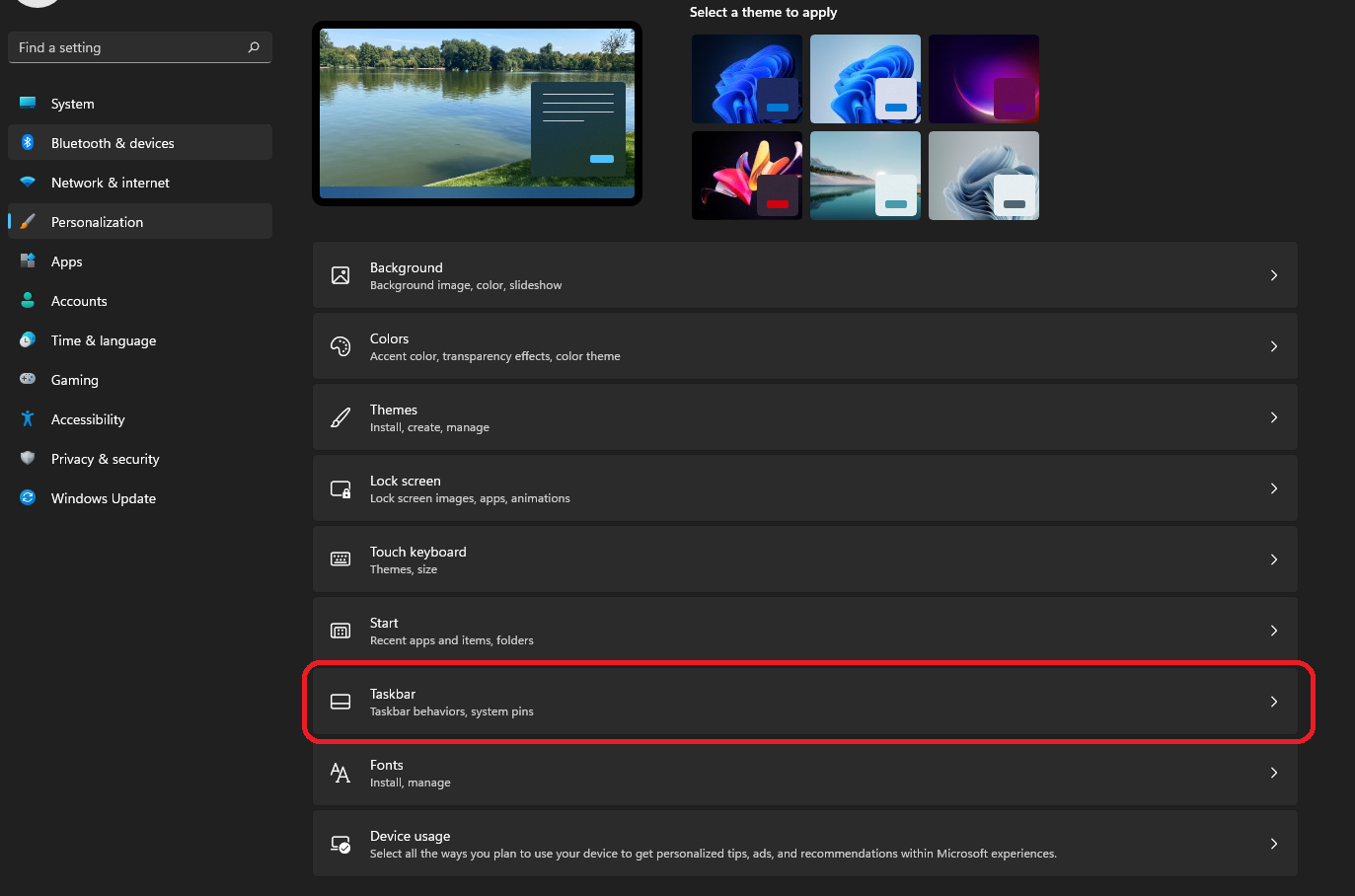
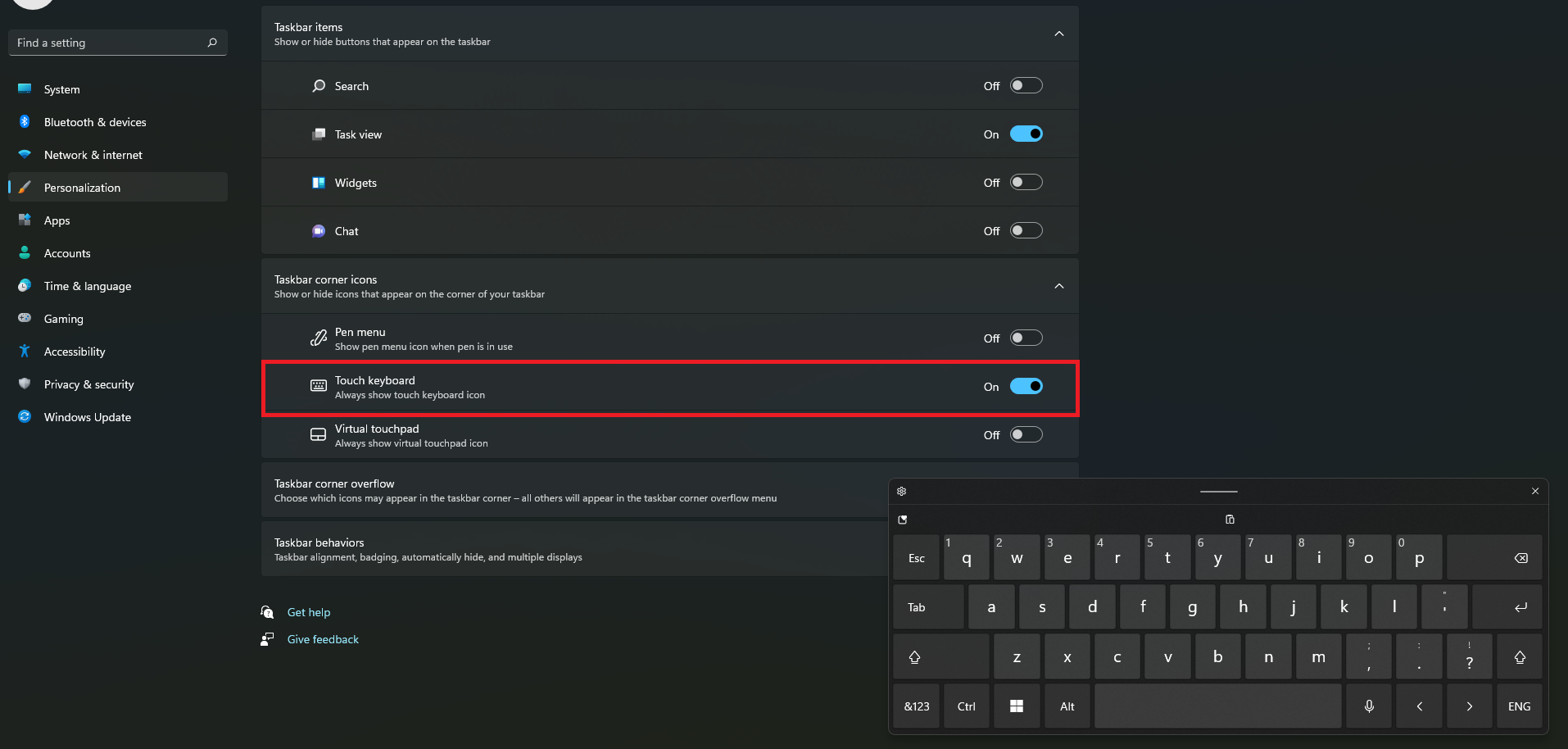
Activare Touch Keyboard in Windows 11 Data 18/06/2022 Autor catalin nechita Categorie OS - Windows 16 486 Configurare noua (How To) Situatie Solutie 1.Click Dreapta pe Desktop -> Personalize; 2.Se acceseaza Taskbar; 3.Se bifeaza optiuneaTouch Keyboard. Tip solutiePermanent Plan de restaurare in caz de nefunctionareSe reiau pasii Voteaza Up Down (36 din 55 persoane apreciaza acest articol) ShareTweetShare Despre Autor catalin nechita Solutii Asemanatoare Cum remediem: you can’t Sign in with this account error In Windows 11 1 Remediere: ASSIGN_DRIVE_LETTERS_FAILED 2 Shortcut close the current window of Google Chrome 1 Shortcut close the current tab in Google Chrome -1 Shortcut open a new tab and switch to it in Google Chrome 1 Shortcut open a new window in Google Chrome 1 Leave A Comment? × Cancel Reply Save my name, email, and website in this browser for the next time I comment. × two = eighteen
Leave A Comment?
