
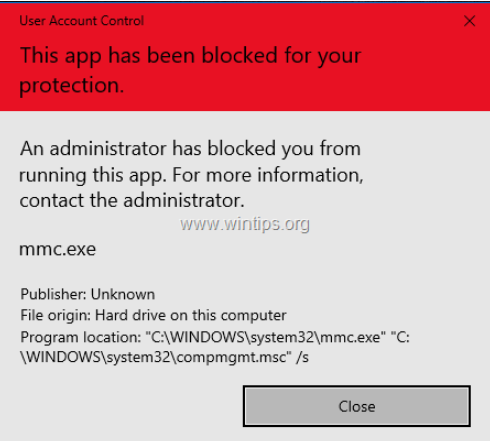
Cum rezolvi: “This app has been blocked for your protection” Data 24/07/2023 Autor Andrei Muntianu Categorie OS - Windows 7 487 Configurare noua (How To) SituatieProblema apare in momentul in care vrei sa instalezi o aplicatie indiferent daca ai drepturi de administrator sau nu. Solutie Pasi de urmat Deschidem Reggedit Accesam Computer\HKEY_LOCAL_MACHINE\SOFTWARE\Microsoft\Windows\CurrentVersion\Policies\System Modificam valoarea pentru “EnableLUA” din 1 in 0 Restartam statia. Tip solutiePermanent Etichetare: aplicatiiThis app has been blocked for your protection Article Attachments block Voteaza Up Down (38 din 69 persoane apreciaza acest articol) ShareTweetShare Despre Autor Andrei Muntianu Solutii Asemanatoare Cum schimbam automat fundalul in Windows in funcție de zi și noapte 0 Word nu afișează șabloane personalizate 0 Cum conectați Claude AI la Word pentru editarea documentelor 0 Cum faci downgrade versiunea Chrome pe computer Windows 2 How to fix error message “IS052 InstallNetworkDriver” for brother printers on Windows 10/11 -1 How to disable automatic updates to Logitech G HUB on Windows 10/11 via Windows Services -2 Leave A Comment? × Cancel Reply Save my name, email, and website in this browser for the next time I comment. nine − 6 =
Leave A Comment?