
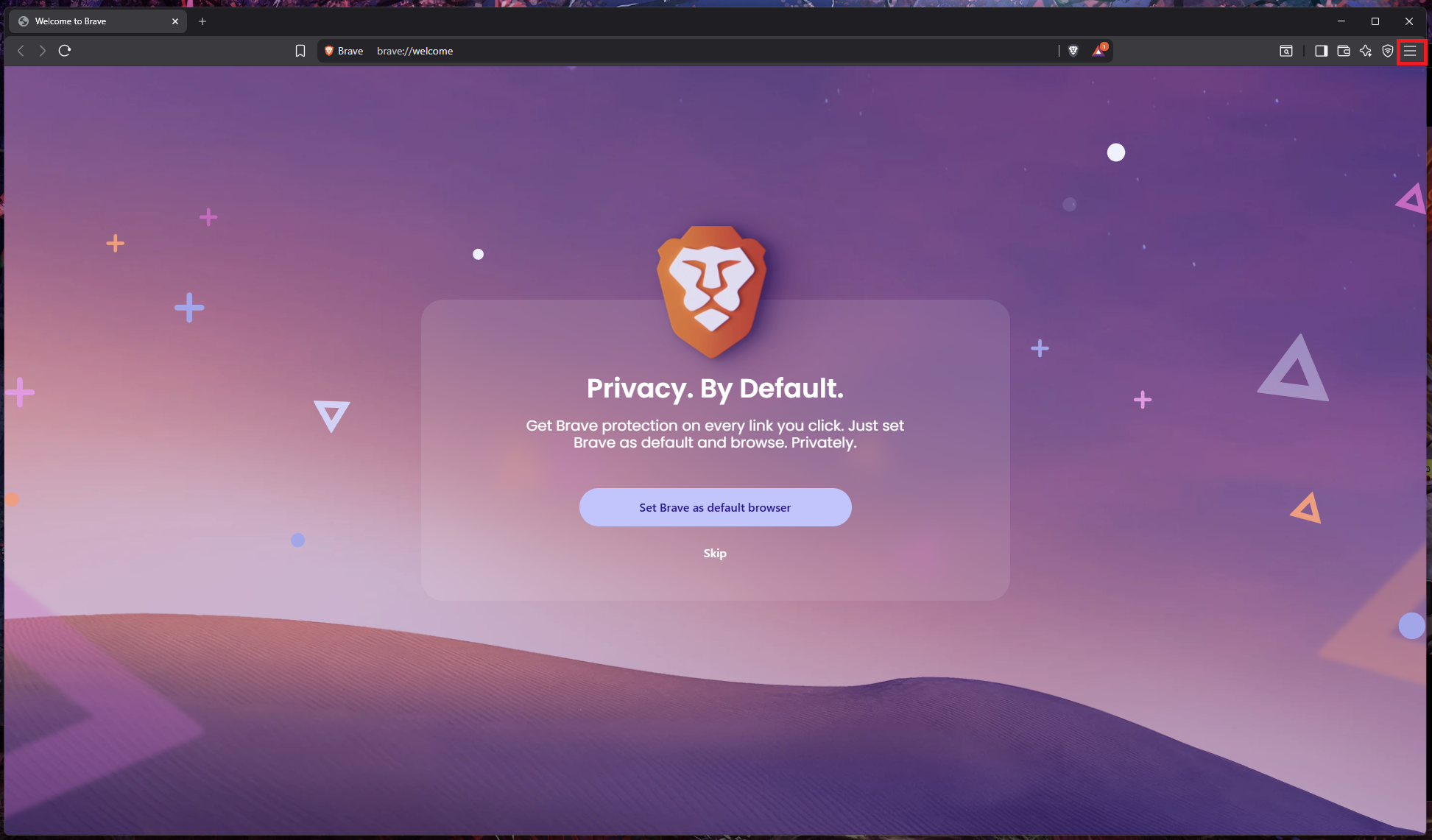
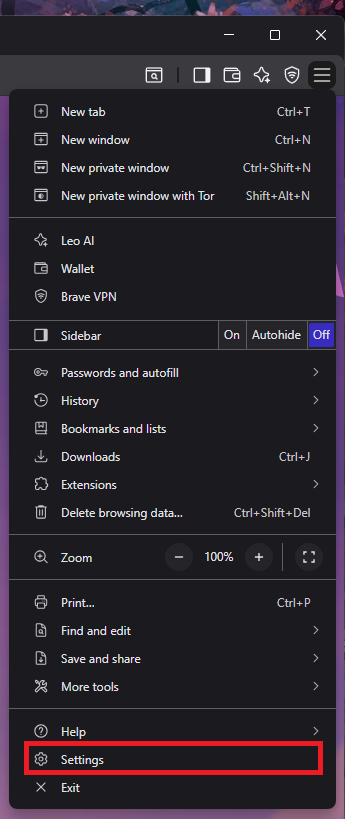
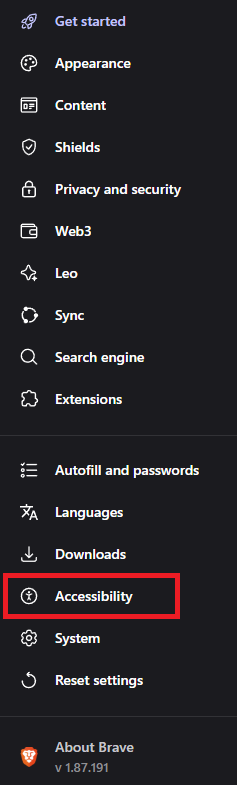
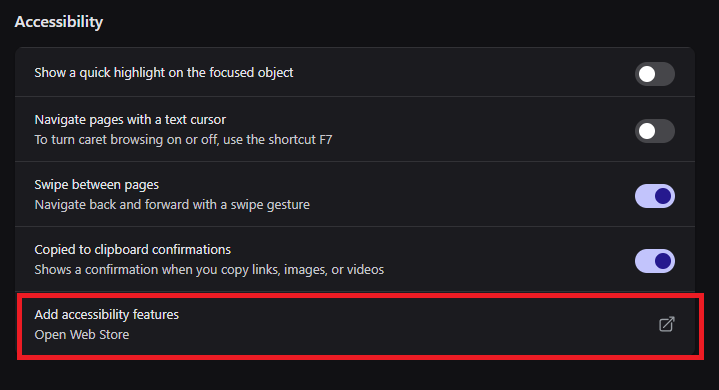
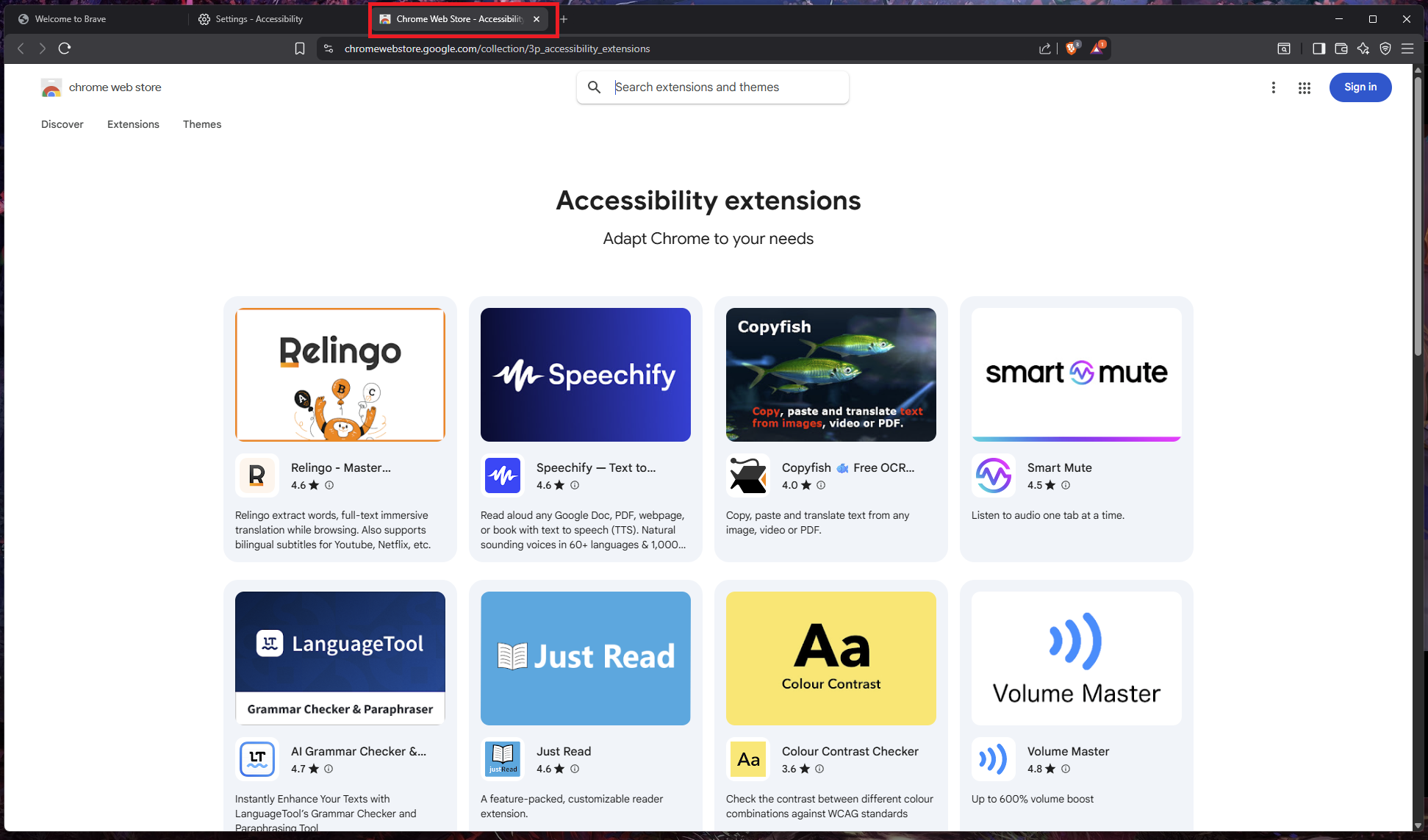
Cum accesati optiunea “Add accessibility features” in browser-ul Brave Data 28/02/2026 Autor preda silviu Categorie Soluții 5 180 Configurare noua (How To) Situatie Solutie Pasi de urmat Prima data deschideti browser-ul “Brave” In coltul din dreapta sus, click pe cele 3 bare pentru a deschide lista de “Options” Click pe “Settings” In meniul din partea stanga click pe “Accessibility” Dupa care din dreapta selectati “Add accessibility feature” Se va deschide un nou tab cu multiple feature-uri pentru browser. Tip solutiePermanent Voteaza Up Down (15 din 26 persoane apreciaza acest articol) ShareTweetShare Despre Autor preda silviu Solutii Asemanatoare How to setup CodeGPT + WSL and Ollama 2 Tuxedo OS install guide 1 Bypass Siri AI waitlist on macOS 27 Golden Gate Beta 0 How to enable hidden CPU performance boost mode on Windows 11 1 Functia Accesibilitate pe Samsung -2 Outlook Outbox Stuck – unable to send Emails 1 Leave A Comment? × Cancel Reply Save my name, email, and website in this browser for the next time I comment. + five = 7
Leave A Comment?