
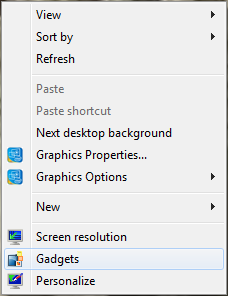
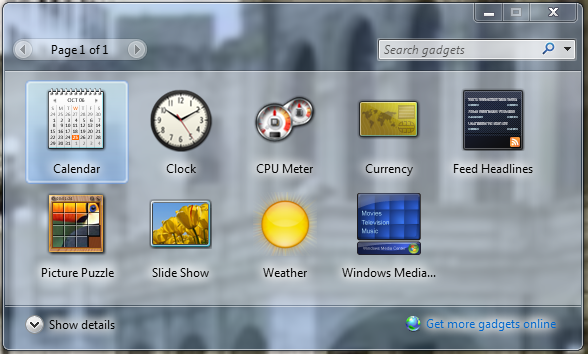
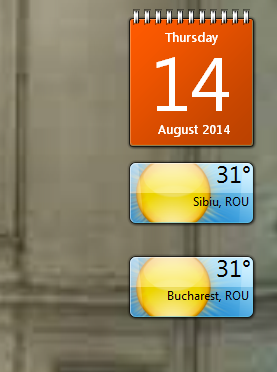
Adaugare gadget pe desktop pentru windows 7 Data 01/08/2014 Autor Andrei Stancu Categorie OS - Windows, Stații de lucru 0 1394 Configurare noua (How To) SituatieVrei sa ai pe desktopul tau date despre vreme, calendar si altele? Solutie Pasi de urmat Se da click dreapta pe desktop si se selecteaza optiunea Gadgets Din fereastra urmatoare se da dublu click pe gadgetul dorit: Gadgetul va aparea in partea dreapta a ecranului Tip solutiePermanent Voteaza Up Down (33 din 67 persoane apreciaza acest articol) ShareTweetShare Despre Autor Andrei Stancu Solutii Asemanatoare File Explorer is now stuck in Hi-DPI mode with no way to turn it off 0 Boost Adobe Acrobat Performance by disabling AI features 1 Shortcut move tab to the right in Google Chrome 2 Shortcut move tab to the left in Google Chrome 1 Shortcut enter full screen in Google Chrome 1 Shortcut close the current window of Google Chrome v2 2 Leave A Comment? × Cancel Reply Save my name, email, and website in this browser for the next time I comment. 4 − one =
Leave A Comment?