
Situatie
To fix the internet access problem in Edge, follow these steps:
Solutie
1. Open Microsoft Edge
2. Open the Security page with this path:
edge://settings/privacy/security
3. (Option 1) Turn off the “Use secure DNS” toggle switch to disable the feature completely
4. (Option 2) Select the “Use current service provider” option under the “Use secure DNS” setting
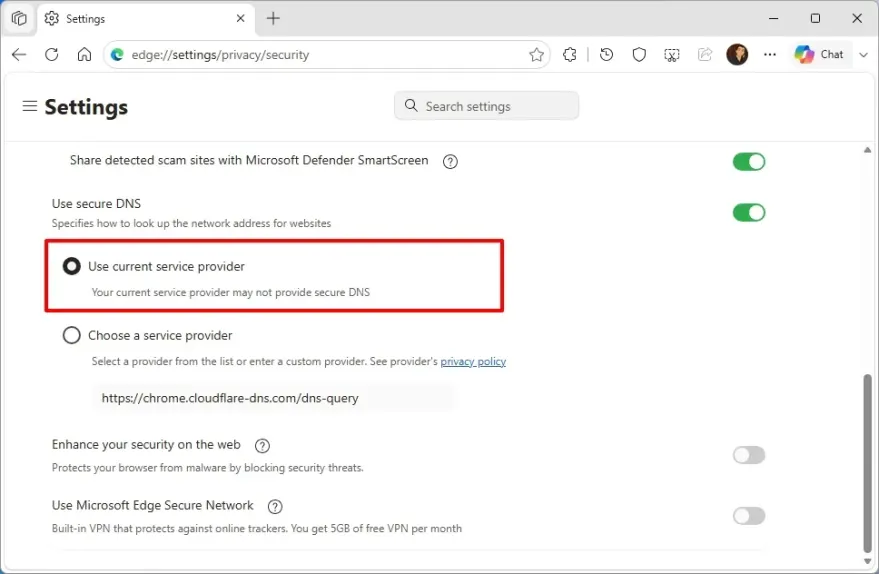
5. Option 3) Select one of the available providers, including Cloudflare, OpenDNS, Google (Public DNS), CleanBrowsing, or NextDNS.
Quick note: I recommend using this configuration only if you fully understand it, as separate DNS configurations on your computer can get confusing and can cause issues like the one in this guide.
Once you complete the steps, the browser should immediately connect to the internet, and you should no longer receive the DNS_PROBE_FINISHED_NXDOMAIN message.
Leave A Comment?