
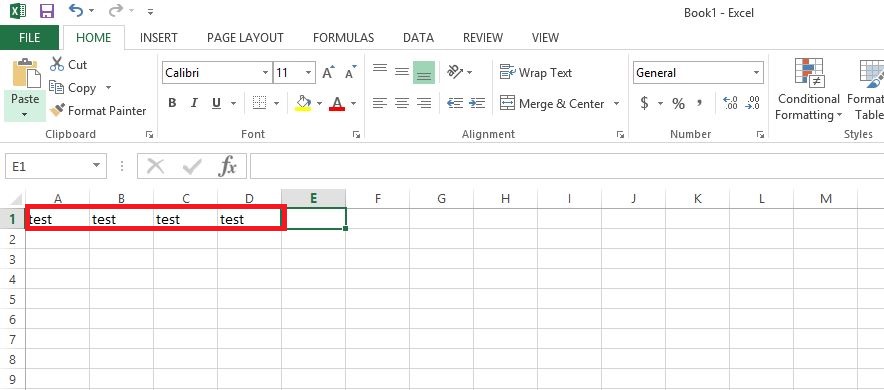
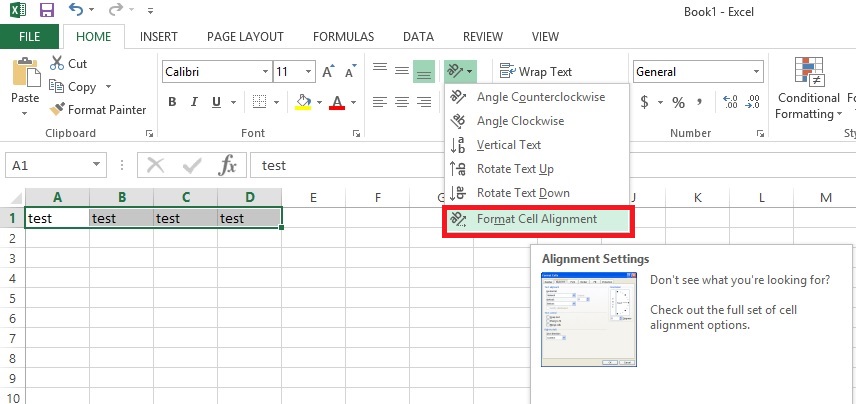
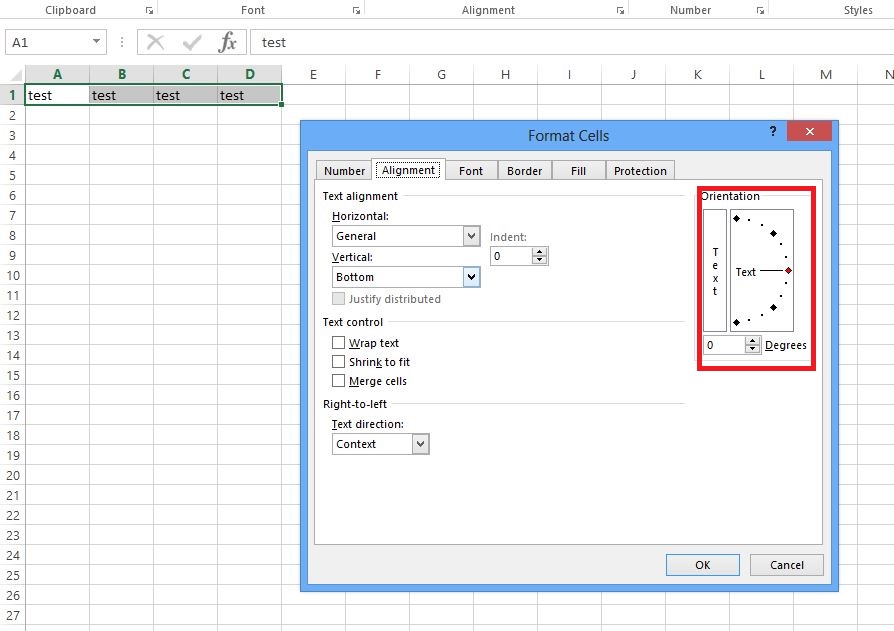
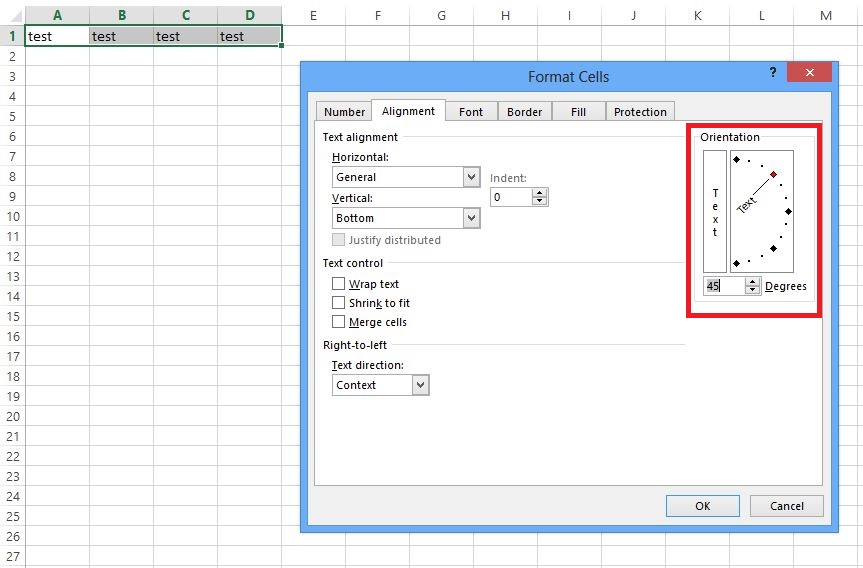
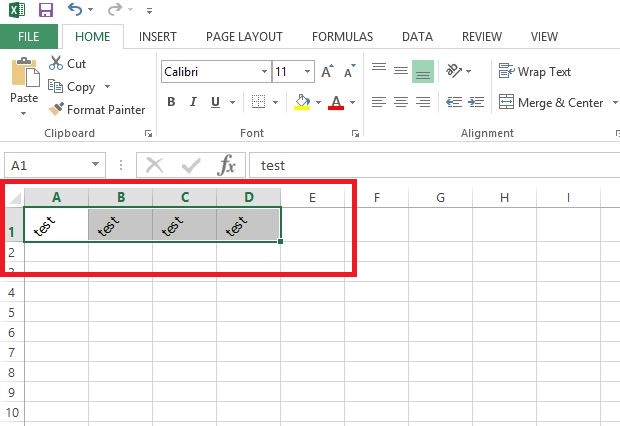
Cum sa rotesti textul intr-o celula din Excel. Data 15/09/2015 Autor Valentin G Categorie Configurare program, Aplicatii specifice, Stații de lucru -2 1755 Configurare noua (How To) SituatieCum sa rotesti textul intr-o celula din Excel. Solutie Pasi de urmat Se deschide un document excel si se selecteaza textul dorit sa fie rotit. In meniul de sus se afla “Format Cell Alignment”. In partea dreapta se afla “Orientation”. Cu mouse-ul se muta linia din dreptul “Text” la gradatia dorita. Se da click pe “ok”. Tip solutiePermanent Voteaza Up Down (24 din 49 persoane apreciaza acest articol) ShareTweetShare Despre Autor Valentin G Solutii Asemanatoare Remediere Eroare: 0xc00000ba 3 Cum putem monitoriza complet componentele hardware 2 Raspberry Pi Music jukebox 3 Wireless USB flash drive using Raspberry Pi 3 6 Excel UI changes you need to make before starting your next spreadsheet 6 Running out of phone storage? 0 Leave A Comment? × Cancel Reply Save my name, email, and website in this browser for the next time I comment. × five = forty five
Leave A Comment?