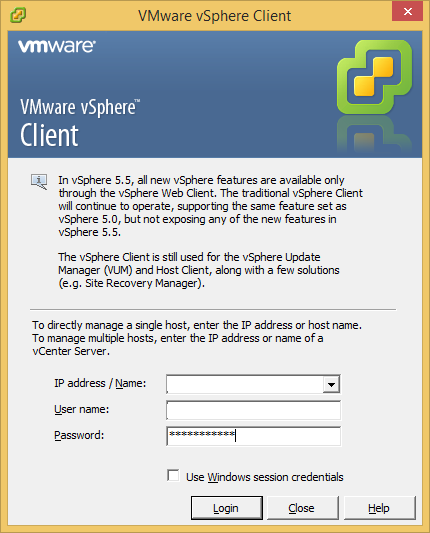
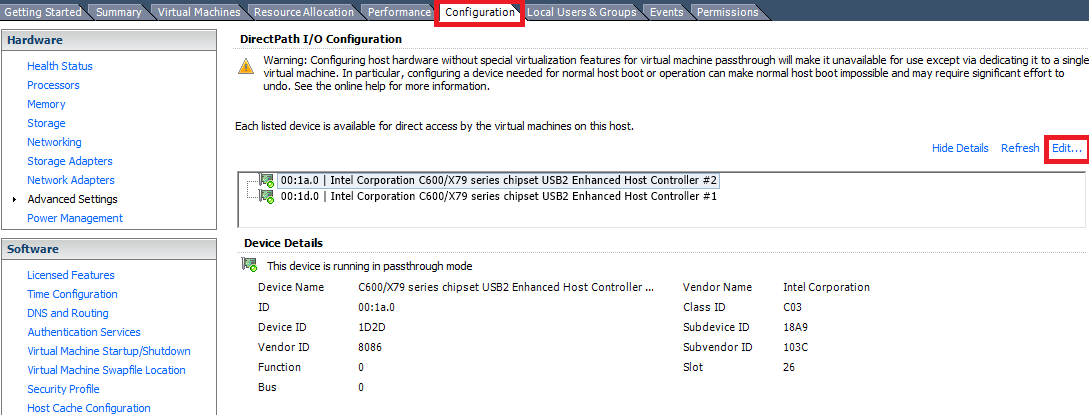
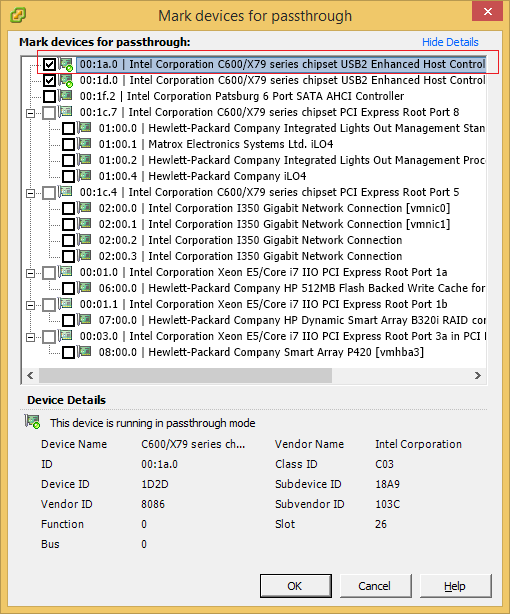
Configurare Pass-Through Device pe un ESXi Data 05/01/2016 Autor Radu P Categorie Vmware ESXi, Vmware ESXi, Virtualizare -5 2684 Configurare noua (How To) SituatieSe doreste configurarea Pass-Through Device pe un ESXi Solutie Pasi de urmat Se deschide vmware vsphere client Se deschide tab-ul Configuration si se da click pe edit Se selecteaza device-ul dorit si se da click pe ok Tip solutiePermanent Voteaza Up Down (30 din 66 persoane apreciaza acest articol) ShareTweetShare Despre Autor Radu P Solutii Asemanatoare Cum activezi Memory Ballooning pentru mașini virtuale în Proxmox VE 7 How to Release Ownership of an ocfs2 Repository Force in Oracle VM -10 Marire disk din Hyper-V -13 Remote Desktop Connection – An authentication error has occurred -6 Cum vedem starea fizica a placii de retea ESXI (SSH) -30 Cum vezi default gateway pe ESXI (SSH) -28 Leave A Comment? × Cancel Reply Save my name, email, and website in this browser for the next time I comment. four × two =
Leave A Comment?
