Follow Us

Soluții pentru problemele tale IT

Home /Aplicații/E-mail/Cum sa eliberam spatiu pe disk prin compactarea fisierelor PST în Outlook
Home /Stații de lucru/OS - Windows/Cum sa eliberam spatiu pe disk prin compactarea fisierelor PST în Outlook

Cum sa eliberam spatiu pe disk prin compactarea fisierelor PST în Outlook

  • Data 11/07/2016
  • Autor Razvan Fl.
  • Categorie E-mail, OS - Windows
  • -12
  • 2787
Configurare noua (How To)

Situatie

De examplu:

Mergem la un utilizator unde dupa spusele acestuia ,,nu mai intra mailurile,, dupa ce verificam, constatam ca nu mai are spatiu pe Hard.

Sfatuim utilizatorul sa isi faca curat pentru a putea arhiva casuta de mail.
Acesta intra prin arhive(PST-uri) si sterge dupa preferinta mai multe mail-uri, dar se plange ca pst-ul are aceasi capacitate de si el a facut curatenie cum a fost sfatuit.

Solutie

Pasi de urmat

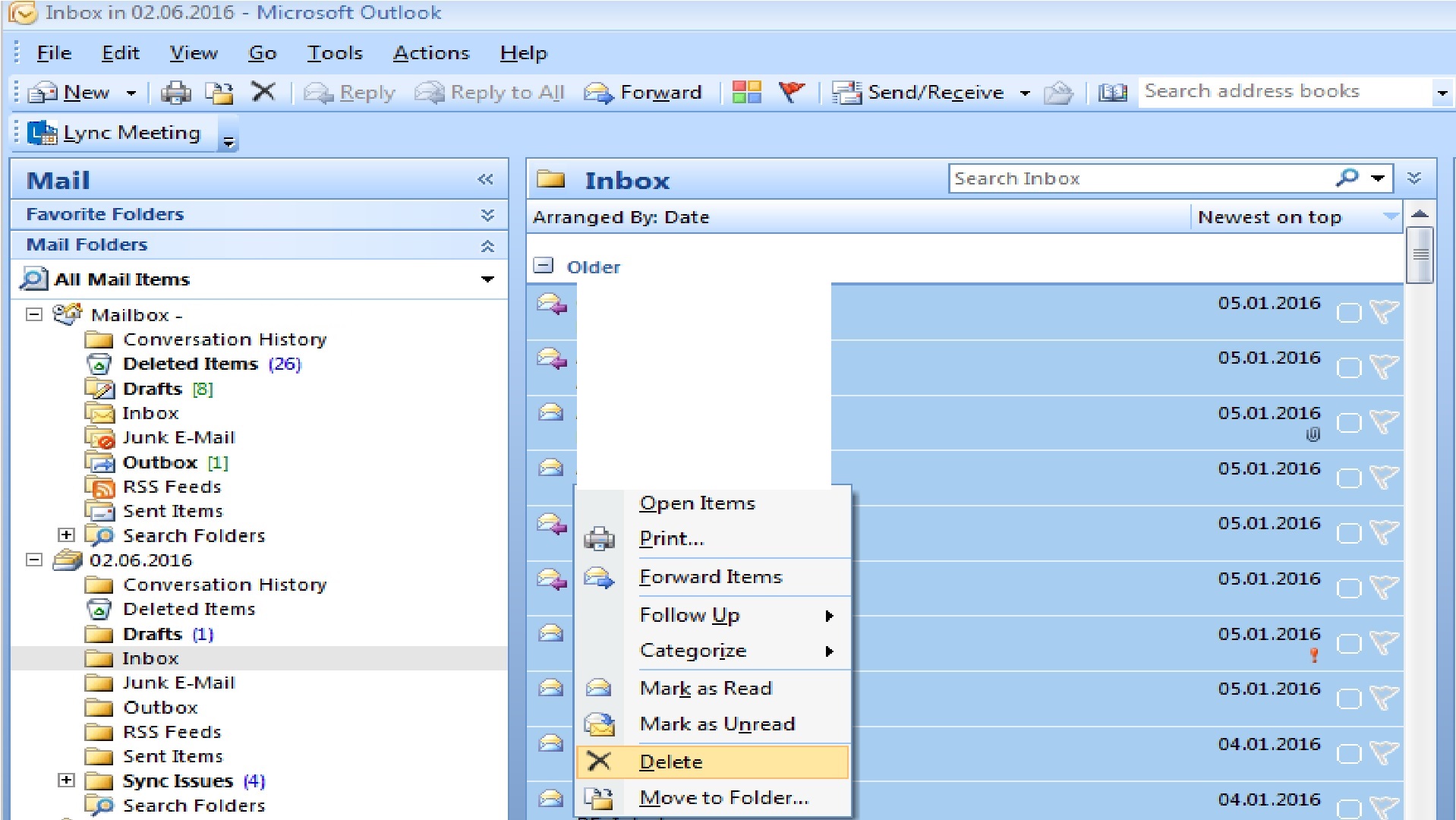
Utilizatorul sterge mail-uri cum a fost sfatuit

12

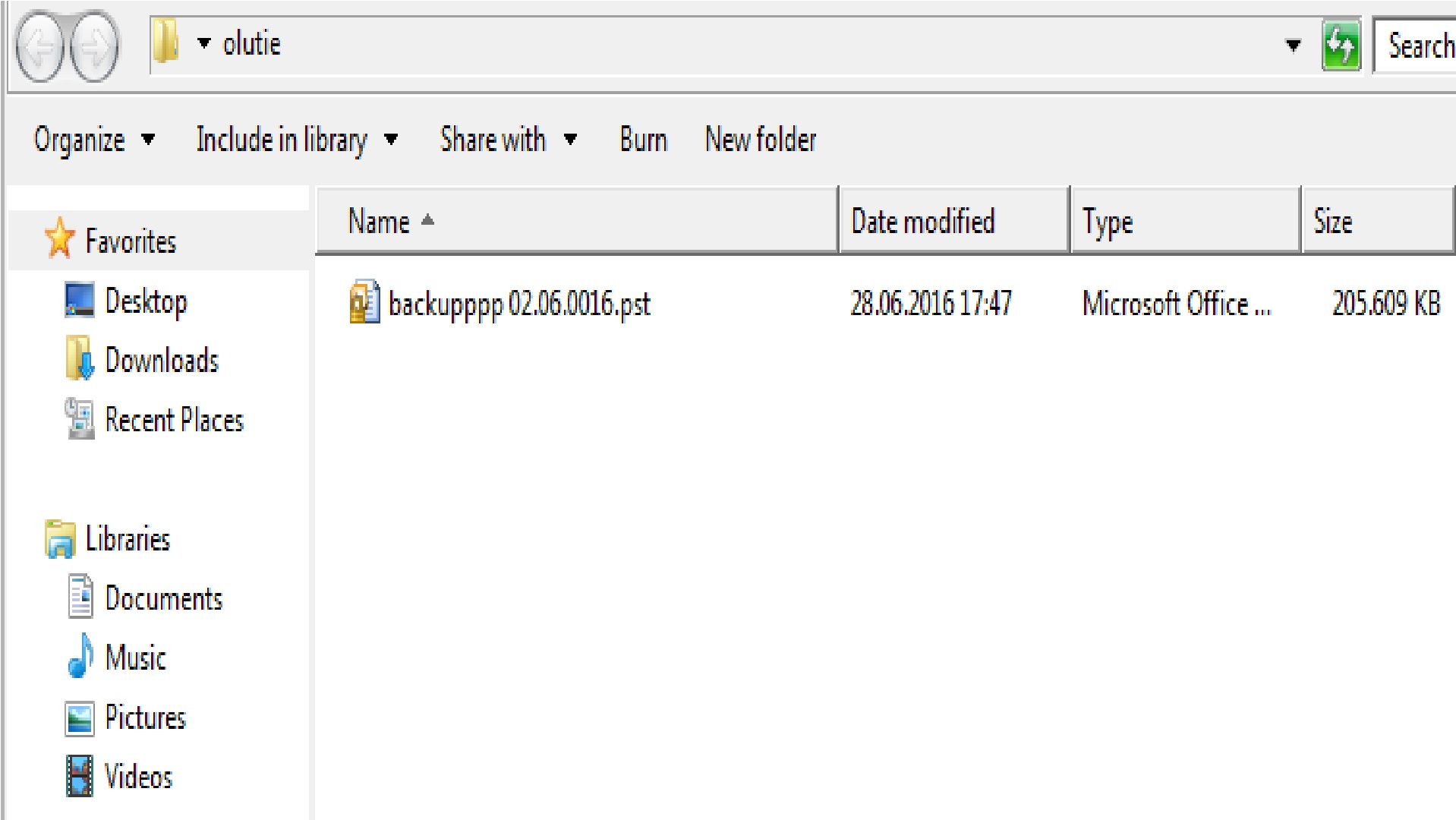
Capacitatea PST-urilor este diferita

334


Facem click pe Tools > Account Settings
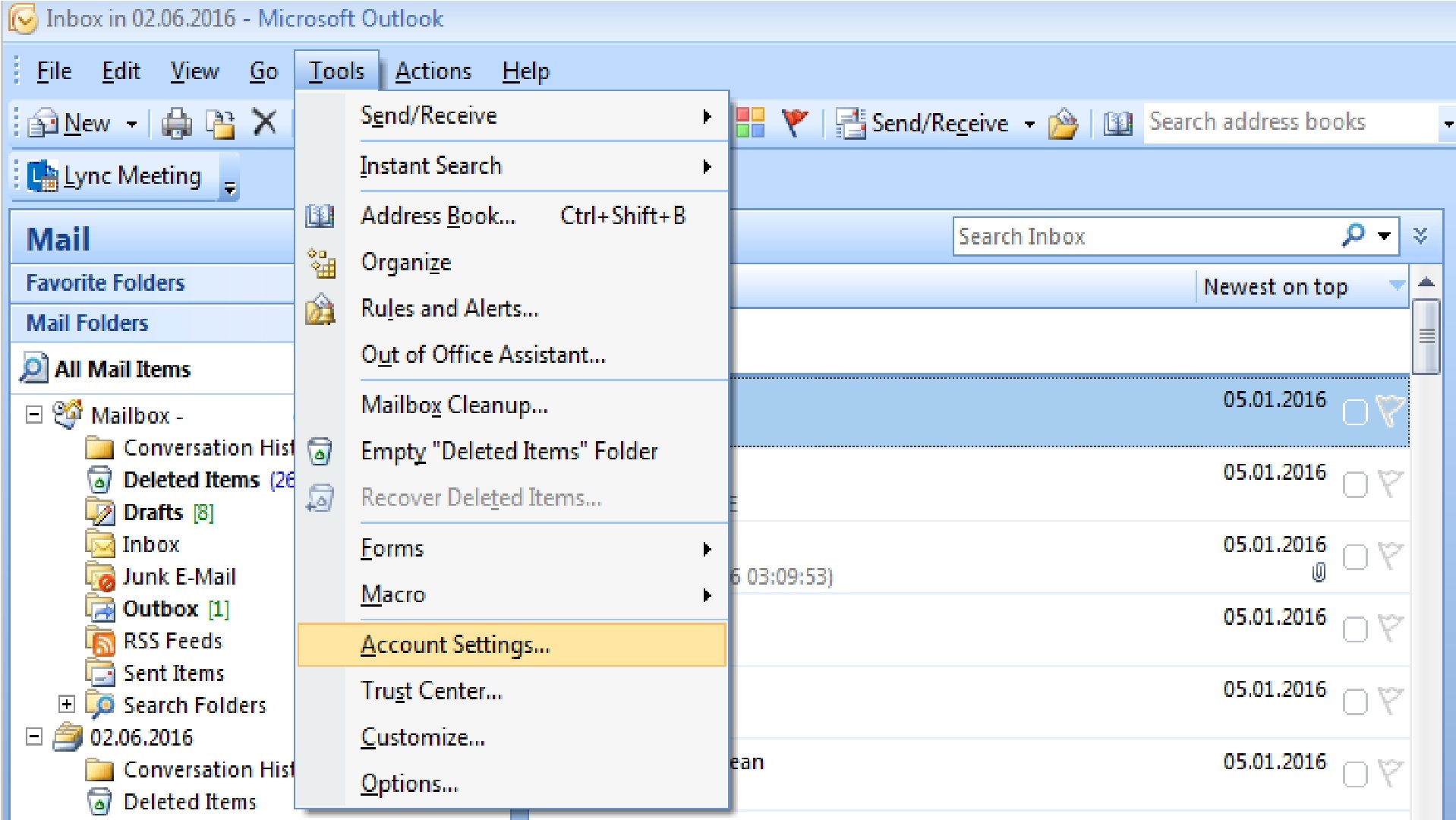
5 Facem click pe

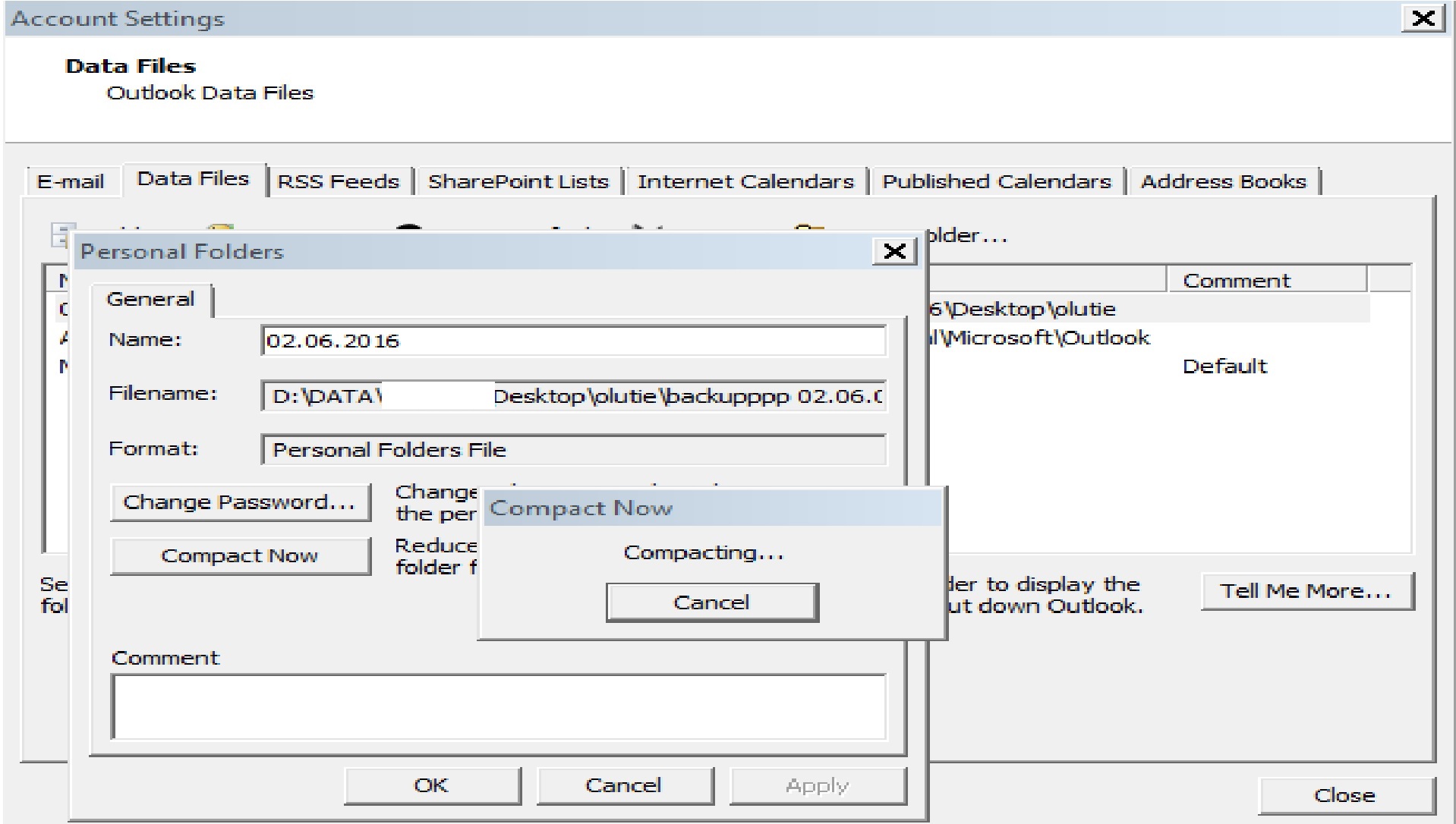
Facem click pe Data Files > Settings si Compact Now6 Facem click pe data settings si comp

Compactarea este pornita iar problema este rezolvata
7

Tip solutie

Permanent
Etichetare: Account Settingsaskitaskit.roCompact NowCompact PSTcompactarea fisierelor PSTCum sa eliberam spatiu pe disk prin compactarea fisierelor PST în Outlookoutlookpst

Voteaza

Up Down
(33 din 78 persoane apreciaza acest articol)
Share
Tweet
Share

Despre Autor

Razvan Fl.

Solutii Asemanatoare

  • Bring your Windows Desktop to life with Wallpaper Engine 5
  • How to move Taskbar to top or side on Windows 11 3
  • How to fix high CPU usage in Firefox / Chrome 1
  • How to fix Hypervisor Error in Windows 10/11 by Checking Drive for File System Errors 4
  • How to fix Hypervisor Error in Windows 10/11 by restarting Hyper-V Services 1
  • How to fix Hypervisor Error in Windows 10/11 by running Windows Memory Diagnostic Tool 2

Leave A Comment? × Cancel Reply

30790

Soluții Disponibile

0 Articole

In ultima saptamana

Cele mai recente soluții

  • How to resolve a Windows Update Install Error – 0x80070002
    • 121
    • 2 weeks ago
  • Bring your Windows Desktop to life with Wallpaper Engine
    • 90
    • 2 weeks ago
  • How to move Taskbar to top or side on Windows 11
    • 130
    • 17/12/2025
  • Reparare eroare:”Trust Relationship Failed” fără scoatere din domeniu și fără restart (PowerShell)
    • 105
    • 2 weeks ago
  • You’ve been deleting files the wrong way in Windows
    • 102
    • 2 weeks ago
© Askit.ro, 2014 - 2025. All rights reserved. Done by Class IT
Share
Tweet
Share