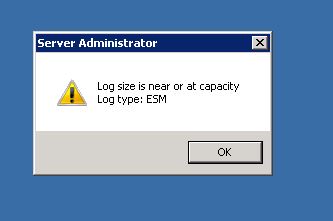
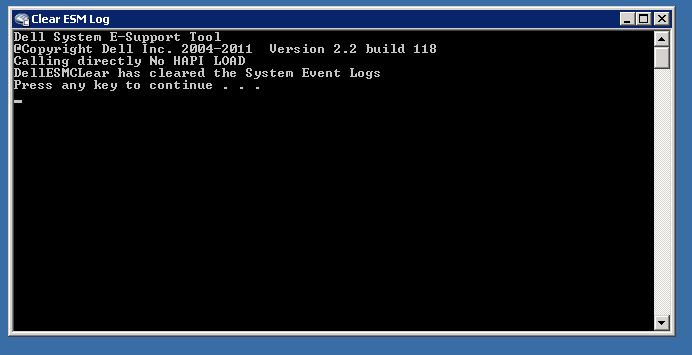
Curatarea logurilor ESM (The Embedded System Management) de pe un server Dell PowerEdge Data 11/03/2017 Autor Andrei Si. Categorie OS - Windows -8 1546 Configurare noua (How To) Situatie Solutie Descarcam si instalam DSET 2.2 alegand doar optiunea “Gather then Clear Dell Hardware Log only” Executam comanda de curatare Tip solutiePermanent Etichetare: askitaskit.roCuratarea logurilor ESMDell PowerEdgeDSET 2.2ESMGather then Clear Dell Hardware Log onlyThe Embedded System Management Voteaza Up Down (38 din 84 persoane apreciaza acest articol) ShareTweetShare Despre Autor Andrei Si. Solutii Asemanatoare Cum identifici exact ce aplicație sau proces ascuns oprește calculatorul să intre în modul Sleep 5 Fișierele nu sunt afișate pe hard disk extern în Windows 11 4 Nu există suficientă memorie pentru a finaliza această operație 0 Încercarea de recuperare a eșuat HP Cloud Recovery 4 Cum identifici și remediezi întârzierile de imprimare pe anumite calculatoare din rețea 3 How to add or remove the notification Bell Icon on the Windows 11 Taskbar via Registry Editor Command Prompt 4 Leave A Comment? × Cancel Reply Save my name, email, and website in this browser for the next time I comment. 6 − = two
Leave A Comment?
