
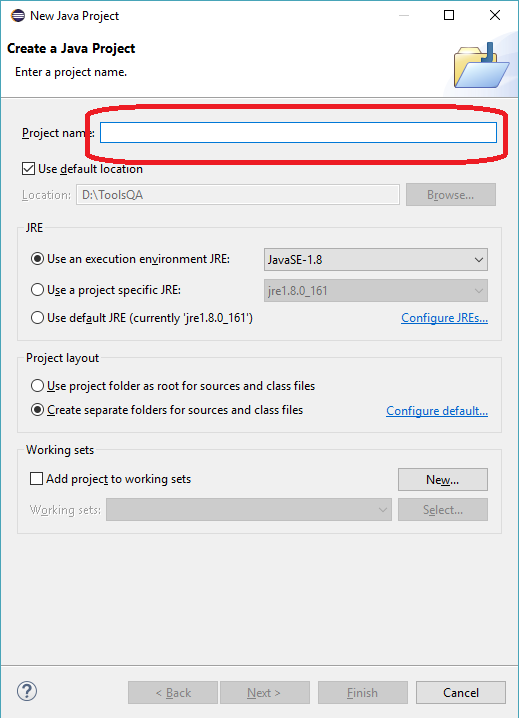
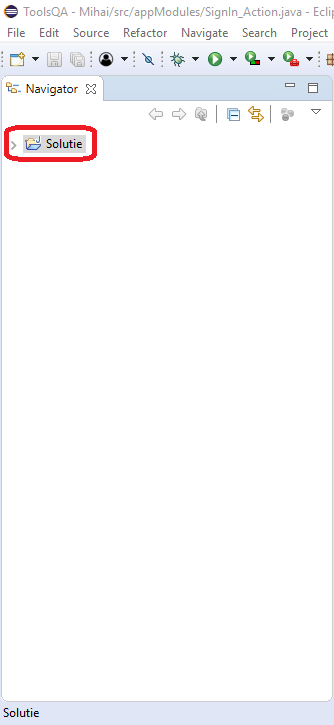
Cum sa creezi un nou Proiect Java in Eclipse Data 15/02/2018 Autor Mirmilic Mihai Categorie Soluții 1 1772 Configurare noua (How To) SituatieIn acest tutorial va voi arata cum sa creati un nou Proiect Java in Eclipse pentru testarea automata. Solutie Pasi de urmat Dupa ce am deschis Eclipse dam click pe File. . Ne ducem pe New si apoi Java Project. Introducem numele Proiectului in Project name si click Finish. Acum in partea din stanga a programului avem creat noul proiect. Tip solutiePermanent Etichetare: askitaskit.roCum sa creezi un nou Proiect Java in EclipseEclipseProiect JavaProiect Java in EclipseProject name Voteaza Up Down (33 din 65 persoane apreciaza acest articol) ShareTweetShare Despre Autor Mirmilic Mihai Solutii Asemanatoare iOS 26: Switch back to the classic Phone App layout 5 How to enable Windows Recall 2 Arduino pulse rate monitor 2 Cum schimbati tipul de encryption din 128-bit in 40-or 56-bit pentru “File sharing connections” 2 Tailscale: The Easiest way to access your Homelab from Anywhere 3 Ai uitat parola de la Wi-Fi? O poti recupera in Command Prompt 0 Leave A Comment? × Cancel Reply Save my name, email, and website in this browser for the next time I comment. seven − = 3

Leave A Comment?