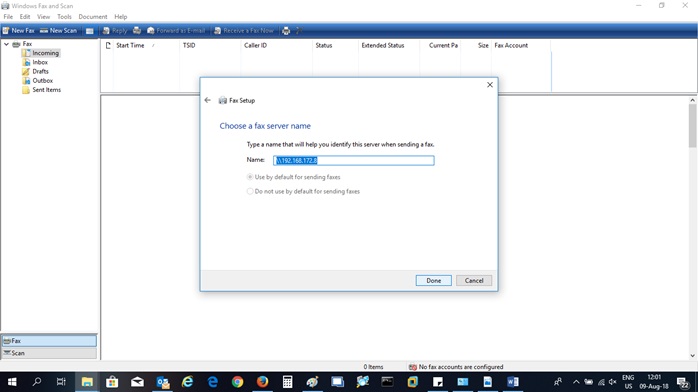
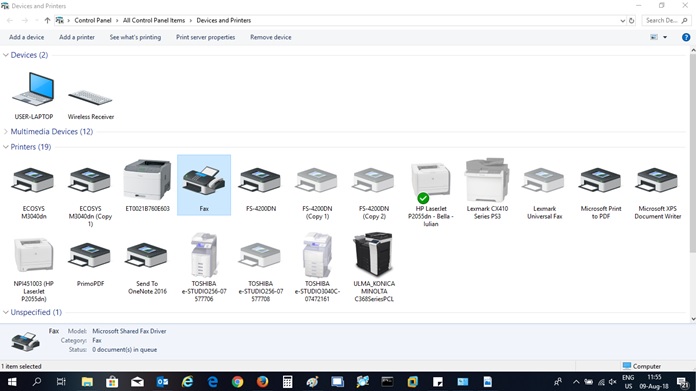
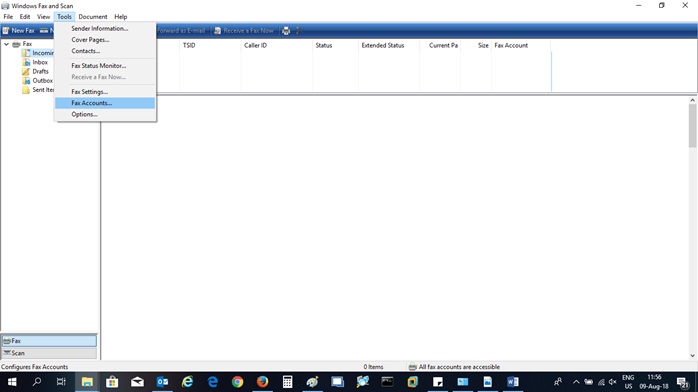
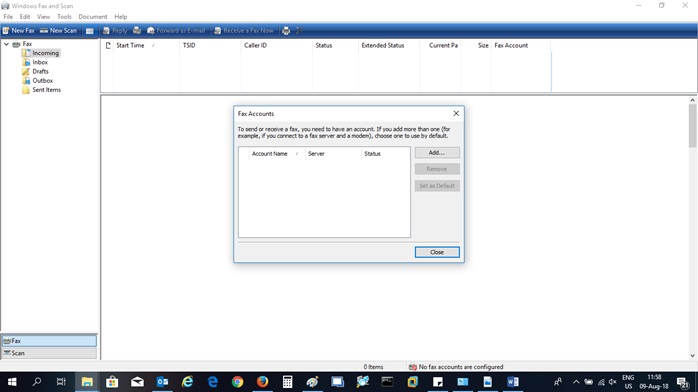
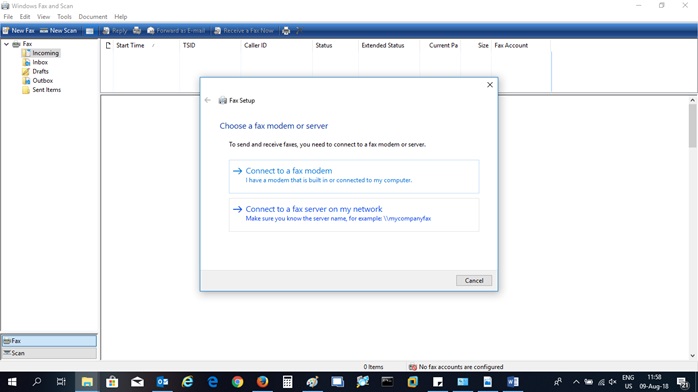
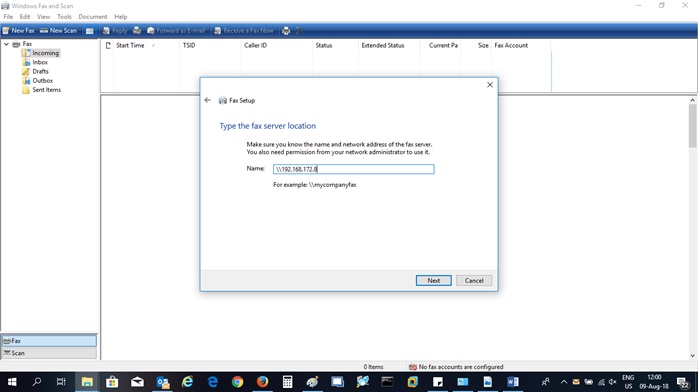
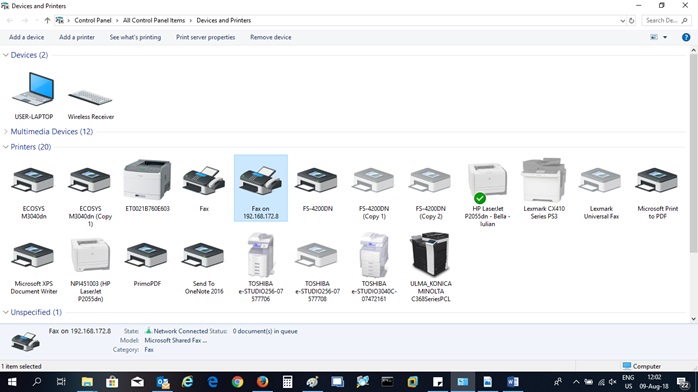
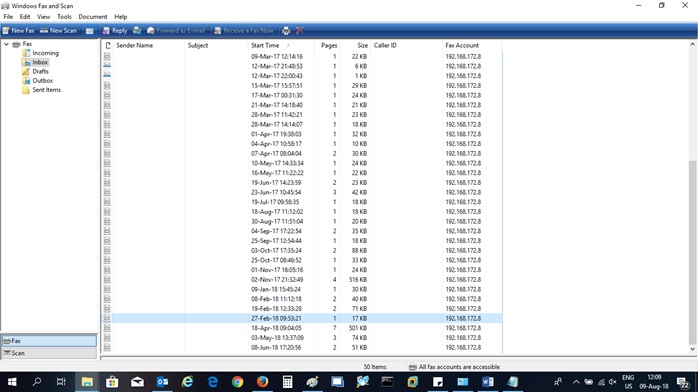
Fax pe calculator Data 11/08/2018 Autor Ciprian Dem Categorie OS - Windows -14 811 Configurare noua (How To) SituatieDispunem de un numar de fax pe care il avem conectat cu un modem la un calculator / server. Solutie Pasi de urmat Navigam catre: Control Panel > Devices and Printers > Fax si dam dublu click pentru a-l deschide. Apoi navigam catre: Tools > Fax Accounts Add Account: Connect to a fax server on my network Se introduce IP-ul intern: Avem contul adaugat Apoi apare fax on 192.168.172.8 Se deschide un document (pdf, word, text) si se apasa ctrl+p, apoi se alege fax on 192.168.172.8 Se deschide urmatoarea fereastra unde introducem numarul de fax, apoi dam click pe send. In inbox avem si fax-urile primite: Tip solutiePermanent Voteaza Up Down (13 din 40 persoane apreciaza acest articol) ShareTweetShare Despre Autor Ciprian Dem Solutii Asemanatoare After installing Windows 11, the computer boots very slowly and some applications take a long time to open 1 Fișierele sunt șterse automat pe Windows 11 5 Fișierele de recuperare BIOS nu pot fi găsite sau fișierele sunt corupte 0 Remediere cod bitlocker blocat 4 How to add Custom Text in Excel Header and Footer in Excel on Windows 10/11 4 How to open Headers and Footers from the Insert Tab in Excel on Windows 10/11 0 Leave A Comment? × Cancel Reply Save my name, email, and website in this browser for the next time I comment. six + = 8
Leave A Comment?