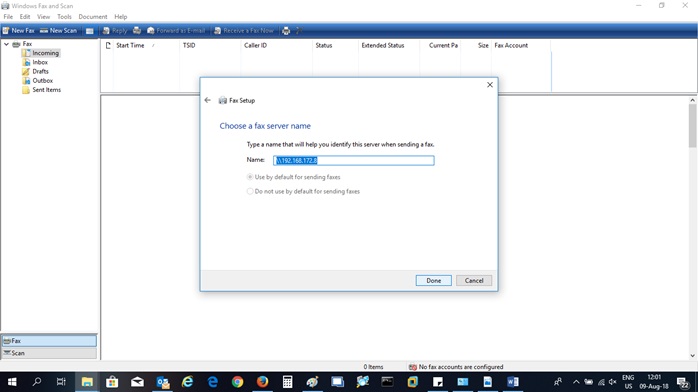
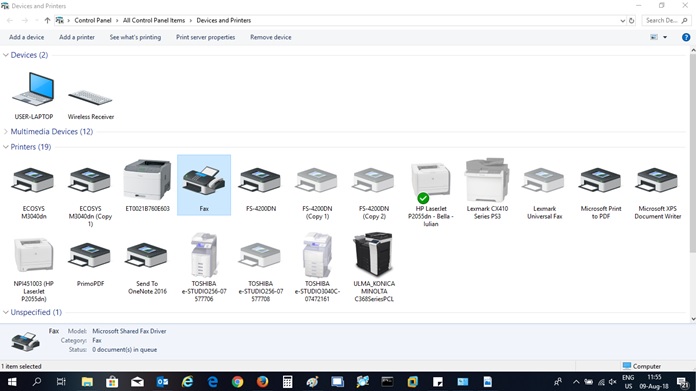
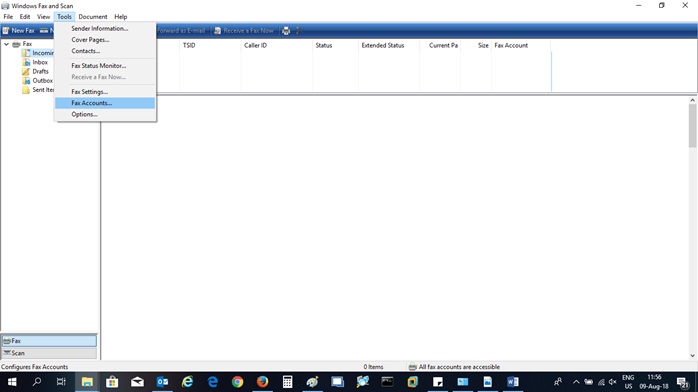
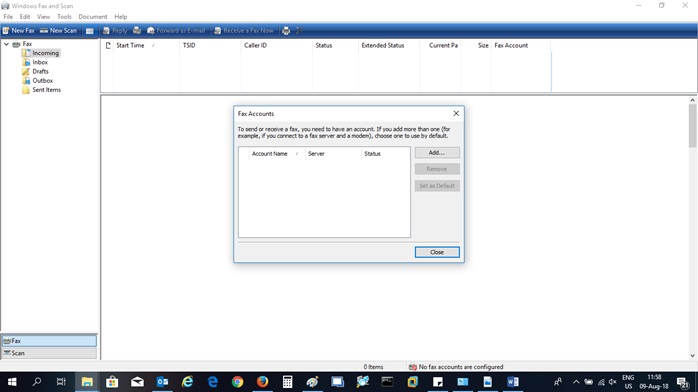
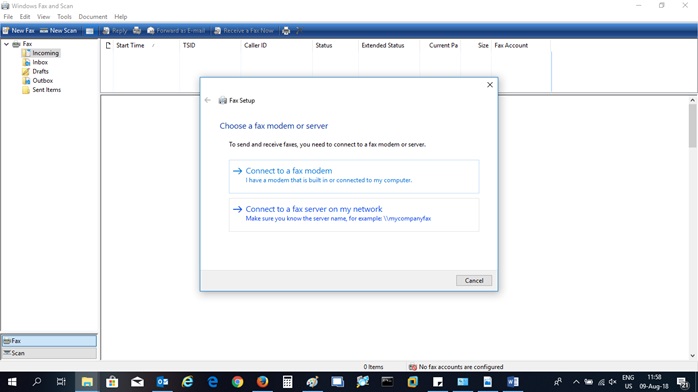
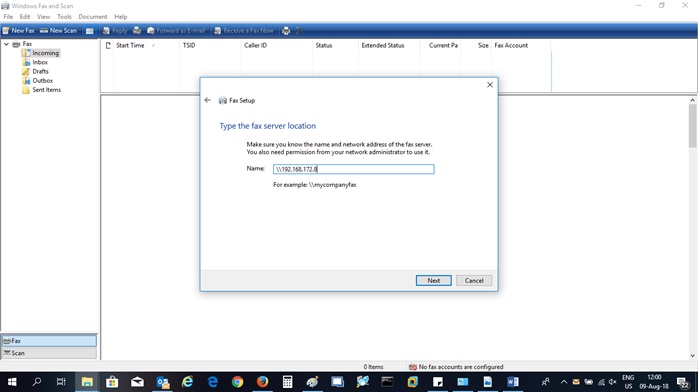
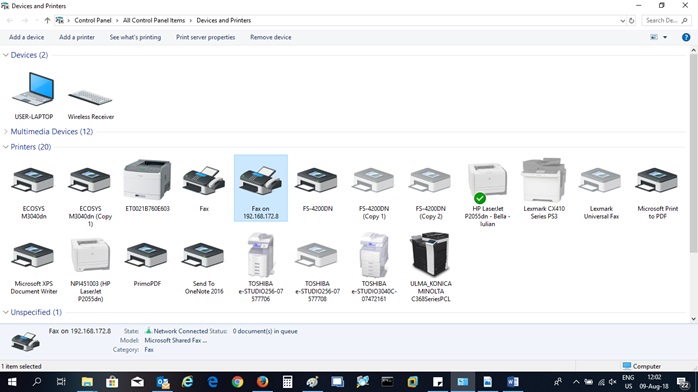
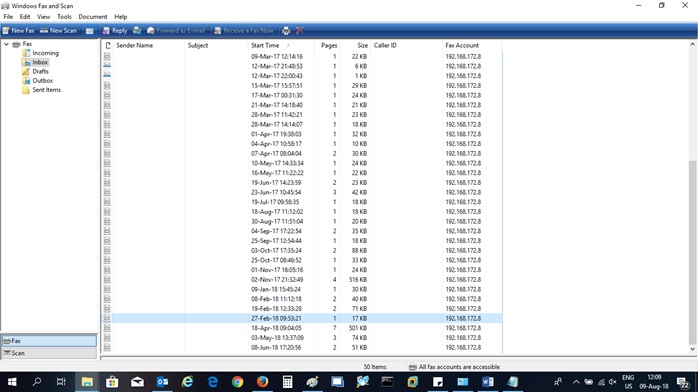
Fax pe calculator Data 11/08/2018 Autor Ciprian Dem Categorie OS - Windows -15 883 Configurare noua (How To) SituatieDispunem de un numar de fax pe care il avem conectat cu un modem la un calculator / server. Solutie Pasi de urmat Navigam catre: Control Panel > Devices and Printers > Fax si dam dublu click pentru a-l deschide. Apoi navigam catre: Tools > Fax Accounts Add Account: Connect to a fax server on my network Se introduce IP-ul intern: Avem contul adaugat Apoi apare fax on 192.168.172.8 Se deschide un document (pdf, word, text) si se apasa ctrl+p, apoi se alege fax on 192.168.172.8 Se deschide urmatoarea fereastra unde introducem numarul de fax, apoi dam click pe send. In inbox avem si fax-urile primite: Tip solutiePermanent Voteaza Up Down (19 din 53 persoane apreciaza acest articol) ShareTweetShare Despre Autor Ciprian Dem Solutii Asemanatoare Shortcut close the current tab in Google Chrome v2 2 Shortcut maximize the current window of Google Chrome 0 Shortcut accesare meniu Settings din Google Chrome 2 Shortcut quit Chrome 3 Activarea multi-sesiunilor pentru Remote Desktop pe Windows Server 2 Sistemul de operare optimizat pentru Edge Computing și Self-Healing 1 Leave A Comment? × Cancel Reply Save my name, email, and website in this browser for the next time I comment. five − 1 =
Leave A Comment?