Situatie
Cum se poate activa userul de “Guest” in macOS
Solutie
Pasi de urmat
Deschideti “System Preferences”.

Intrati in “Users & Groups”.

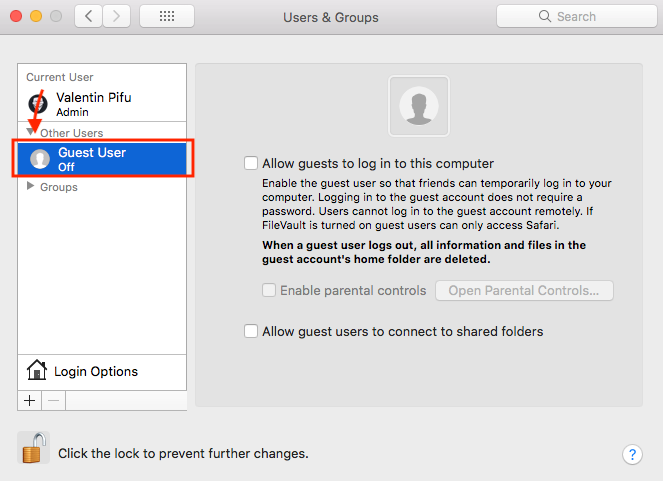
Click pe “Guest User”.
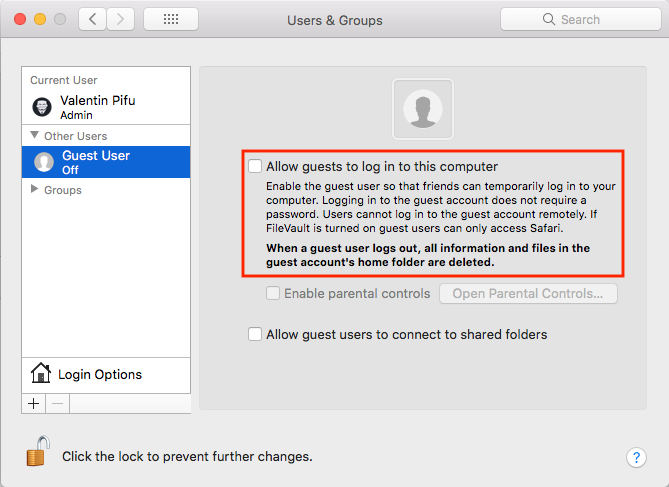
Bifati “Allow guests to log in to the computer”.

Soluții pentru problemele tale IT
Cum se poate activa userul de “Guest” in macOS
Deschideti “System Preferences”.
Intrati in “Users & Groups”.
Click pe “Guest User”.
Bifati “Allow guests to log in to the computer”.