
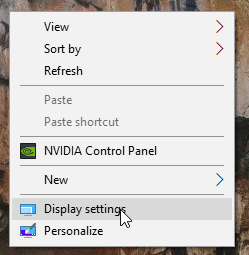
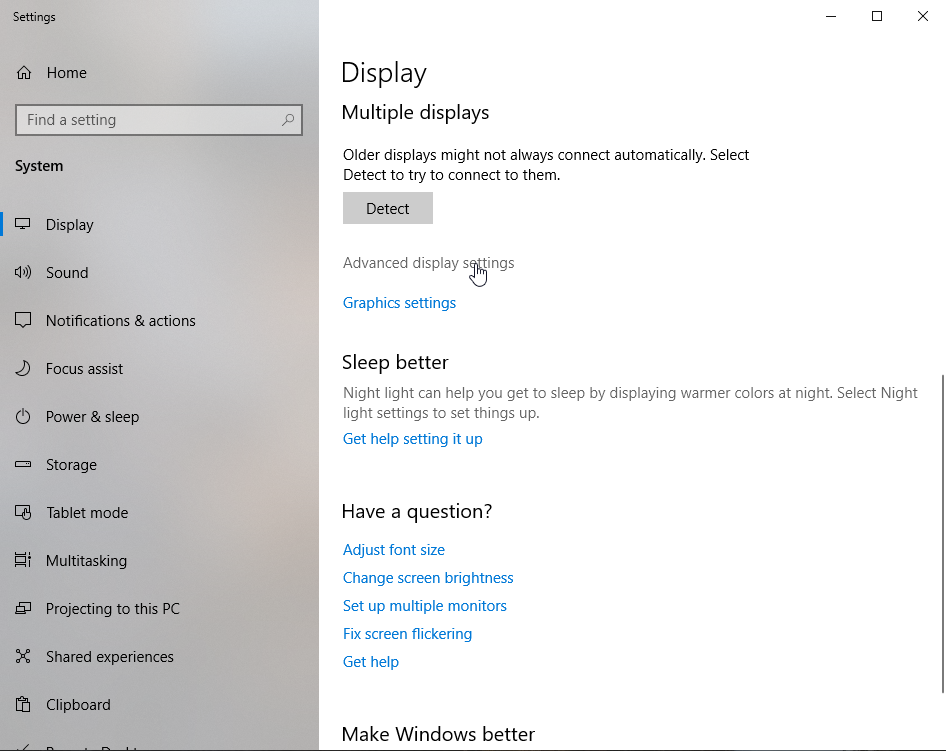
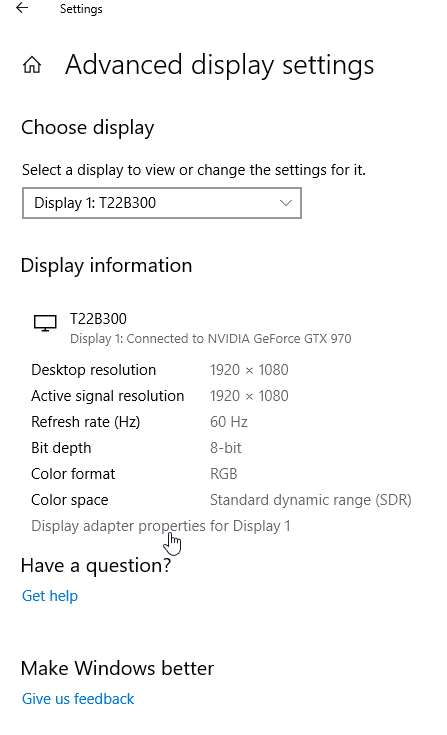
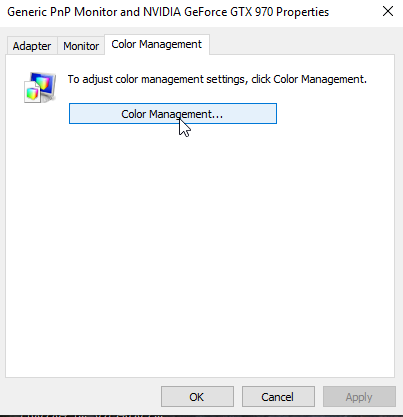
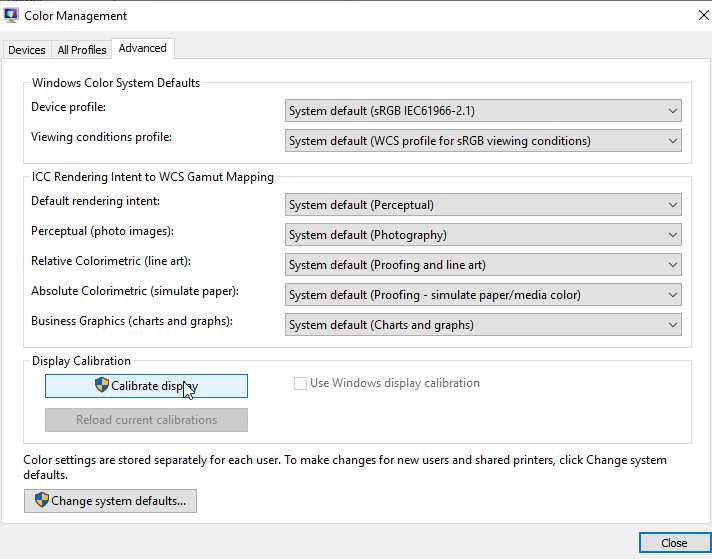
Cum sa calibrezi display-ul in windows 10 Data 26/09/2019 Autor Razvan Bur Categorie OS - Windows -11 647 Configurare noua (How To) SituatieAtunci cand doresti o ajustare automata a display-ului, poti urma procedura de mai jos. Solutie Pasi de urmat Click dreapta pe Desktop -> Display Settings. In fereastra de Settings, la sectiunea Display->Advance settings display Apoi apasati pe Display adapter properties for Display 1 Apoi in noua fereastra aparuta apasati pe butonul Color Management Iar in ultimul trebuie sa apasati butonul Calibrate display, iar display-ul se va calibra automat. Tip solutiePermanent Voteaza Up Down (21 din 52 persoane apreciaza acest articol) ShareTweetShare Despre Autor Razvan Bur Solutii Asemanatoare Shortcut close the current window of Google Chrome 0 Shortcut close the current tab in Google Chrome -1 Shortcut open a new tab and switch to it in Google Chrome 0 Shortcut open a new window in Google Chrome 0 How to back up WSL on Windows 11 via PowerShell 1 How to check if WSL is removed on Windows 11 via PowerShell 1 Leave A Comment? × Cancel Reply Save my name, email, and website in this browser for the next time I comment. three + 4 =
Leave A Comment?