Soluții

How to Add a User to the sudoers File in Linux

The people who can use the Linux sudo command are members of a small and select club, sometimes called the “sudoers” list. Each member has the same powers as root. So how do you join that club? We’ll walk through adding a person to sudoers as well as editing the sudoers file to limit permissions.

[mai mult...]

How to enable “God mode” in Windows 10

  1. Right click on your desktop and create a new folder
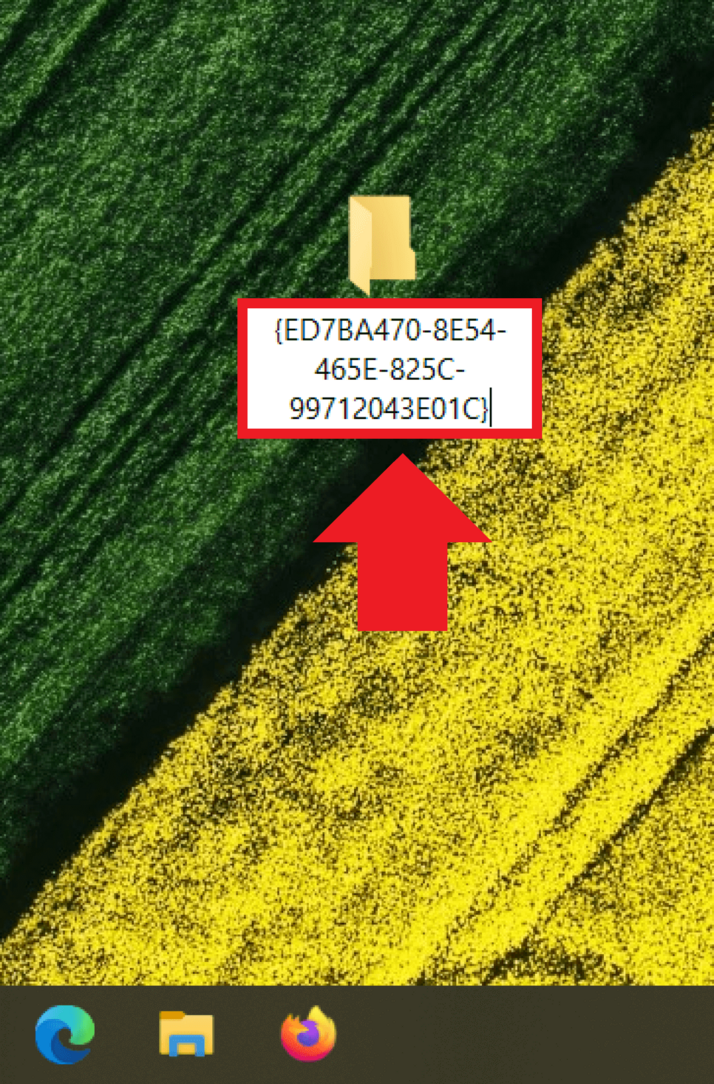
  2. Enter the folder name GodMode.{ED7BA470-8E54-465E-825C-99712043E01C}.
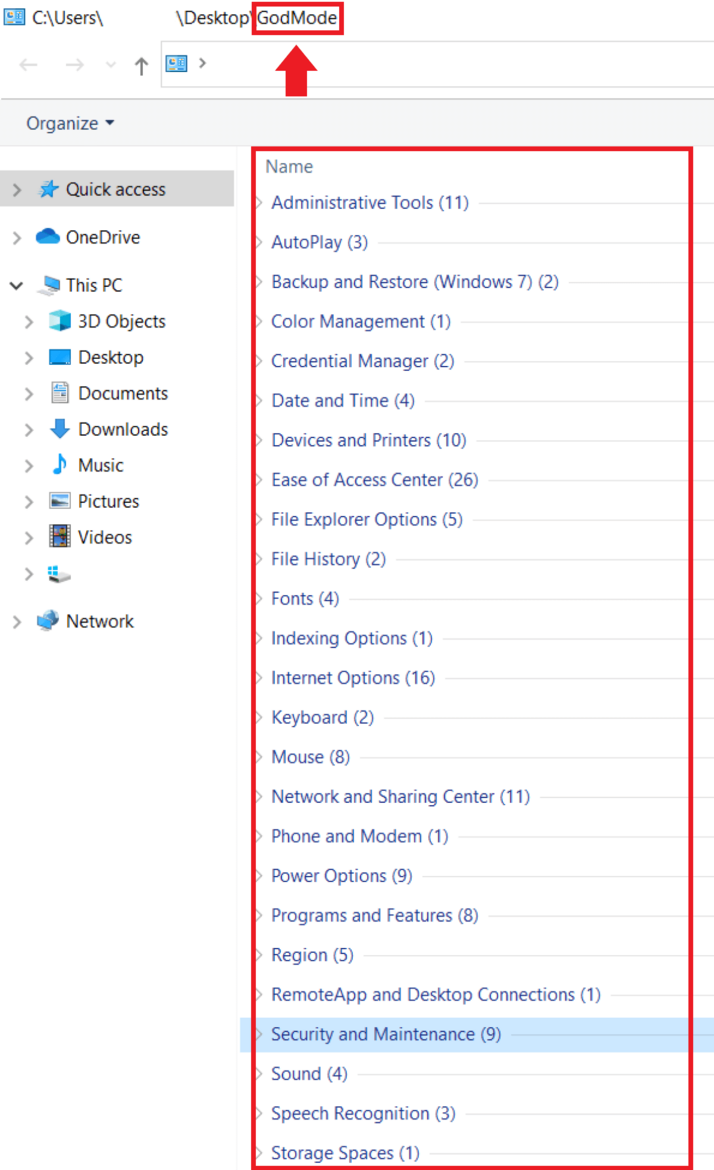
  3. The God mode folder will appear now on your desktop with full administrator access.

When you double-click to open the folder, you will see the clear list of currently 250 system settings. You can also easily search for the setting you need in the list using the search function.

Those who enable Windows 10 God mode can create Windows 10 Users, create a Windows 10 backup, change or enable the windows 10 administrator and make profound changes to the Windows operating system.

[mai mult...]

How to turn off different location services in Windows

Cortana :

  1. Go to Start  > Settings  > Cortana.
  2. Select Permissions or Permissions & History.
  3. Select Manage the information Cortana can access from this device.
  4. Turn the Location setting to Off.

Microsoft Edge :

  1. Go to Start  > Settings  > Privacy > Location.
  2. Turn on Allow access to location on this device.
  3. Turn on Allow apps to access your location.
  4. Turn on Allow desktop apps to access your location if present.

To turn the Windows location settings on or off :

On your pc :

  1. Go to Start   > Settings  > Privacy  > Location.
  2. Do one of the following:
    • To control location for the whole device if you’re an administrator on the device, select Change, and then in the Location for this device message, switch the setting to On or Off.
    • To control location for just your user account, switch the Allow apps to access your location setting to On or Off. If Location for this device is off appears on the settings page, you won’t be able to turn on the Allow apps to access your location setting for an individual user account. (Note that in previous versions of Windows, this setting was called Location service.)

On Windows 10 PCs, you can add or remove the Location tile from the notification area at the far right of the taskbar. Here’s how:

  1. Go to Start   > Settings  > System  > Notifications & actions.
  2. Under Quick actions, select Edit your quick actions.
  3. Add, remove, or move the Location tile.
[mai mult...]