
Soluții

Cum schimbam culoarea la bara de activitati in Windows 11

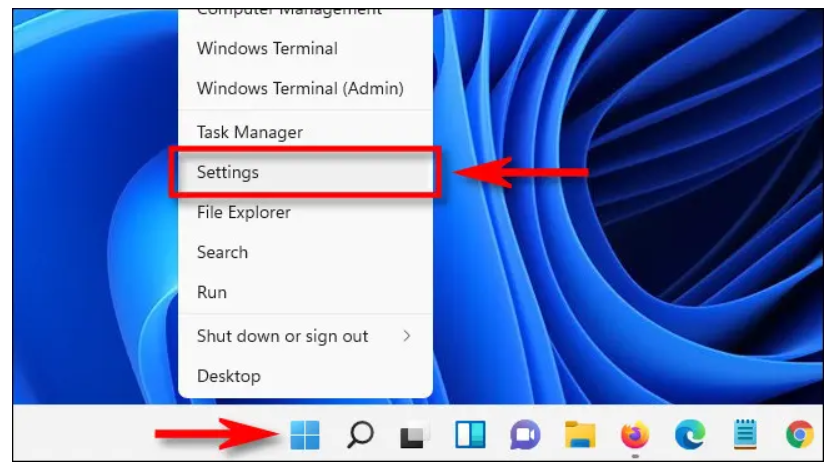
Daca doriti sa schimbati culoarea la bara de activitati va trebui să mergem în aplicația Setări. În primul rând, deschideți Setting făcând click dreapta pe bara de activități și selectând “Settings” din meniu. (Sau puteți apăsa Windows+i pe tastatură).
În Setări, faceți click pe “Personalization”, apoi alegeți “Colors” în partea dreaptă a ferestrei.

Sub “Colors”, găsiți opțiunea intitulată “Choose Your Mode”. Aici puteți selecta “Dark” sau “Custom” în meniul derulant. Dacă alegeți “Custom” puteți utiliza în continuare aplicațiile și în modul “Light”.
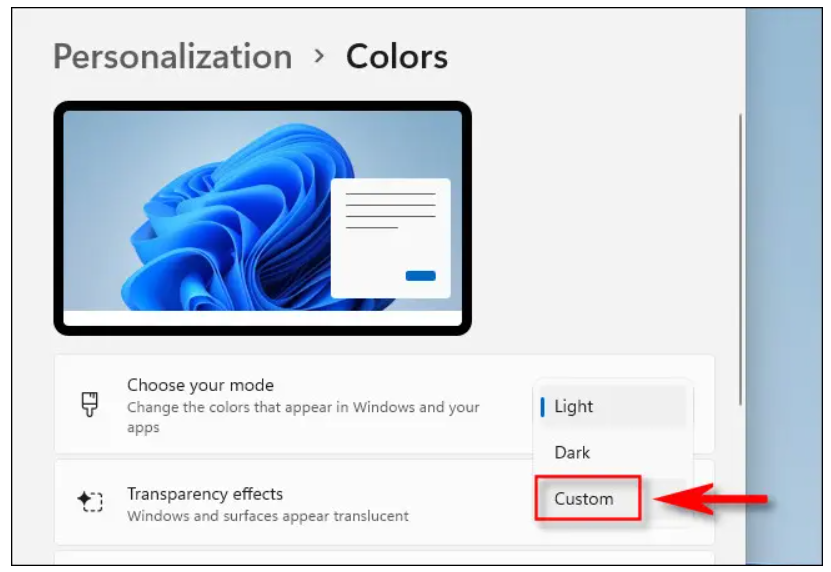
Dacă ați selectat “Custom” în pasul de mai sus, utilizați meniul derulant de lângă “Choose your default Windows mode” pentru a alege “Dark” (Întunecat). Acest lucru vă va permite să aplicați o culoare barei de sarcini. “Choose your default app mode”.

Apoi, comutați comutatorul de lângă “Show accent color on Start and taskbar” pe “On”.
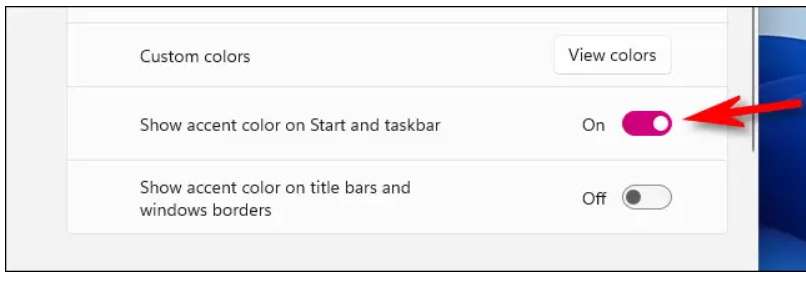
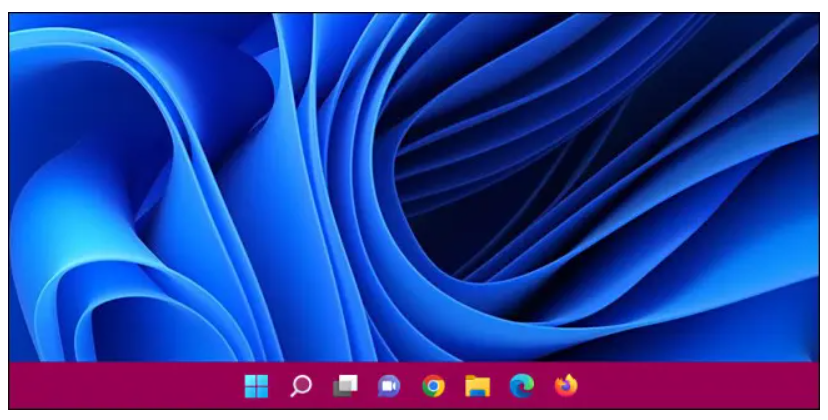
De îndată ce veți activa acest comutator, culoarea pe care ați ales-o va fi aplicată pe bara de activități.
[mai mult...]

How to Unlink PayPal From Discord

PayPal is one of Discord’s supported payment methods. If you don’t wish to use PayPal to pay for Discord purchases like Nitro, it’s easy to unlink both your accounts. We’ll show you how to do that using two different ways. One way to unlink PayPal from Discord is to use the Discord app itself. The other way is to cancel your automatic Discord payments from the PayPal website. Both do the same thing.

[mai mult...]

How to Change Line Spacing in Google Docs

Adjust the Line Spacing in Google Docs

You can change the line spacing for your entire document or a selected portion of text. If you’re creating a new document, set the line spacing upfront and then focus on your content worry-free. If you already have text in your document, select the text you want to change.

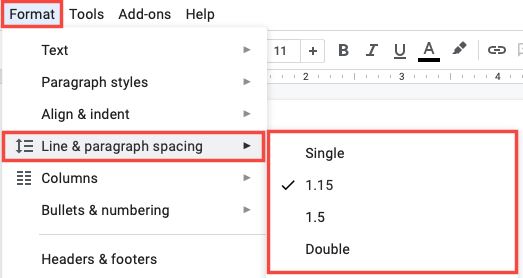
  • Click the Line & Paragraph Spacing button in the toolbar or select Format > Line & Paragraph Spacing in the menu.
  • You’ll then see a few preset options you can pick from including Single, 1.15, 1.5, and Double. Select the one you want to use, and you’re set.

You can use different line spacing throughout your document as well. Simply select the text that you want to change and pick the spacing you want to use. This is something you might do when inserting block quotes in your document. If you’re wondering about enter spacing, the amount of spacing you see after you hit your Enter or Return key, the line spacing option you select applies to this as well.

[mai mult...]