
Soluții

Prompt for password on resume from hibernate/suspend

Pentru a activa functia “Prompt for password on resume from hibernate/suspend” este necesar sa se urmeze pasii de mai jos:

  1. Utilizand comanda Windows+R, se va deschide programul “Run” unde se va scrie comanda gpedit.msc

2. User configuration – System
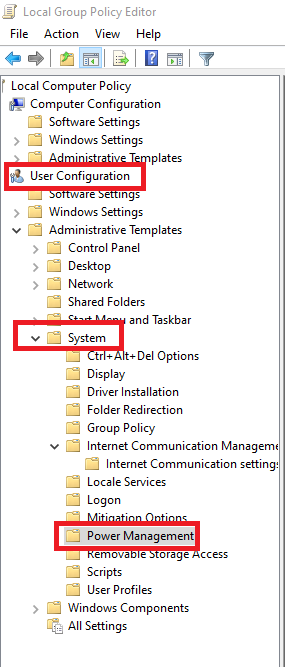
3. Power Management
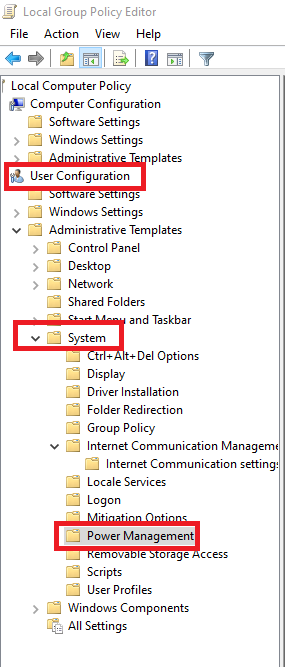
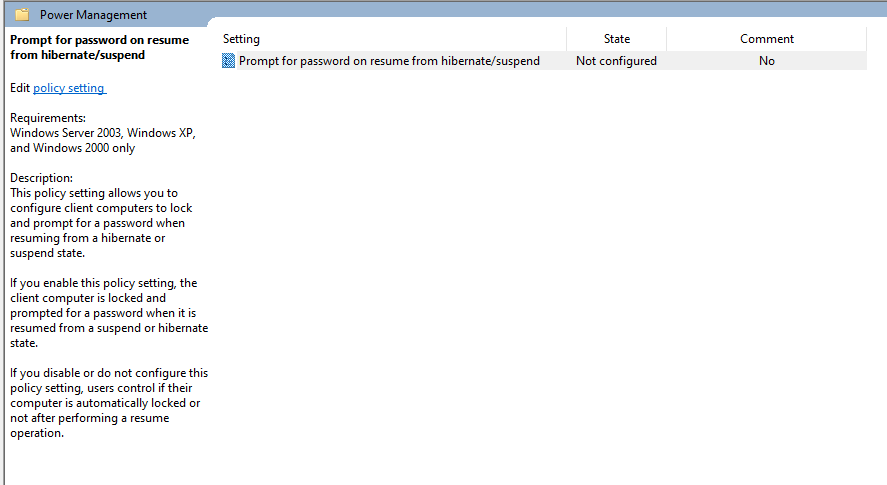
4. Dublu click pe “Prompt for password on resume from hibernate/suspend”
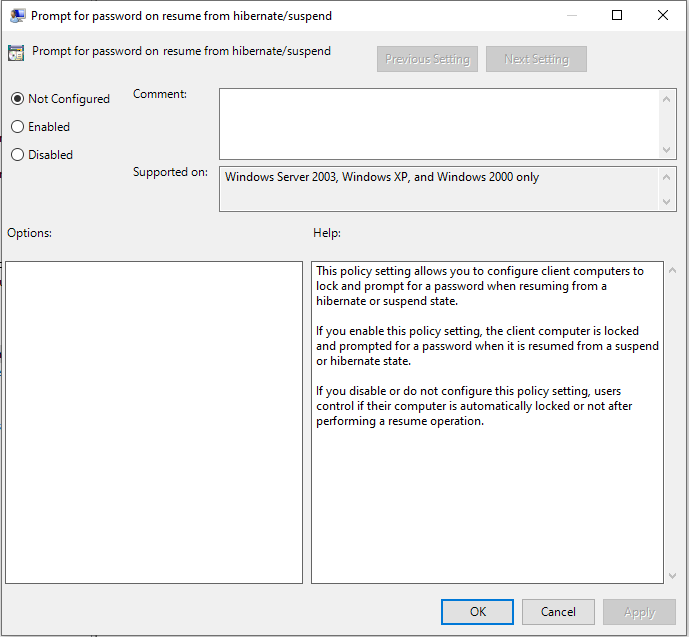
5. Se va bifa Enable si se va apasa Apply.
[mai mult...]

Remove Deceptive Site Ahead in Chrome & Firefox

Deceptive Site Ahead is a warning message from web browsers that informs that the website the user requested might contain malicious or phishing content, or be insecure in general. This measure allows saving the user from visiting potentially dangerous websites online. The detection of unsafe websites is turned on by default by popular browsers – Chrome, Firefox and others. Typically, such sites can contain infamous spyware/malware programs, deceptive software bundles, impersonate other well-known websites or promote a software that’s flagged as potentially unwanted by many security programs.

[mai mult...]