Soluții

How to remove calendar spam from iPhone

Unsolicited appointments appearing in your iPhone’s calendar? Here’s how to get rid of them. If you’ve experienced weird appointments or reminders appearing in your iPhone’s Calendar app, then it could be that you’ve accidentally subscribed to a third-party calendar which is generating the annoying spam.

[mai mult...]
How to make sure a certain website/websites are safe to be accessed

You browse the internet and suddenly your anti-virus software notifies you that a website you are about to access is dangerous.This might be a real threat or a fake-positive notification based on the website’s reputation.
For more context,the website can be safe in itself but its members might be posting potentially dangerous files that can be accessed by people that are not careful.Torrent websites,dating websites and adult websites for example.
In our line of work,we often run into this sort of problems caused by the customer’s carelessness and we can use this method to teach them how to avoid it if they request to be taught how to browse safely.

[mai mult...]

Cum inseram un videoclip de pe YouTube in Microsoft Word

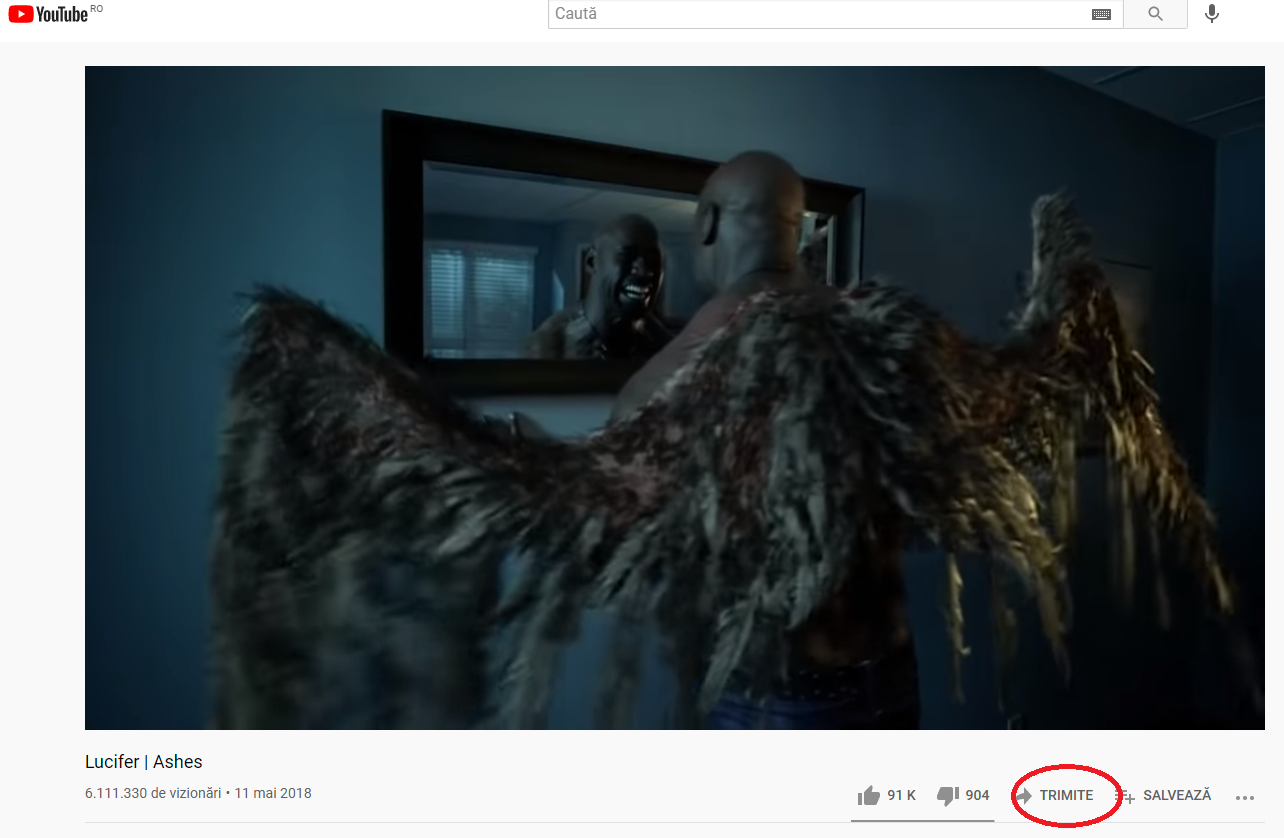
Pentru a insera un videoclip YouTube in documentul dvs. Word trebuie sa deschideti browser-ul Web si sa accesati YouTube. Alegeti videoclipul dorit si dati Share.

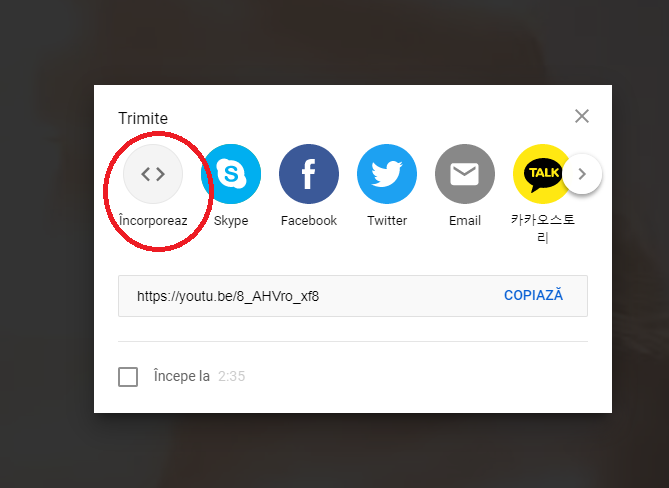
Alegeti Embed

Copiati textul si mai departe o sa va arat cum sa il inseram in Microsoft Word.

Deschideti un fisier Word

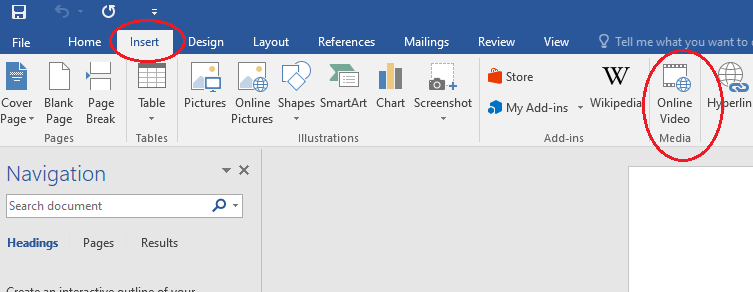
Dati Insert si selectati Online Video Media

Inserati textul din browser in Word la optiunea From a Video Embed Code

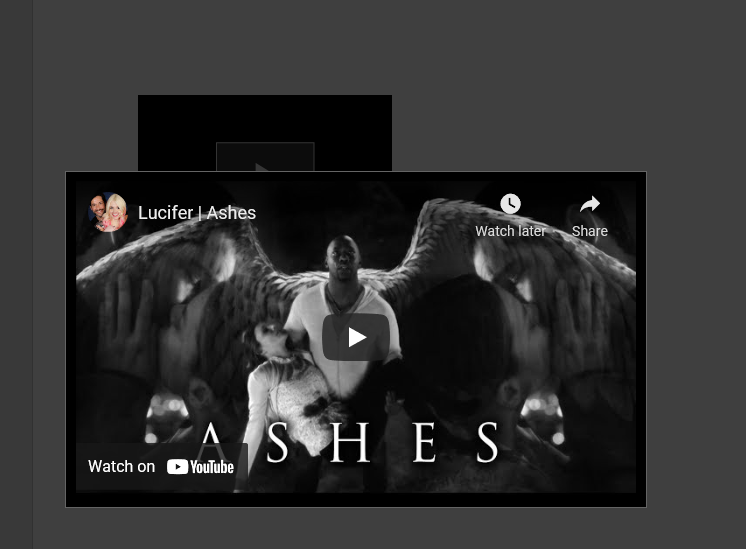
Acum videoclipul a fost inserat in fisierul dvs. Word.

[mai mult...]

Cum dezactivati butonul de pornire al PC-ului pe Windows 10

Daca vi s-a intamplat sa inchideti accidental PC-ul exista o modalitate usoara de a dezactiva aceasta functie sau de a seta sa faca ceva diferit in Windows 10. Schimbarea modului in care functioneaza butonul de pornire al PC-ului in Windows 10 necesita cateva setari simple intrand in Control Panel.

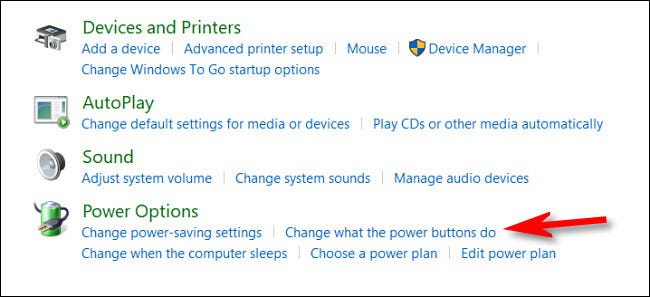
In Control Panel, click pe “Hardware and Sound.”

Gasiti sectiunea “Power Options” si selectati  “Change what the power buttons do.”

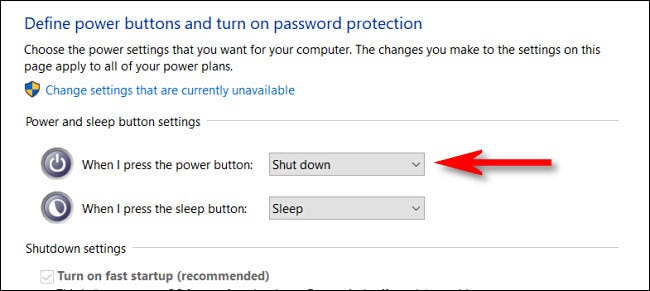
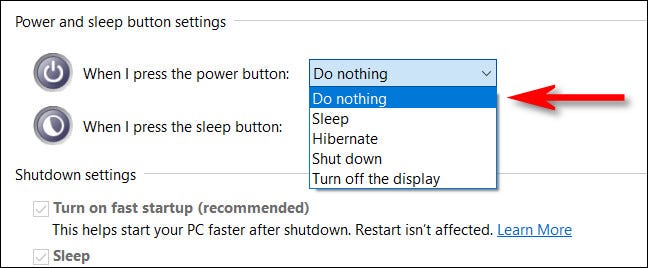
Aici veti gasi un meniu care arata ce se intampla cand apasati butonul Power si aveti mai multe posibilitati de a seta ce doriti sa faca.

Optiunile sunt urmatoarele:

Do Nothing, Sleep, Hibernate, Shut Down, Tunr off de Display.

Pentru a seta ca butonul de Power sa nu faca nimic trebuie sa setati pe ,,Do Nothing’’

Acum nu ramane decat sa salvati setarile.

[mai mult...]