How to Lock Your Mac Using Terminal
One of the first rules of cybersecurity is to always lock your computer before stepping away from it. While it might not be the quickest way, you can lock your Apple Mac using Terminal.
[mai mult...]
Soluții pentru problemele tale IT

One of the first rules of cybersecurity is to always lock your computer before stepping away from it. While it might not be the quickest way, you can lock your Apple Mac using Terminal.
[mai mult...]
Reduce tedious data entry and the risk of errors by creating custom lists in Microsoft Excel. By setting up a list ahead of time, you can use autofill or add a drop-down selection for the items, saving you time. Microsoft Excel comes with a few custom lists of its own. These include things like the days of the week and months of the year. This is what makes a feature like autofill so convenient. You simply enter one word, like Sunday or January, and drag the fill handle to complete the list.
[mai mult...]If the folder you have set as a startup folder for Outlook isn’t the one you want, check the steps below, and you will see how to change the Outlook startup folder.
[mai mult...]Pasul 1: Identificati modelul socket-ului procesorului pe care doriti sa il folositi. De regula la Intel acesta este scris pe procesor (LGA1151, LGA1155, 1120), iar la AMD (AM3, AM4, AM4+) pe cutia produsului. Vom utiliza o placa de baza model MSI H110M PRO-D impreuna cu un porcesor Intel Pentium G4400 socket LGA1151.
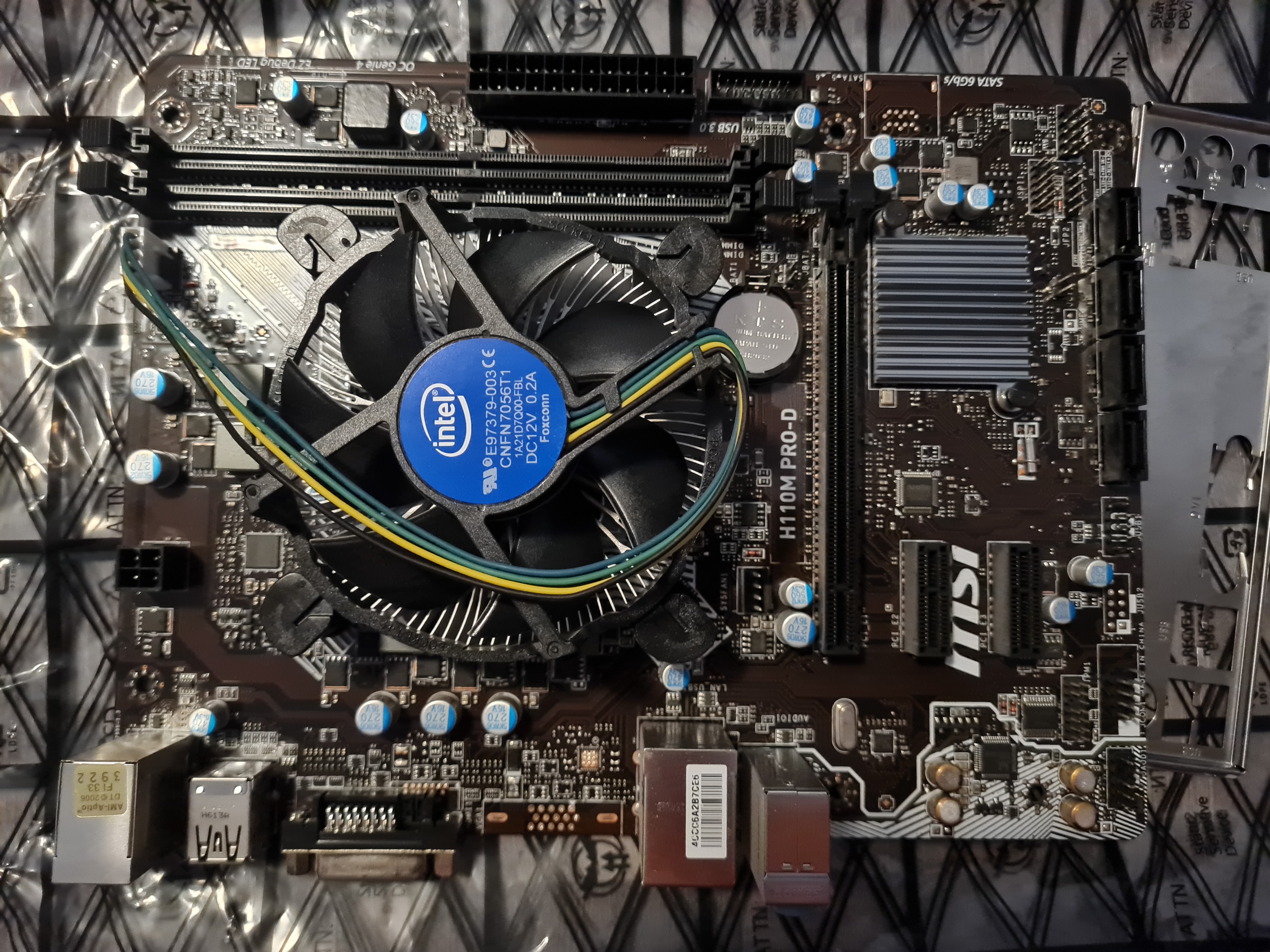
Pasul 2: Daca placa de baza este noua aceasta va avea pre-instalat un plastic care acopera sistemul de prindere al procesorului, acea bucata de plastic NU trebuie scoasa cu mana deoarece poate cauza pierderea garantiei. Acea protectie se va desprinde automat cand va fi inchisa cu procesorul instalat.
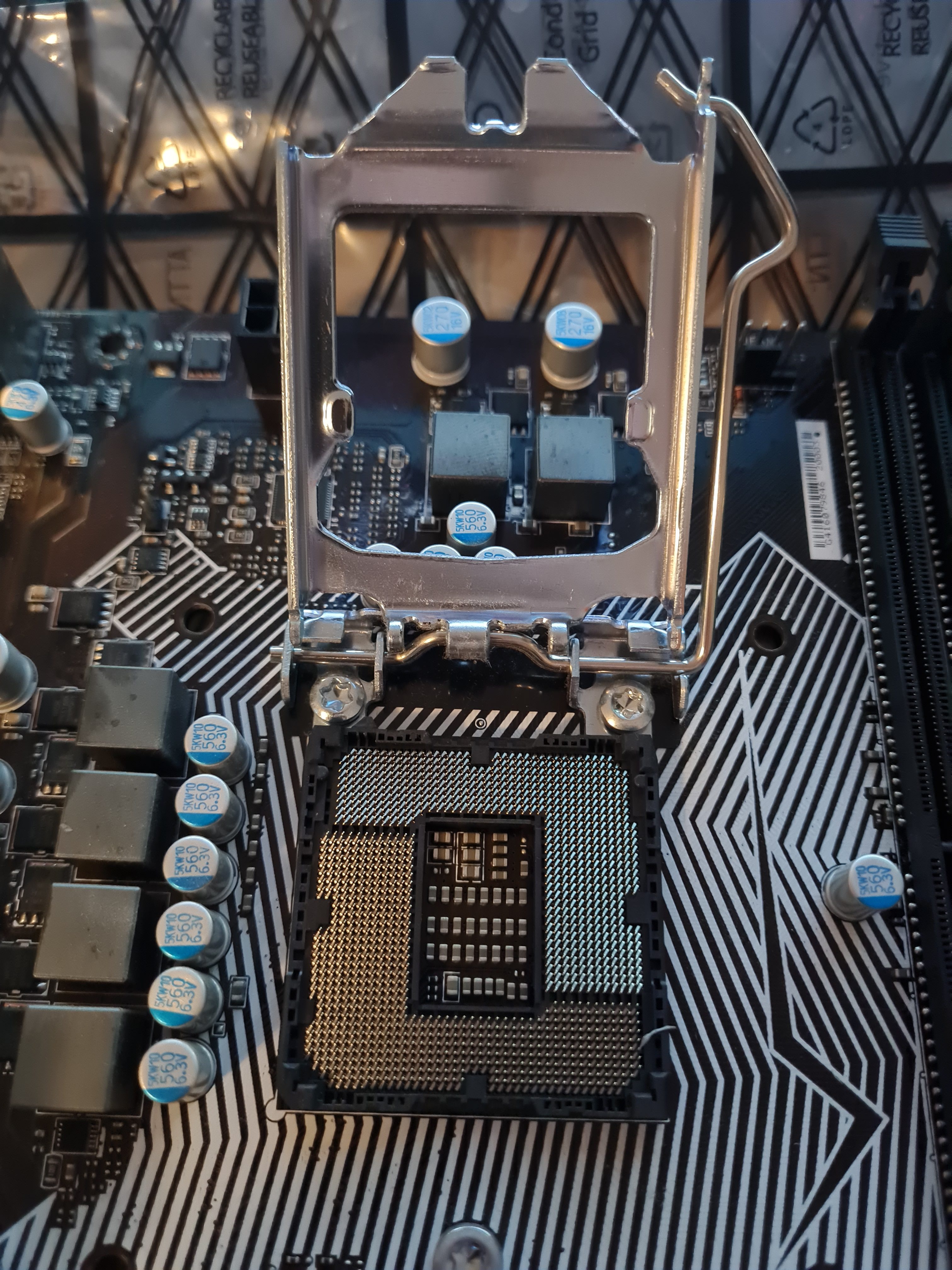
Pasul 3: Se instaleaza procesorul in socket, urmarind ca sageata de pe procesor sa se alinieze cu sageata de pe socket conform imagine.

ATENTIE: dupa ce se introduce procesorul in socket nu este necesar sa aplicati presiune pe acesta deoarece se va alinia singur cu socket-ul de pe placa de baza
Pasul 4: Dupa ce se instaleaza procesorul corespunzator se poate inchide sistemul de prindere

Pasul 5: Se poate instala sistemul de racire pentru procesor. In aceasta situatie trebuie sa verificati daca cooler-ul vine cu pasta termoconductoare preinstalata sau este necesar sa aplicati.

Pasul 6: Se strang suruburile cooler-ului in forma de X aplicand presiune egala pe fiecare surub pentru a asigura o aliniere perfecta cu procesorul.