ProProctor software installation
In order to successfully install ProProctor on your computer, you need to complete the following steps.
[mai mult...]
Soluții pentru problemele tale IT

In order to successfully install ProProctor on your computer, you need to complete the following steps.
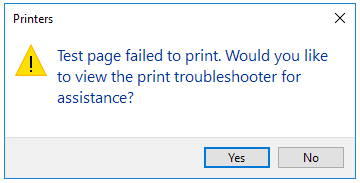
[mai mult...]When trying to print a test page, you receive the following error:
Batteries power our favorite electronic devices, but they’re not meant to last forever. The good news is that Windows 10 laptops have a Battery Report feature that breaks down whether your battery is still kicking or is on its last legs. With a few simple commands, you can generate an HTML file with battery usage data, capacity history, and life estimates. If it needs to be replaced, this report will tell you, long before it has a chance to fail.
[mai mult...]Adobe Acrobat has a couple of different software options for handling PDF files to choose from—Acrobat Standard DC and Acrobat Pro DC. The standard version is for Windows only, while the pro version works with both Windows and Mac.
These run for $12.99 and $14.99 per month, respectively, so unless you’re already using one of these, it’s probably not worth the money just to convert a PDF file to PowerPoint. However, Adobe Acrobat is the best program on the market for anything dealing with PDF files, so we’d recommend subscribing to one if you frequently do any sort of work with PDF files. Best yet, Acrobat Pro DC has a free trial, so if you’re unfamiliar with Adobe Acrobat, it costs nothing to give it a try.
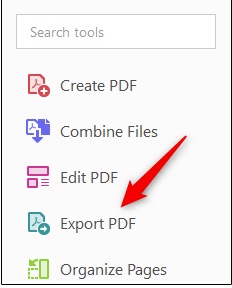
In this example, we’ll be using Adobe Acrobat Pro DC. Open the PDF file you’d like to convert. In the right-hand pane of the window, select “Export PDF”.
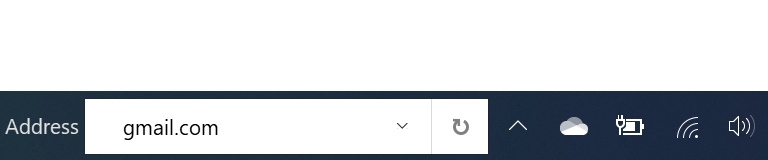
Bara de activități din Windows 10 permite deja să fixezi site-urile favorite. Prin adaugarea unui camp URL poti cauta usor orice site fara a fi nevoie sa deschizi browser favorit si apoi o noua fila pentru fiecare cautare.