

Soluții
How to Update Microsoft Office Apps on Mac OS
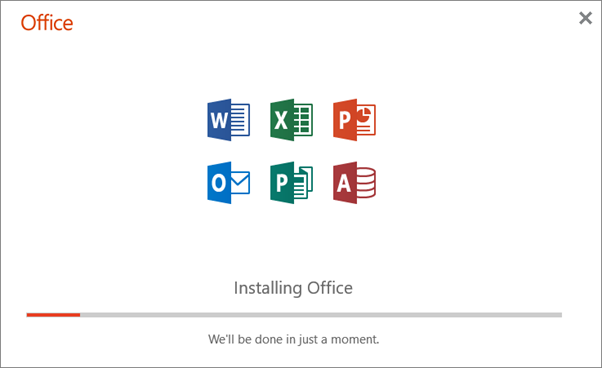
Microsoft AutoUpdate makes sure your copy of Office will always be up-to-date with the latest security fixes and improvements. If you are a Microsoft 365 subscriber, you’ll also receive the newest features and tools.
[mai mult...]How to Update Microsoft Office Apps on Windows 10
Software updates are essential in keeping your applications up to date with the latest features, performance improvements, and security patches. Microsoft regularly provides updates for its Office suite. Here’s how to check for, and install, Microsoft Office updates.

Note that, while we use Microsoft Word in this example, you can update via any of its Office applications.
By default, Microsoft automatically keeps your Office applications up to date. However, it’s possible to disable this feature. If you did disable automatic updates, we recommend turning it back on so you always have the latest available version.
[mai mult...]How to Empty Your Recycle Bin on a Schedule on Windows 10
Using a built-in feature called Storage Sense, you can save disk space by setting up Windows 10 to delete files of a certain age in the Recycle Bin automatically every day, week, or month. Here’s how to set it up.
[mai mult...]How to Stop Your Google Home From Recording All Your Conversations

Google may be storing everything you say to your Google Home and keeping the recordings forever, just as Alexa does. Google recently changed the default behavior not to keep the recordings. But that change only affected new users—not existing ones.
Google Home Records What You Say

Your Google Home spends most of its time listening for its wake words, “Hey Google” or “OK Google.” The device then records everything you say after the wake word and sends it to Google’s servers for parsing. Google needs to store these recordings temporarily. But Google may be storing what you say forever.
As the Washington Post points out, keeping the recordings forever used to be the default behavior, but it isn’t anymore. Google now makes you opt-in to sending the company your voice recordings. However, Google only made the change for new users and not existing users. If your account previously sent voice recordings to Google, it will keep doing so until you turn it off.
We’ve covered before why companies keep your data like this, but it’s pretty straight forward. Artificial Intelligence isn’t very intelligent, and as far as voice assistants have come, they still miss the mark frequently. As Amazon does for Alexa, Google employs humans to listen to your commands, compare them to what the Assistant thought it heard, and how it responded. Google uses this process to improve its results or learn what features users want implemented that don’t exist yet.
Trying to improve Google assistant is a good thing, but changing the default behavior from opt-out to opt-in is even better. Google is way ahead of Amazon on this front—with Alexa the default is still to record and worse yet, you can’t opt out at all.
How to Stop Google From Collecting Voice Recordings

If you’re an existing user working under the old defaults, the good news is you can tell Google to stop collecting your voice recordings. The even better news is it’s incredibly easy to do.
To stop this, go to Google’s Activity Controls website. Scroll to “Voice & Audio Activity” and toggle it off. You will see a warning that states Google devices may not understand you when you say “Hey Google,” but we think it’s old warning text. In our testing, commands still work.
Click the “Pause” option at the bottom of the warning.

You’ll need to repeat this process with every Google account you’ve connected to your Google Home. This setting applies to every device you can say “Hey Google” to, from your phone to a Nest Home Hub (formerly known as a Google Home Hub) to a Lenovo smart display.
How to Delete All Your Voice Recordings
Now that you’ve turned voice collection off, you can delete what Google already has. Just click on “Manage Activity” beneath the toggle on the Activity Controls website.

Click “Delete activity by” in the upper left corner of the page.

Choose which recordings you want to delete. To delete everything, click the box under “Delete by Date” and select “All Time.”

Finally, click “Delete” to delete the selected recordings.

It’s great that Google enabled a more privacy-sensitive option for new users. We wish Google had made the change retroactive, however. Hopefully, Amazon follows in stride and gives everyone similar controls in the future.
[mai mult...]How to Choose Your Microphone on a Mac
Whether they’re built-in to your computer or webcam (or not), you likely have multiple microphones on your Mac. If you’re unsure which one is capturing audio, it’s time to review the audio input settings. From there, you can choose which microphone you want to use.
[mai mult...]