How to Make Google Auto-Delete Your Web and Location History
Google collects and remembers information about your activity, including your web, search, and location history. Google now auto-deletes history for new users after 18 months, but it will remember history forever if you previously enabled this feature with the default options. As an existing user, to make Google delete your data after 18 months, you’ll have to go into your activity settings and change this option. You can also tell Google to auto-delete activity after three months or stop activity collection entirely.
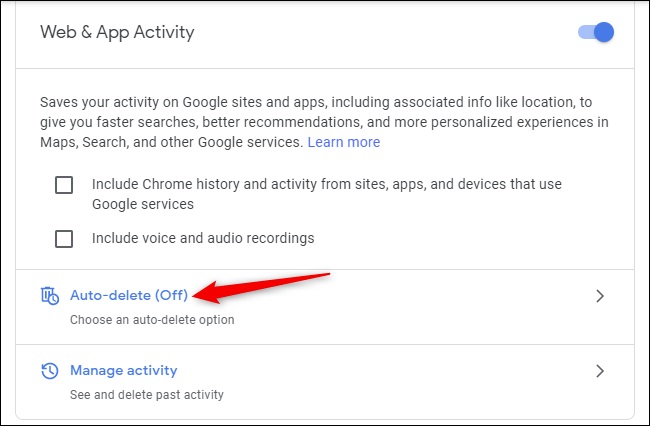
To find these options, head to the Activity Controls page and sign in with your Google account if you aren’t already signed in. Click the “Auto-delete” option under Web & App Activity.