How to use the App Library on iPhone
The App Library is a new feature in iOS 14.
[mai mult...]
Soluții pentru problemele tale IT

The App Library is a new feature in iOS 14.
[mai mult...]As well as removing individual apps from your Home screen, you can get rid of entire pages at once. But, unlike with removing individual apps, you can re-add the pages with a tap – no need to drag-and-drop apps from the App Library one by one.
[mai mult...]For the first time in iOS history, you’ve now got the option of removing an app from your Home screen without deleting it entirely. It’ll still be accessible via widgets, the App Library and the Search bar, but it won’t be cluttering your Home screen. Besides, with widgets now available, you’ll need all the space you can get!
[mai mult...]Deschizi Explorer si te duci la folderul pentru care vrei sa exporti structura.
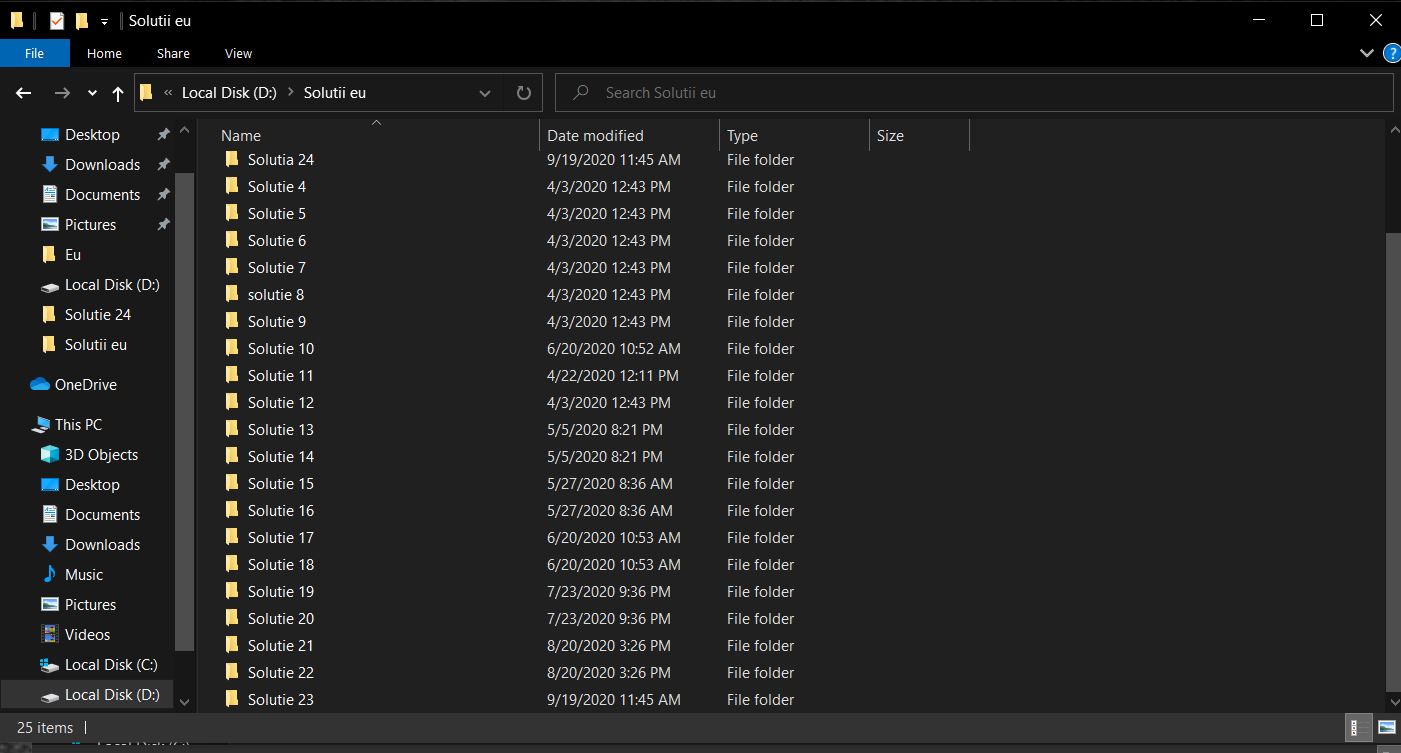
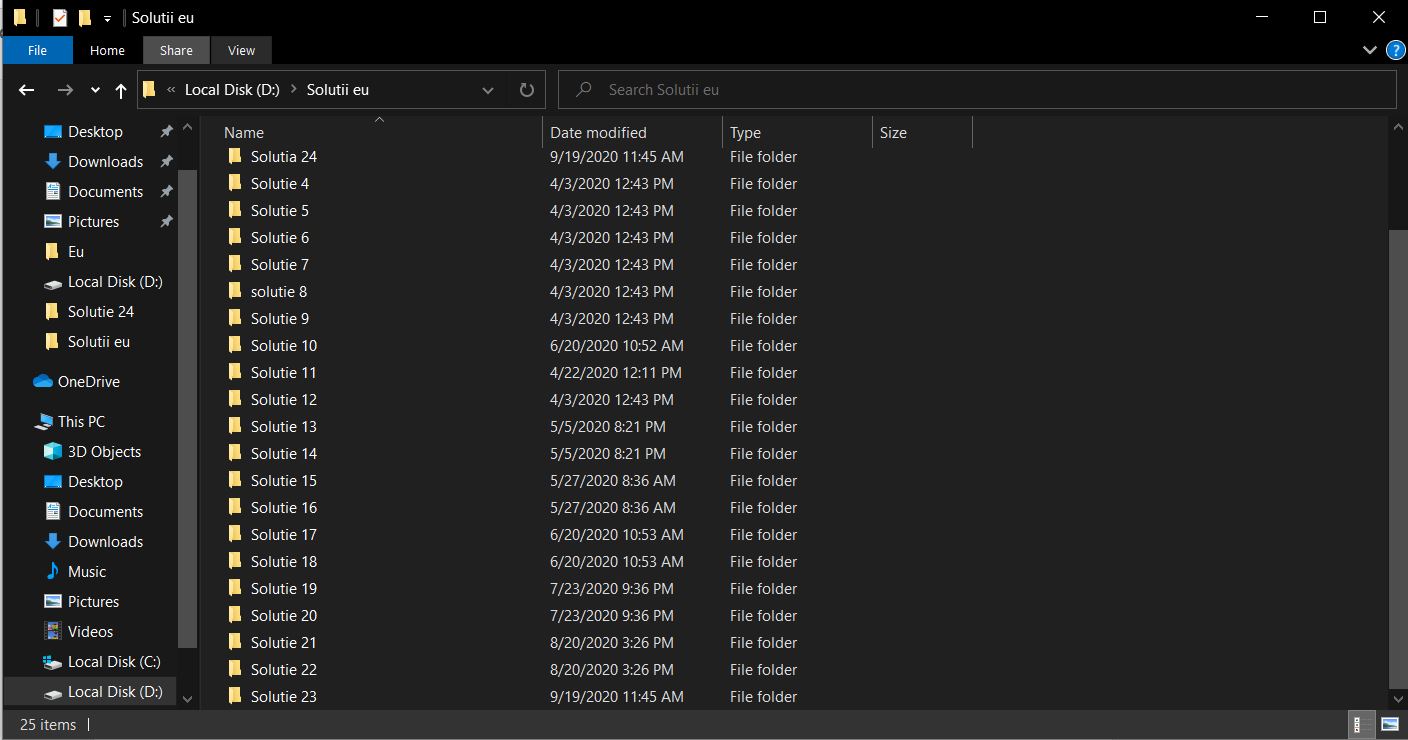
Scrie cmd in bara de adrese din Explorer si apasa pe Enter, pentru a deschide CMD direct din folderul care te intereseaza.
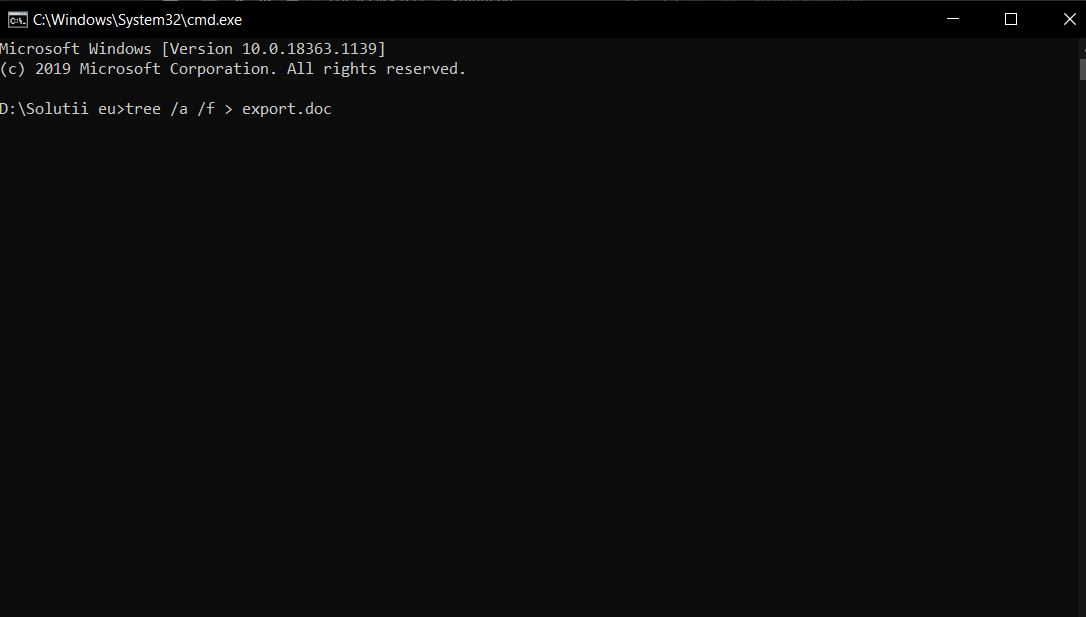
Se deschide o fereastra CMD care este directionata direct la folderul tau. Pentru a exporta lista ierarhica a subfolderelor si fisierelor din folderul tau, ruleaza comanda: tree /a /f > export.doc
Daca nu doresti ca structura sa contina si fisiere si doar foldere atunci nu trece in comadanda si parametrul /f.
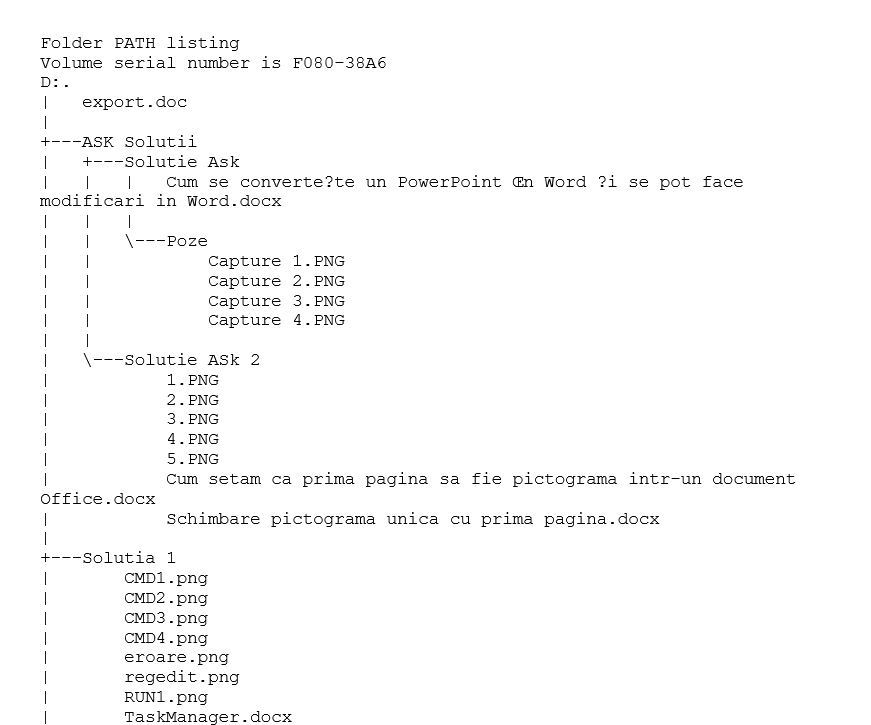
Export.doc este fisierul document in care este salvata structura ierarhica a folderului. Se poate folosi orice nume pentru denumirea fisierului si formatul acestuia ( .txt, .excel etc.)
Dupa ce comanda a rulat ( aceasta poate dura in functie de numarul e fisiere din acel folder ) se poate inchide CMD si te duci in Explorer si navighezi la folderul pentru care ai vrut sa faci exportul. Acolo se gaseste si documentul cu numele pe care tu l-ai dat in comanda din CMD.

Dupa ce il deschizi, in acesta se afla structura ierarhica a folder-ului dorit.
If you have a .BAT file and you’re trying to get it to run automatically using Task Scheduler in Windows, you might have run into the issue where it simply doesn’t run unless you manually run the task. I created a batch file that deletes everything inside a temp folder whenever the computer starts up. I created a basic task in Task Scheduler and hoped for the best. Unfortunately, nothing happened when my computer booted up. After a lot of trial and error, I figured out how to get the script to run.
[mai mult...]Google Maps has a few quirky little features that can personalize your experience if you know where to find them. For instance, you can change the navigation icon to a car, SUV, or truck. Here’s how
[mai mult...]