Soluții

How to Pin and Unpin Extensions from the Chrome Toolbar

Not all extensions are made equal. Some extensions, like Grammarly, work quietly in the background and don’t need an icon in the Chrome toolbar. Here’s how to pin and unpin extensions for a cleaner Chrome toolbar.

The Extensions Toolbar menu feature was first introduced in Chrome 76. Before the update, all extensions showed up directly in Chrome’s toolbar. Now, you can choose which extensions to show in the Chrome toolbar, and which ones to hide away in the extensions menu.

[mai mult...]
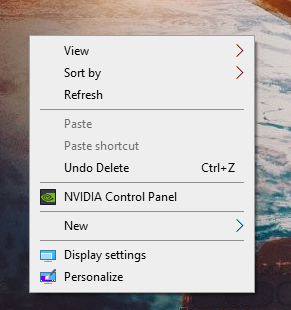
Cum putem ascunde o aplicatie afisata in Context Menu

Cum putem ascunde o aplicatie afisata in Context Menu:

In cazul in care dorim sa ascundem o aplicatie din Context Menu, putem face urmatorul lucru:

Pasul 1
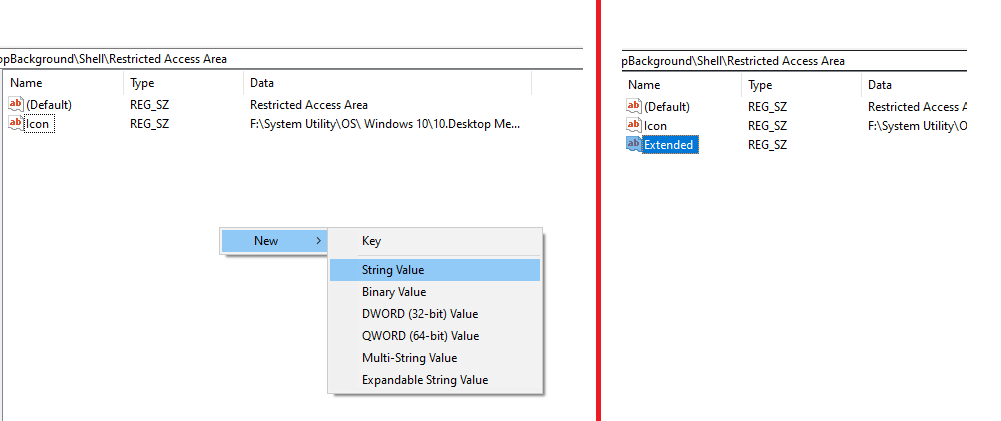
Deschidem regedit si mergem pe calea programului nostru, in cazul de fata – HKEY_CLASSES_ROOT\DesktopBackground\Shell\Restricted Access Area

Pasul 2
Click dreapta – New – String Value

Pasul 3
Modificam New Value #1 in Extended

Pentru a aparea programul, tinem apasat tasta Shift si apasam click dreapta.

[mai mult...]

Fix Steam Download Slow

Slow Steam download speed can be frustrating. Many gamers complain about this issue which can occur even if the Internet connection is fast. Naturally, users start looking for problems in their PCs or network connection. In many cases, the problem relies on the download server you’re connected to. Luckily, the issue can be fixed easily, which we’ll explain further in the tutorial.

The slow download issue can be caused by outdated network drivers, firewall blocking, caching issues, network connection issues, download server location, resource-eating programs or even download cache. We suggest trying the suggested fixes one at a time to identify and resolve the issue easily.

[mai mult...]