Soluții

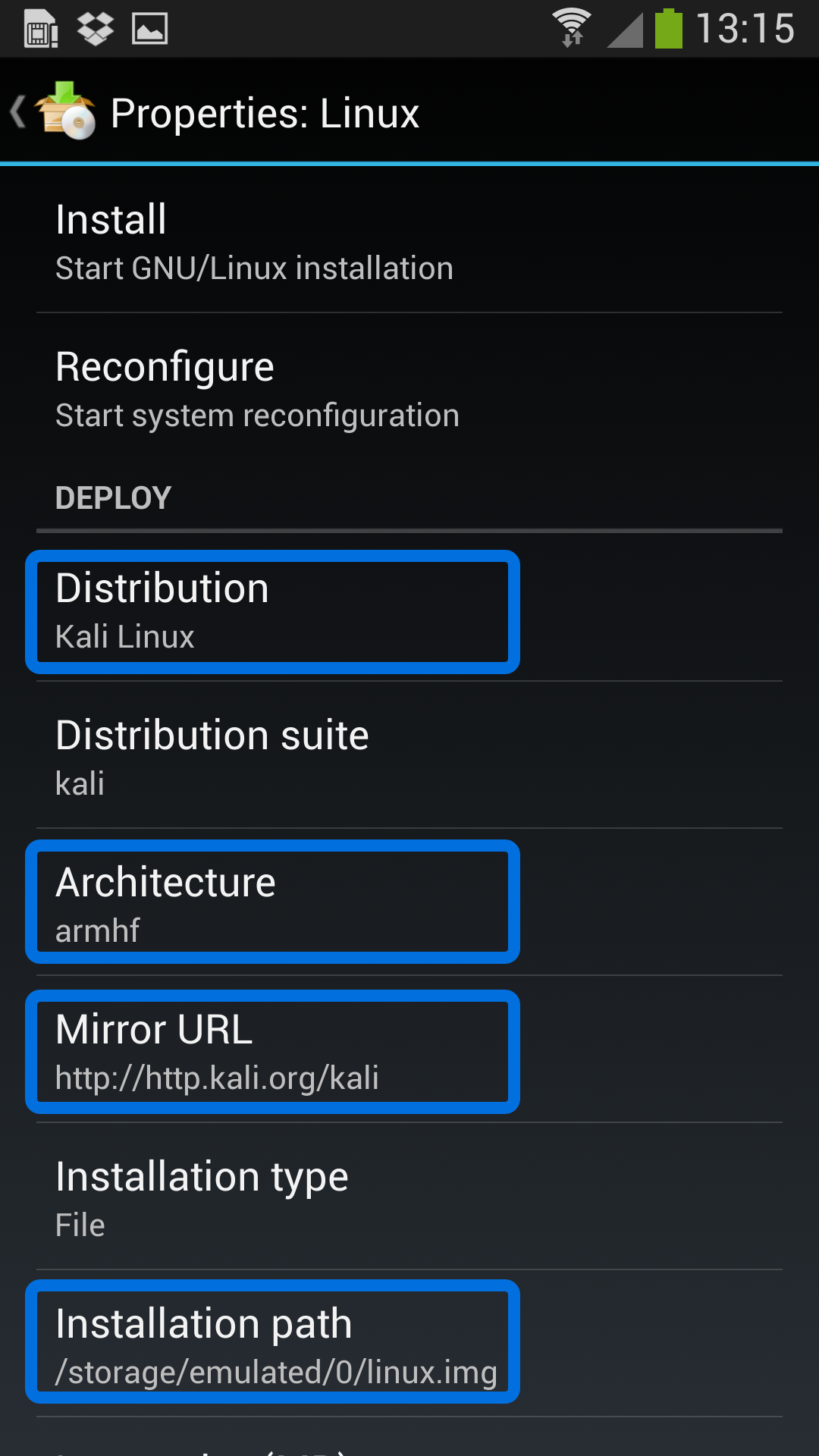
Kali Linux on Android using Linux Deploy

Getting Kali Linux to run on ARM hardware has been a major goal for us since day one. So far, we’ve built native images for the Samsung Chromebook, Odroid U2, Raspberry Pi, RK3306, Galaxy Note 10.1, CuBox, Efika MX, and BeagleBone Black to name a few. This however does not mean you cannot install Kali Linux in a chroot on almost any modern device that runs Android. In fact, the developers of Linux Deploy have made it extremely easy to get any number of Linux distributions installed in a chroot environment using a simple GUI builder.

[mai mult...]

Installing PowerShell on Kali Linux

PowerShell Package Installation in Kali

We begin by installing the necessary dependencies, most of which should already be installed in your Kali installation by default.

apt update && apt -y install curl gnupg apt-transport-https

Next, we need to download and add the public repository GPG key so APT will trust the packages and alert you to any issues with package signatures.

curl https://packages.microsoft.com/keys/microsoft.asc | apt-key add –

With the GPG key added, we proceed to add the Microsoft package repository to its own package list file under /etc/apt/sources.list.d/ and update the list of available packages.

echo “deb [arch=amd64] https://packages.microsoft.com/repos/microsoft-debian-stretch-prod stretch main” > /etc/apt/sources.list.d/powershell.list
apt update

Finally, we proceed to install the powershell package.

apt -y install powershell
[mai mult...]