Soluții

How to Disable or Enable Tap to Click on a PC’s Touchpad

Windows laptops often let you tap one or more fingers on the touchpad or trackpad to click. If this gets in your way, you can disable it—or enable it if it’s not working.

Generally, you can tap with one finger to left-click and tap with two fingers to right-click. This option is relatively easy to enable and disable, although it’s in different places depending on the touchpad hardware your laptop manufacturer included and how they configured it. If you disable tap-to-click, you can still click by depressing the trackpad or pressing the buttons on it.

Many modern Windows laptops have Precision Touchpads. If your laptop does, you can configure tap-to-click and other touchpad settings directly in Windows 10’s Settings app.

[mai mult...]
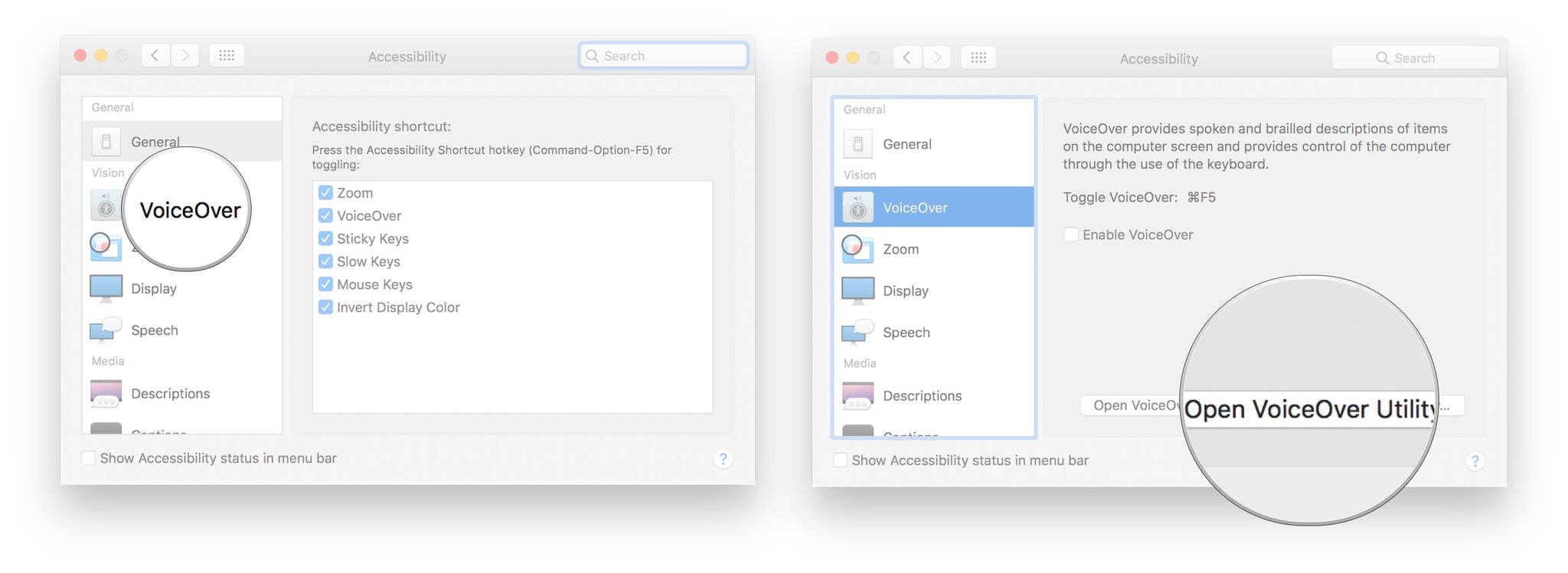
VoiceOver Utility and Descriptions

How to set up VoiceOver Portable Preferences

You can set your preferences for VoiceOver and then take them with you wherever you go using a removable drive.

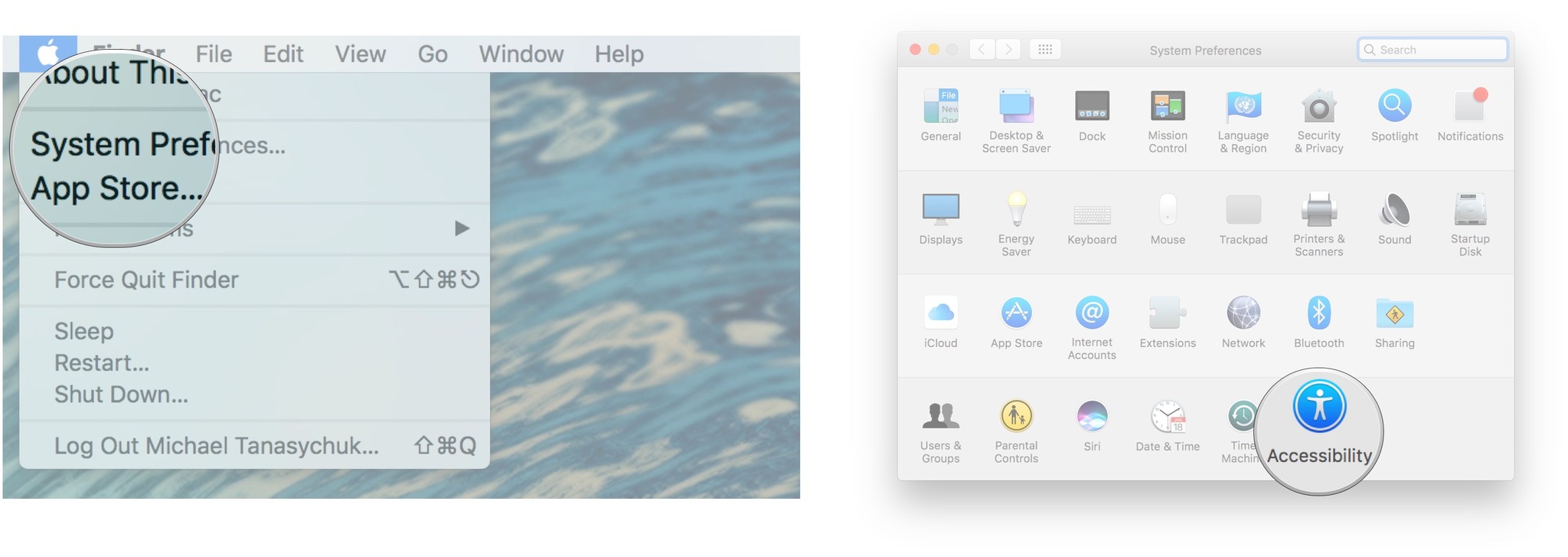
  1. Click the Apple menu button in the top left corner of your screen.
  2. Click System Preferences.
  3. Click Accessibility. It’s on the very bottom right of the System Preferences pane.

    Click System Preferences, click Accessibility

  4. Click VoiceOver.
  5. Click Open VoiceOver Utility…

    Click VoiceOver, click Open VoiceOver Utility

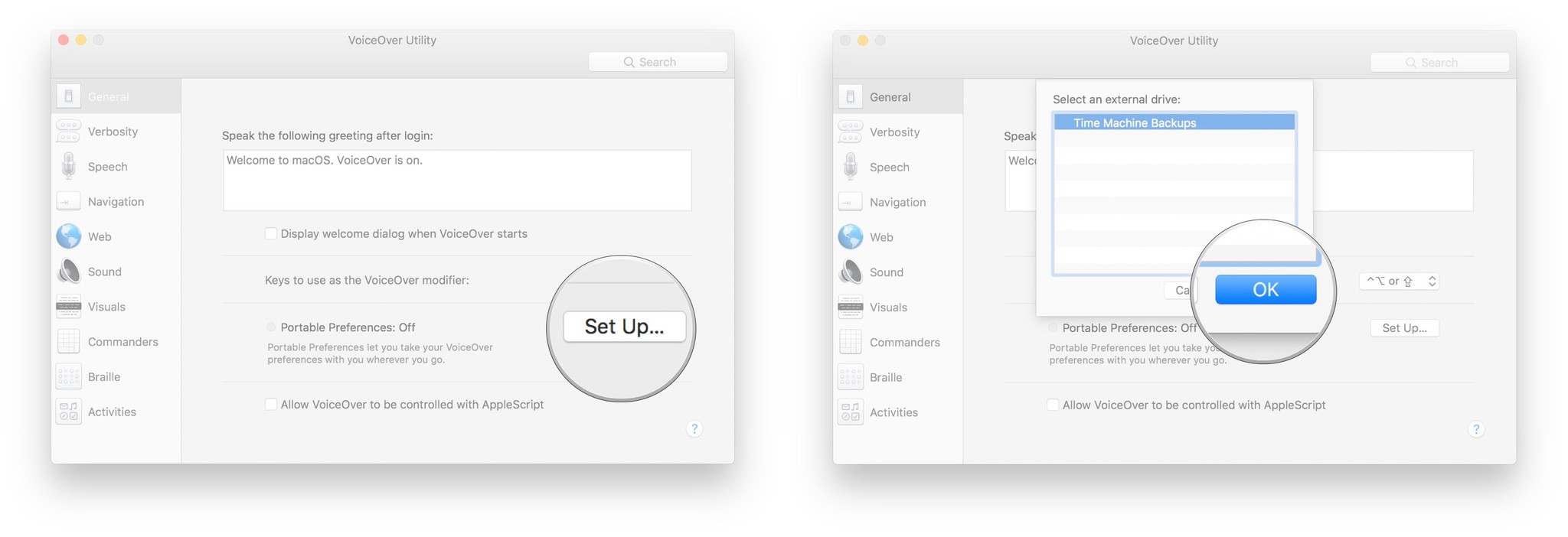
  6. Click Set Up… next to Portable Preferences.
  7. Click your portable drive in the list.
  8. Click OK.

    Click Set Up next to Portable Preferences, click your portable drive, click OK

How to enable Descriptions

You can enable voice description of visual content so that, when available, you’ll hear descriptions of the video you’re watching.

  1. Click the Apple menu button in the top left corner of your screen.
  2. Click System Preferences.
  3. Click Accessibility. It’s on the very bottom right of the System Preferences pane.

    Click System Preferences, click Accessibility

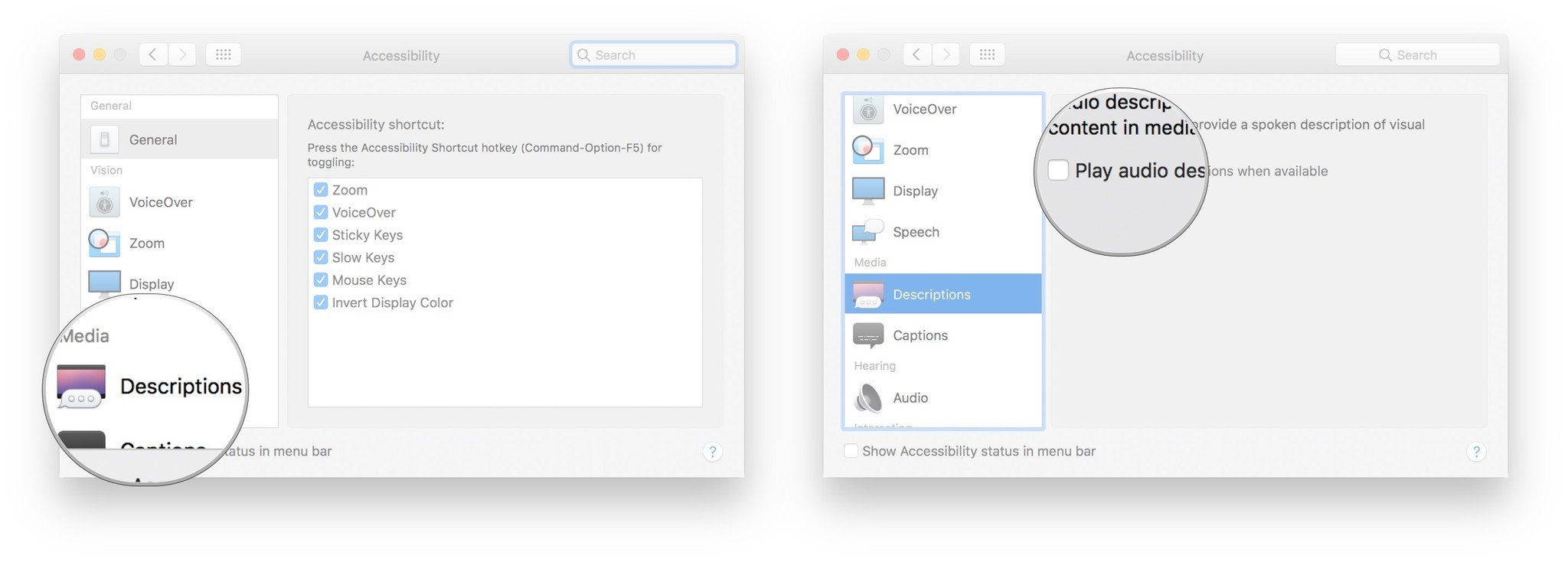
  4. Click Descriptions in the menu on the left.
  5. Click the checkbox next to Play audio descriptions when available to enable descriptions by default. They’ll always play if they’re available.

    Click Descriptions, click the checkbox to enable descriptions whenever they are available

[mai mult...]

Dezactivare parola de retea windows 10

In cazul in care incercati sa intrati pe un calculator in retea si va cere o parola, se poate dezactiva acest serviciu urmand pasii de mai jos.

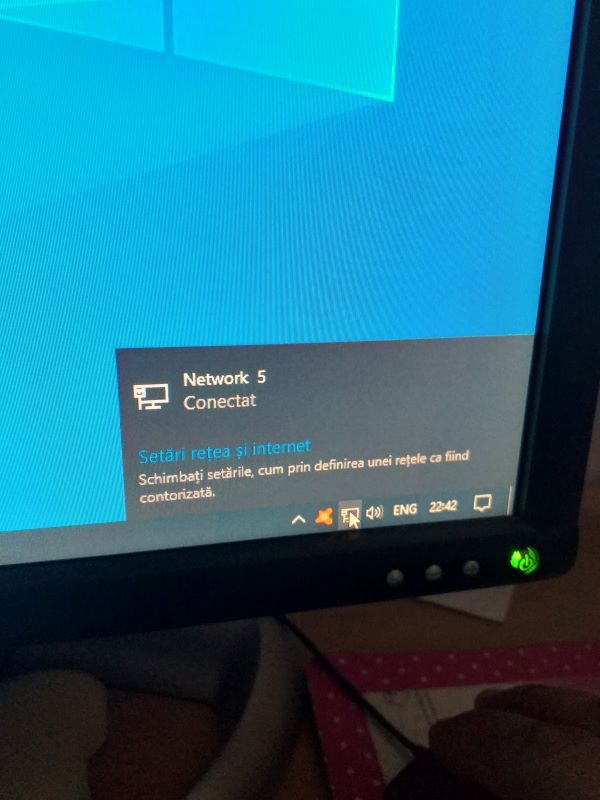
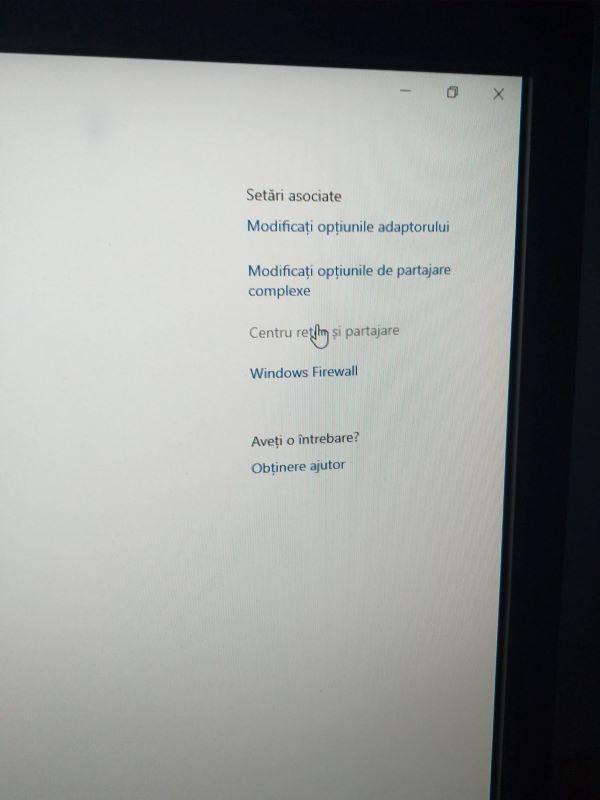
1. Se acceseaza reteaua, selectam setari de internet si retea:

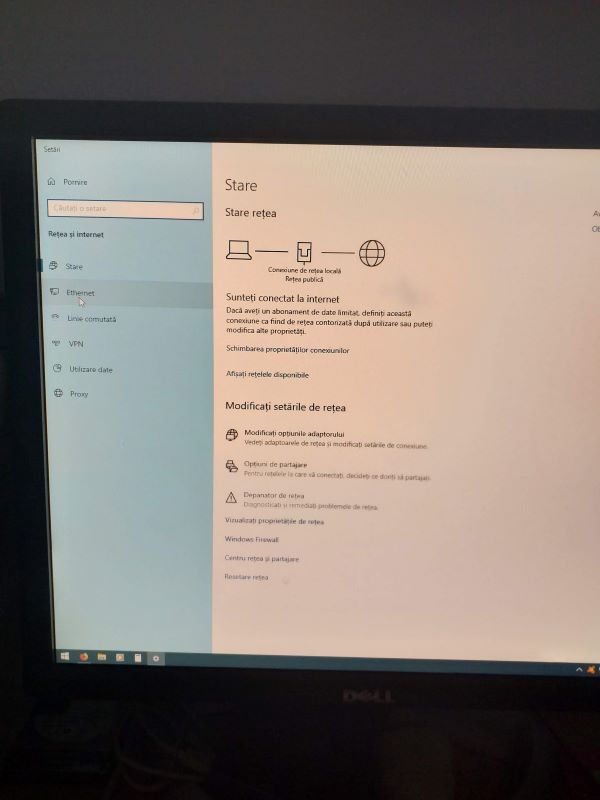
2. Se selecteaza placa de retea:

3. Vom selecta centru retea si partajare:

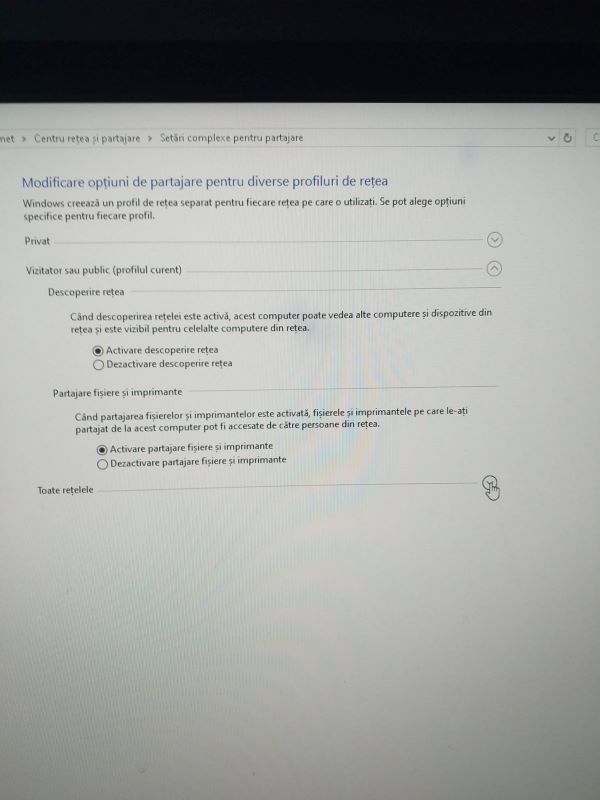
4. Modificari de setari:

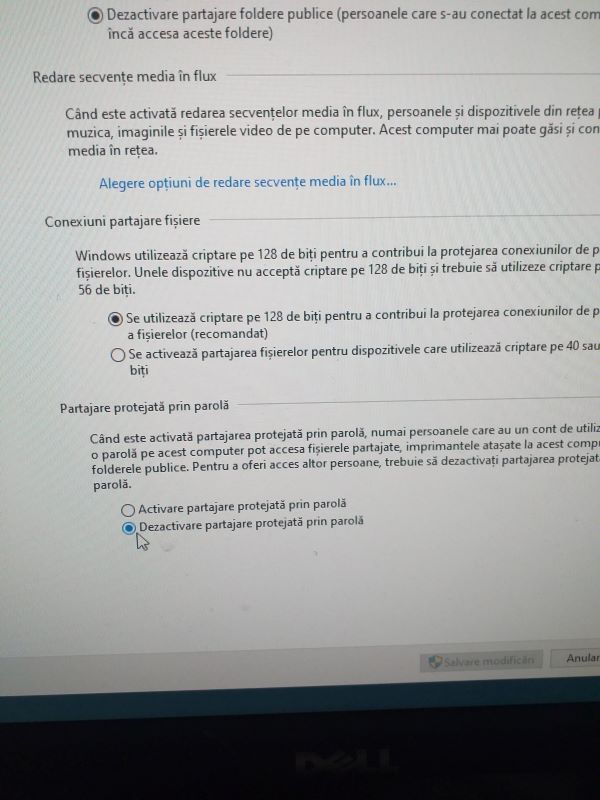
5. Vom selecta toate retelele si vom dezactiva protejarea prin parola:

Daca ati mai dezactivat, de obicei se reactiveaza cand se face un update la windows. Trebuie urmatii pasii de mai sus pentru a rezolva problema cu parola.

[mai mult...]

Remedierea codului de eroare 016-757 in imprimantele Xerox

Măsuri luate pentru remedierea codului de eroare 016-757 in imprimantele Xerox
Imprimantele Xerox sunt renumite pentru caracteristicile lor incredibile și performanțele pe care le oferă. Acestea vin în diferite modele pentru a satisface nevoile clienților săi. Cu toate acestea, există unele erori pe care aceste imprimante le arată uneori.
Dacă ați întâlnit eroarea numită 016-757, atunci este cauzată de introducerea parolei greșite sau a securității Auditron. Pentru a rezolva această problemă, vă rugăm să urmați procedura dată mai jos.

[mai mult...]