Când încercați să instalați un program în Windows 7 sau Windows Vista, primiţi următorul mesaj de eroare:
“Serviciul Windows Installer nu poate fi accesat. Acest lucru poate apărea dacă Windows Installer nu este instalat corect. Personalul de asistență pentru asistență.”
Aplicatie noua, obtinuta de pe un site oarecare descoperit pe internet. Ce-i de facut? Un simplu click pe fisierul executabil poate da startul unui adevarat cosmar, riscand fisierele personale de pe hard disk si buna functionare a PC-ului.
Dupa schimbari semnificative in Windows/BIOS, starea statiei in BitLocker trebuie actualizata. Daca nu se face aceasta actualizare, BitLocker va solicita Recovery Key la fiecare boot.
Press Start and type gpmc to start Group Policy Management Console and press Enter.
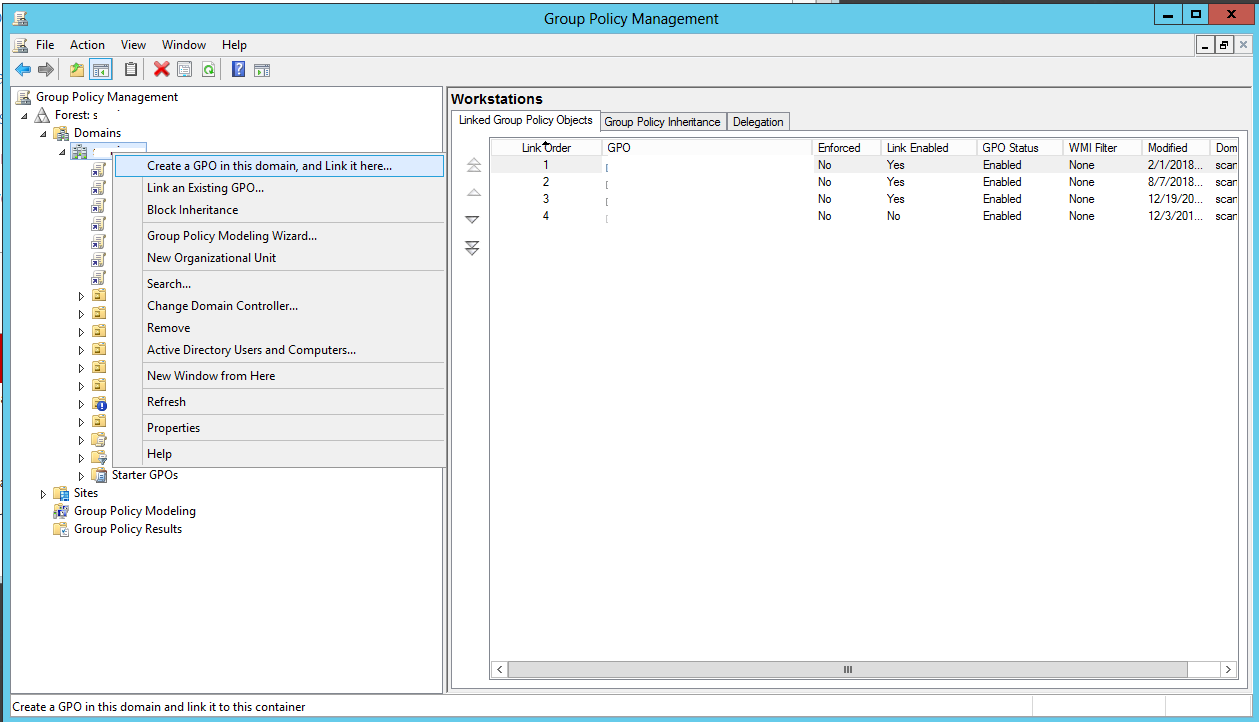
In the new window, right click either on your domain, or on the OU for which you want to apply the policy to and click on Create a GPO in this domain, as in the following image, and type the name you want for it.
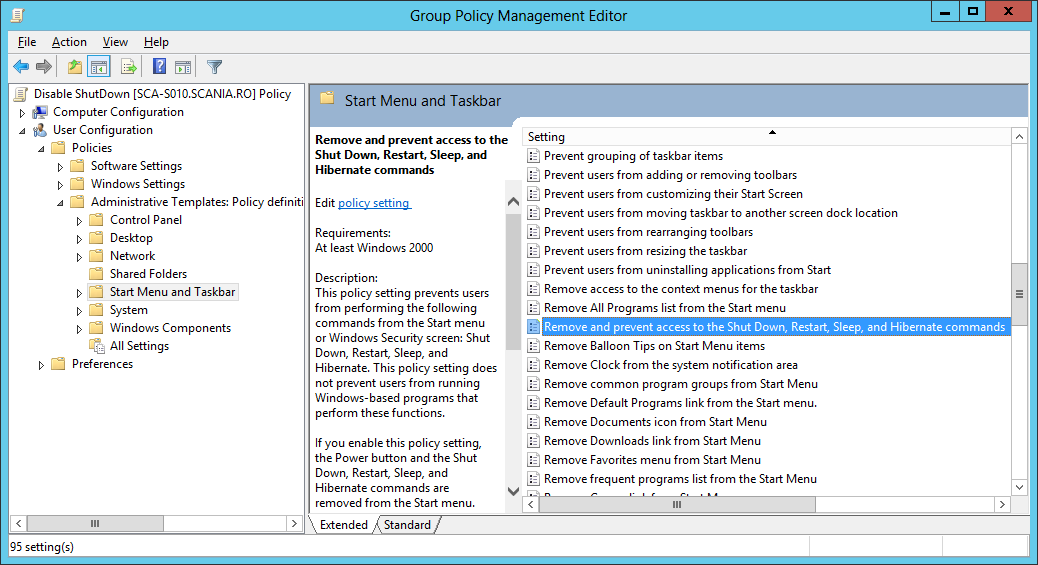
Now, all you need to do is to right click on your newly created GPO,click Edit, and scroll to the following setting:
User Configuration>Policies>Administrative Templates: Policy definitions>Start Menu and Taskbar, look for the Remove and prevent access to the Shut Down,Restart,Sleep, and Hibernate commands, double click on it, choose Enable and click on Apply.After applying this GPO, the only way to do any of those operations is by using either 3rd party software or by using scripts/cmd commands.