
Soluții

How to get the New Windows Copilot on any device

Windows 11 24H2 has a new Copilot interface, designed to be used in a larger window instead of a side panel on your desktop. You can actually use it on any device or web browser, though.Microsoft already has a web app version of its Copilot AI chat assistant, available at copilot.microsoft.com in the web browser.
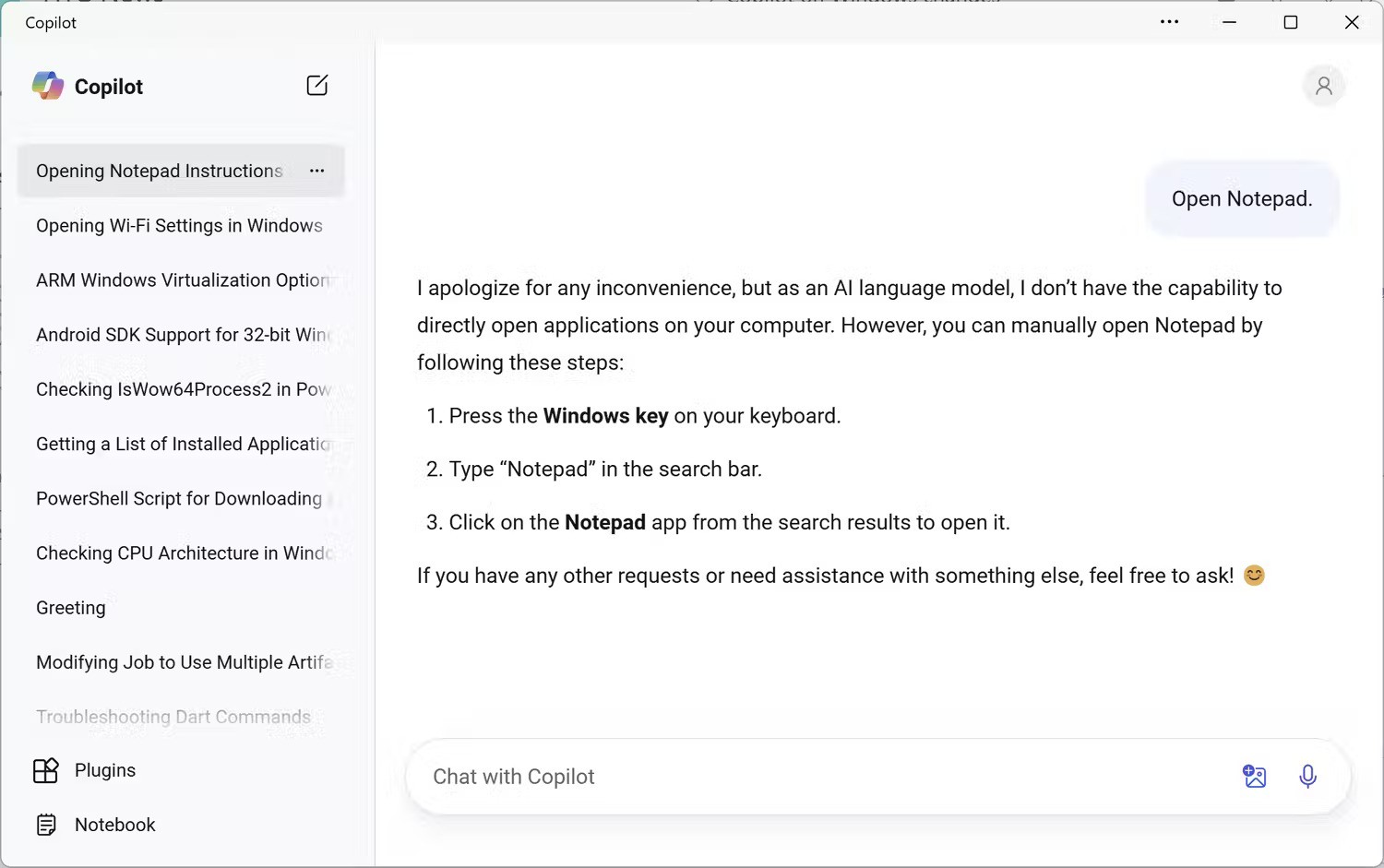
The custom web app more closely mirrors the Fluent UI used in other Windows 11 applications. Your previous conversations are listed in the left sidebar, which collapses when you shrink the window. The new Windows Copilot feels a lot more polished than the standard web app, with more fluid animations. It’s not clear why Microsoft won’t just make the new Windows Copilot the regular Copilot web app, but maybe that will happen eventually.

There’s both a light and dark mode in the Copilot web app, as well as the option to synchronize with your device’s current theme. You can click the profile icon at the top-right corner and select ‘Appearance’ to change the visual theme.

[mai mult...]

Cum dezactivați cheia Windows utilizând Editorul de registry

Una dintre cele mai bune modalități de a dezactiva cheia Windows de pe computer este utilizarea Editorului de registru. Cu toate acestea, înainte de a începe, este important să faceți o copie de rezervă a registrului și să creați un punct de restaurare. Acest lucru vă va asigura că datele dumneavoastră rămân în siguranță, chiar dacă ceva nu merge bine în timpul procesului de editare.

[mai mult...]

Doriți să dezinstalați mai multe aplicații dintr-o dată?

Chiar dacă un instalator funcționează, nu este sigur. Programele de dezinstalare pot dispărea, pot arunca erori de sistem sau pot fi corupte. Și aplicațiile pot rămâne pe unitatea dvs. și în Registrul Windows fără a apărea în lista de programe. Windows nu are nicio modalitate de a „dezinstala forțat” o aplicație. De aceea, aplicațiile „fantomă” apar adesea cu fișiere rămase atunci când le cauți numele.

Din acest motiv, managerul de dezinstalare încorporat pe Windows nu poate elimina aplicațiile în bloc. În primul rând, încearcă să detecteze programul de dezinstalare pentru fiecare aplicație de pe fiecare disc. Și apoi rulează doar unul câte unul pentru a preveni coliziunile (rețineți că Windows nu are aplicații sandbox și mai multe programe de dezinstalare ar putea încerca să elimine aceleași fișiere).

[mai mult...]

How to disable Wi-Fi Sense in Windows 10

Wi-Fi Sense is a feature in Windows 10 that saves you from the hassle of manually connecting your device to an open Wi-Fi hotspot and to those of your contacts (On Facebook, Skype and Outlook). Wi-Fi Sense does this by sharing the secret passkeys that your contacts use to connect to the wireless networks, or by sharing your passkeys with your contacts to allow them to connect to your wireless network.

Although Wi-Fi Sense is enabled in Windows 10 by default in an effort to provide a hassle-free experience, using the feature could also be a security concern.

[mai mult...]