
Situatie
However you use Linux, whatever your situation, there’s a simple way to create a new directory. The terminal mkdir command is probably the one you use the most, but there’s a lot to learn about it, and you may find a GUI app easier.
Solutie
1) Using your file manager
Whether you use Nautilus on GNOME, Dolphin on KDE, or another graphical file manager, you’ll have an easy way to create a new directory. Your main decision is whether to use a keyboard shortcut or the mouse. Either way, start by navigating to the directory in which you want to create your new directory. Using the keyboard, you can press the relevant shortcut to create a directory: in both Nautilus and Dolphin, this is Ctrl + Shift + n. Alternatively, right-click on an empty space in the main window and choose “New Folder” in Nautilus or Create New, then Folder in Dolphin.
You’ll now see a dialog asking you to enter a name for your new folder. Type your chosen name, followed by Enter (or the Create button), and you’re done.


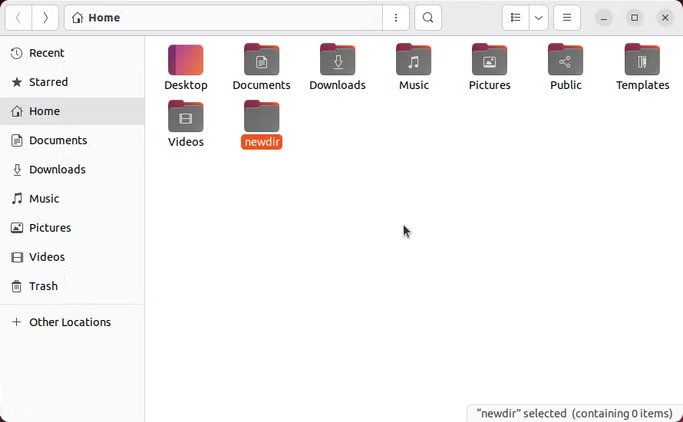
Your GUI file manager provides an accessible interface to many commands, including some that you can run via a terminal. It’s perfect for beginners, or those who are more comfortable with visual metaphors, and will be particularly helpful if you’re moving to Linux from a Windows or macOS system.
2) Using any GUI app
You’ll often find yourself needing to create a directory when you’re saving a new file, so it’s just as well that the built-in save dialog usually contains this function. Just look for an appropriate icon, such as the one in Nautilus, in the top-right of the dialog:
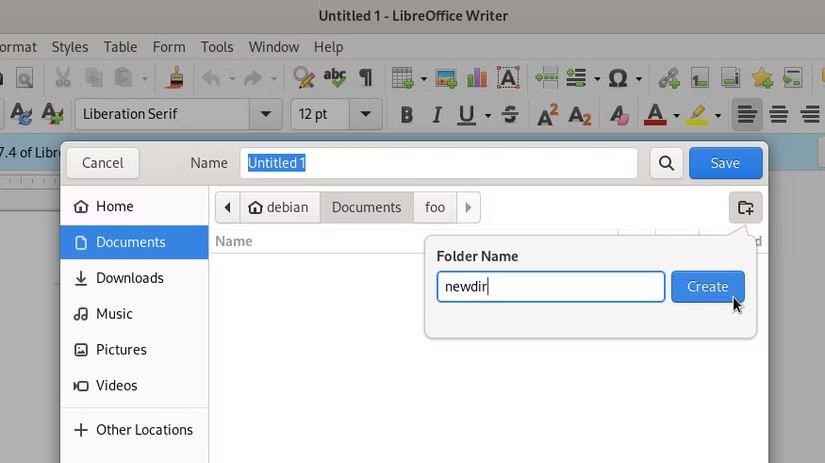
Once you’ve created a directory, you should find that the dialog has opened it for you, since that makes the most sense as a default.
File dialogs, which let you open or save files, often include useful related functions like this, so make sure you learn about what’s available, and always be on the lookout for shortcuts to streamline your process.
3) Using mkdir
By far the easiest way to create a directory in Linux is to use the mkdir command in a terminal:

It’s one of the essential Linux commands for managing files, so it’s worth learning about mkdir. There are plenty of ways to use it, and several useful options, but it’s a manageable tool to learn. To create a new single-level directory in an existing location, you can either change your working directory and use a relative path:
cd ~/an/existing/directory
mkdir my-new-directory
Or you can use an absolute path without having to change directories:
mkdir ~/an/existing/directory/my-new-directory
Leave A Comment?