
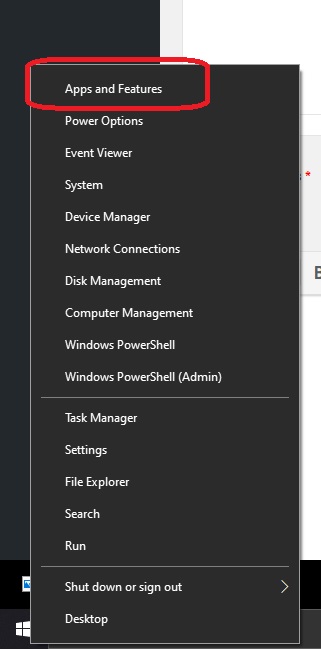
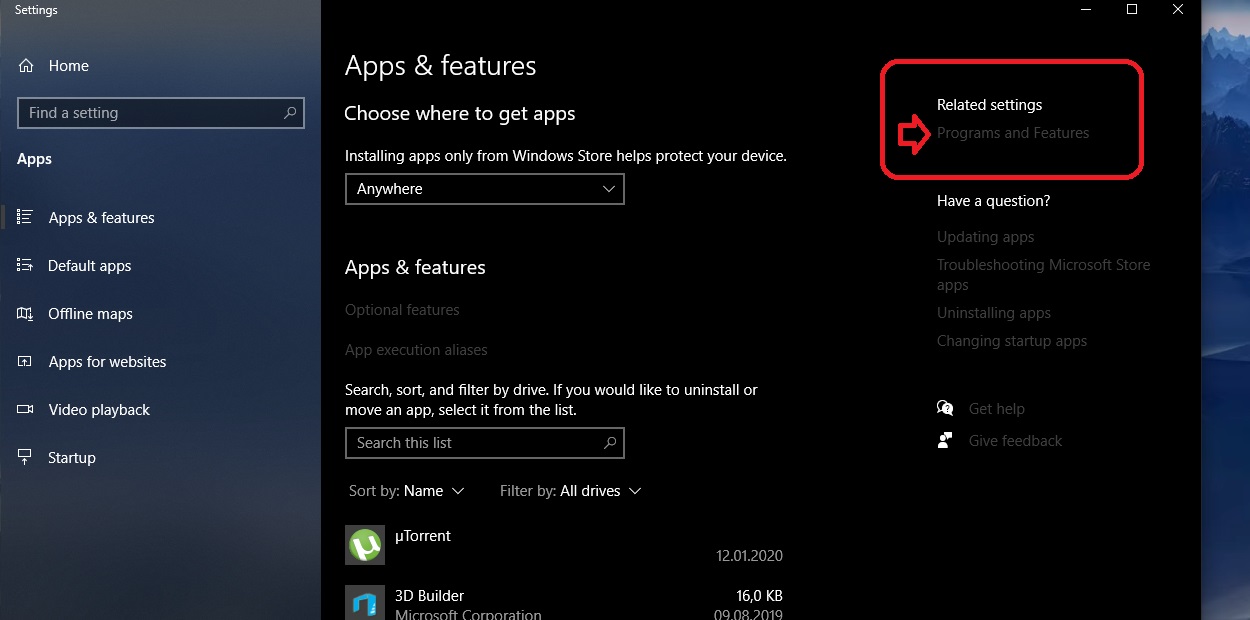
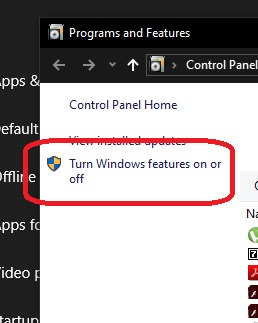
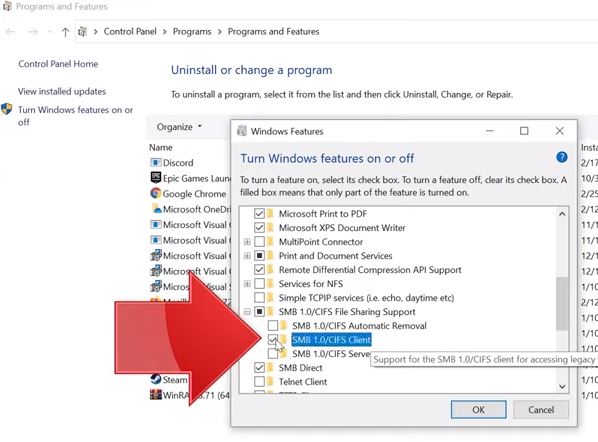
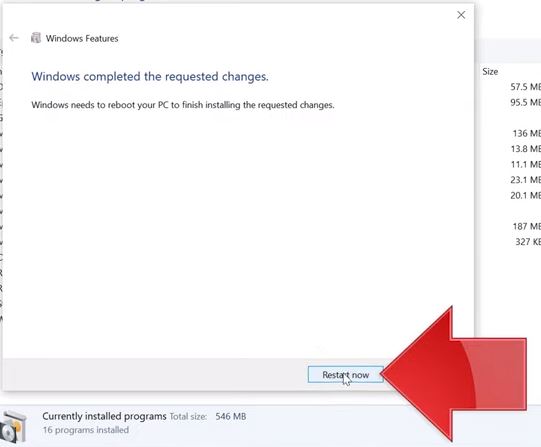
Calculatoarele din retea nu se vad in Windows 10 Data 26/02/2020 Autor Tiberiu Gache Categorie OS - Windows -3 8510 Rezolvare problema (Fix IT) SituatieNetwork Computers Are Not Showing Up in Windows 10 Solutie Pasi de urmat Click dreapta pe “Start” si selectati Apps and Features Click pe “Programs and Features” Click pe Turn Windows features on or off Extindere SMB 1.0/CIFS File Sharing Removal si bifati SMB 1.0/CIFS Client apoi click pe OK Efectuati RESTART: Tip solutiePermanent Etichetare: Calculatoarele din reteaNetwork Computers Are Not Showing Up in Windows 10nu se vad in Windows 10 Voteaza Up Down (69 din 141 persoane apreciaza acest articol) ShareTweetShare Despre Autor Tiberiu Gache Solutii Asemanatoare Framework Laptop — A new approach to personal computing -4 How to find BitLocker recovery key on Windows 11 -2 Error when downloading large Files from a WebDAV-Mapped SharePoint Library 4 How to manually Install Windows Updates using the Microsoft Update Catalog 2 Updating HP LaserJet Pro 400MFP M425dn Printer Firmware to troubleshoot Scan to Email issues 1 Notificările Snipping Tool nu se afișează în Windows 11 0 Leave A Comment? × Cancel Reply Save my name, email, and website in this browser for the next time I comment. two + = nine
Leave A Comment?