
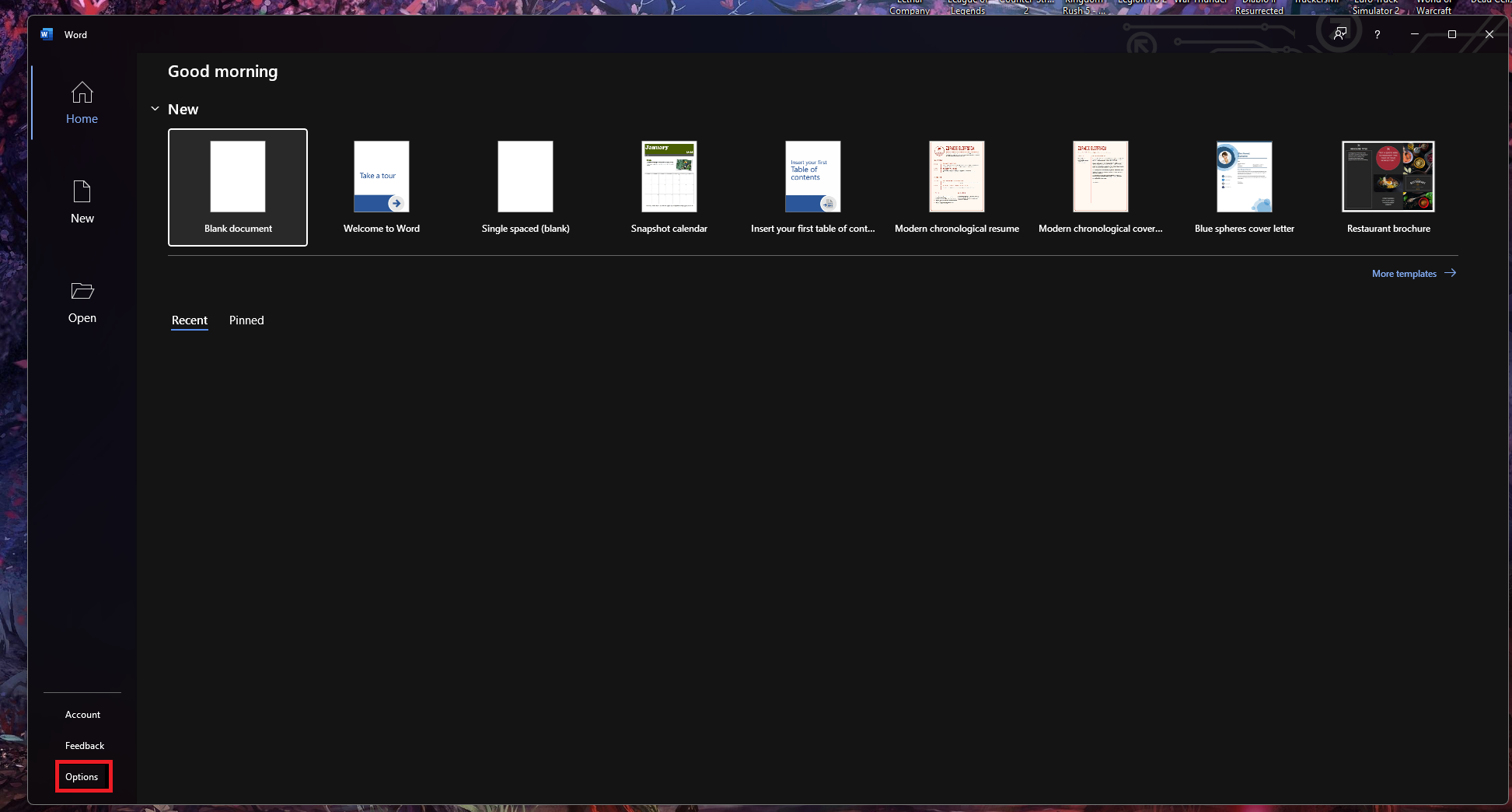
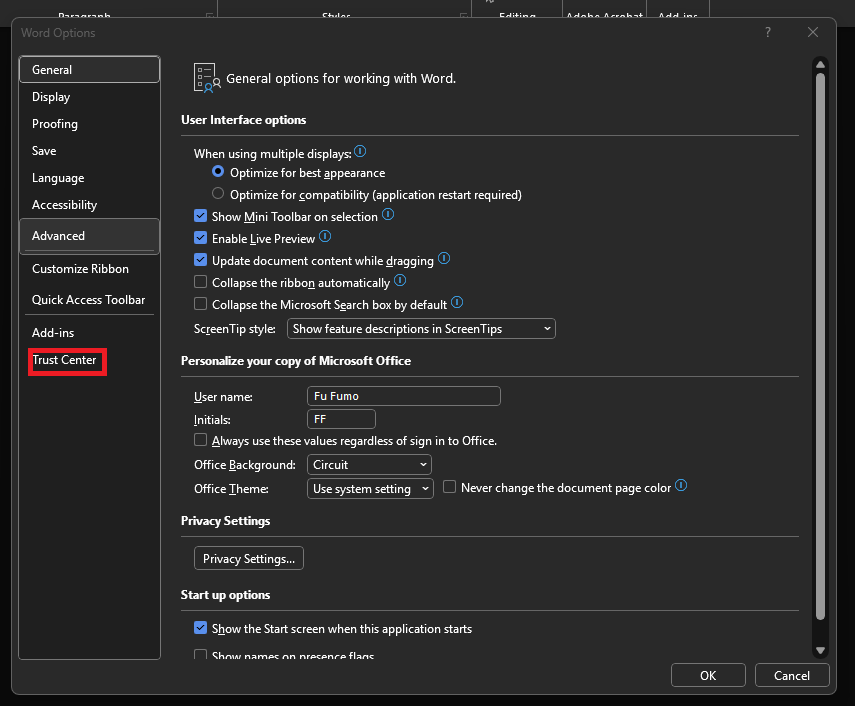
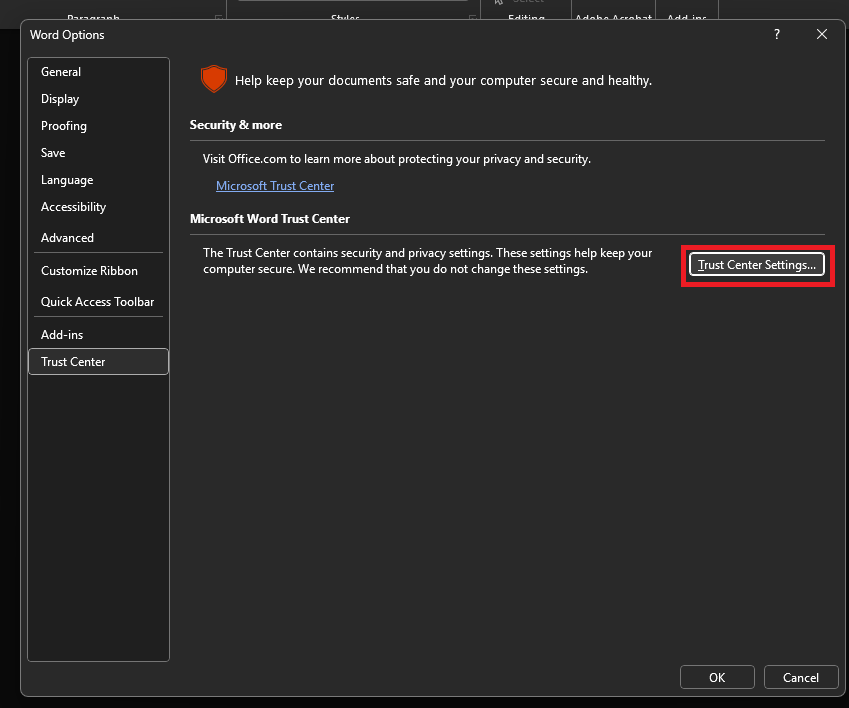
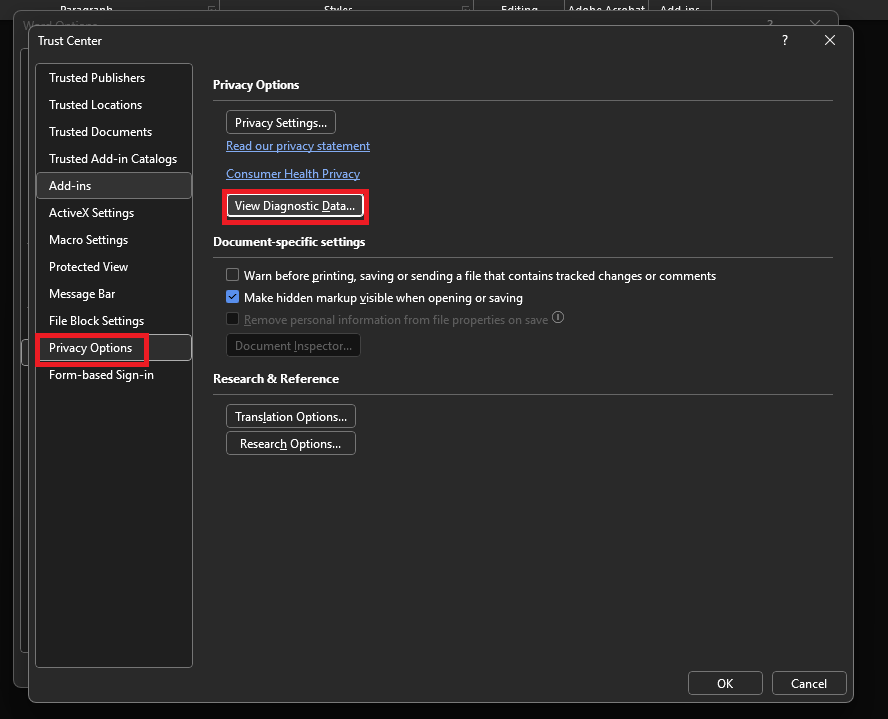
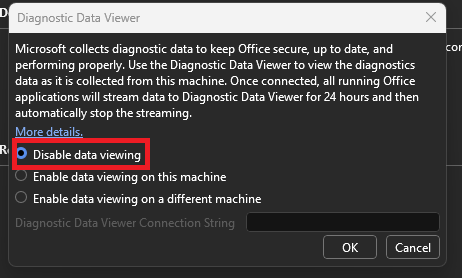
Cum dezactivati “Diagnostic Data viewer” in aplicatiile Microsoft Office Data 01/09/2025 Autor preda silviu Categorie Soluții 0 139 Configurare noua (How To) Situatie Solutie Pasi de urmat Prima data deschideti una din aplicatiile Office, cum ar fi “Word” Click pe “Options” Aici din meniul din stanga, click pe “Trust Center” Mai departe click pe “Trust Center Settings” Prima data din meniul din stanga, click pe “Privacy Options”, dupa care click pe “View Diagnostic Data”. Aici puteti dezactiva optiunea de “Diagnostic Data Viewer”. Tip solutiePermanent Voteaza Up Down (5 din 10 persoane apreciaza acest articol) ShareTweetShare Despre Autor preda silviu Solutii Asemanatoare 10 Linux commands to know for managing files 2 Linux commands are easy when you know how to read usage 3 5 ways I use randomization in my Home Assistant setup 0 Windows has built-in repair tools that work better than any paid optimizer 3 Your Linux desktop is frozen, but your work isn’t lost 2 Cum remediem erorile: WHEA_UNCORRECTABLE_ERROR, CRITICAL_PROCESS_DIED in Windows Server 3 Leave A Comment? × Cancel Reply Save my name, email, and website in this browser for the next time I comment. × 7 = seven

Leave A Comment?