
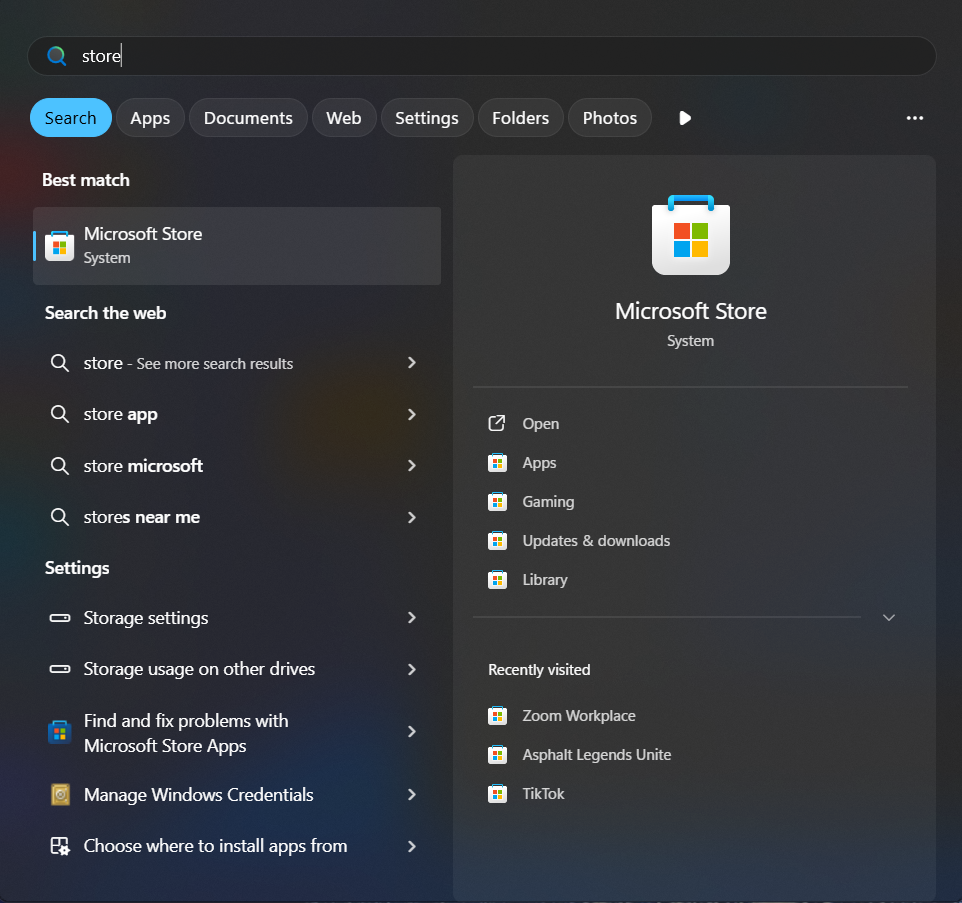
Cum instalăm Any VPN pe Windows 10/11 Data 05/09/2025 Autor Florin Olariu Categorie Social 9 362 Configurare noua (How To) SituatieDorim să instalăm aplicația Any VPN direct pe laptop/PC pentru acces mai rapid. Solutie Navigăm în microsoft store din bara de jos sau de pe lupă, unde scriem store și va apărea microsoft store. Căutăm din bara de “search” aplicația Any VPN și dăm click ca în imagine pe “Any VPN” Apoi apăsăm “Get”, iar aplicația va începe să se instaleze. După instalare o vom putea deschide din bara de start. Tip solutiePermanent Voteaza Up Down (26 din 44 persoane apreciaza acest articol) ShareTweetShare Despre Autor Florin Olariu Solutii Asemanatoare High availability vs. Disaster Recovery: designing enterprise infrastructure for real-world failures -4 Advanced DNS troubleshooting in enterprise Networks: resolution Paths, caching, and Split-Horizon architecture 1 Enterprise incident response: engineering an effective detection, containment, and recovery workflow 0 Immutable Backups and Ransomware Resilience: designing enterprise recovery architecture 4 Kubernetes Production Reliability: resource management, health probes, and failure isolation 2 PowerShell at Enterprise Scale: building secure and reliable remote automation frameworks 1 Leave A Comment? × Cancel Reply Save my name, email, and website in this browser for the next time I comment. × 8 = fifty six

Leave A Comment?