
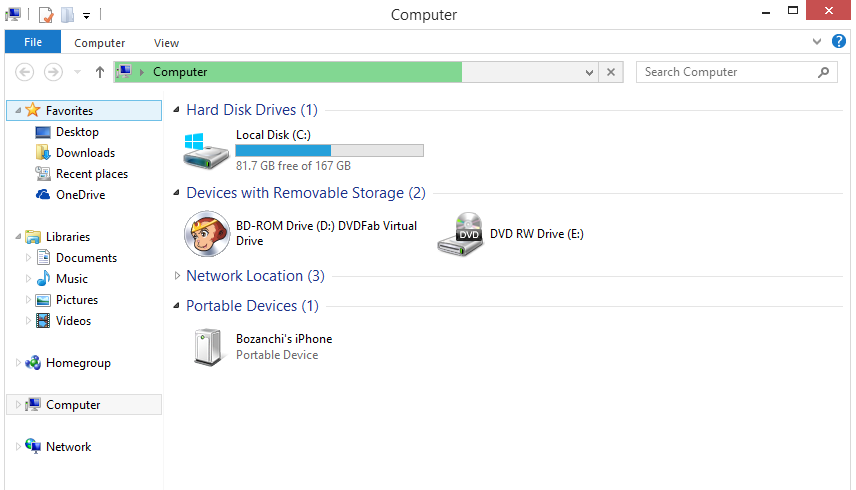
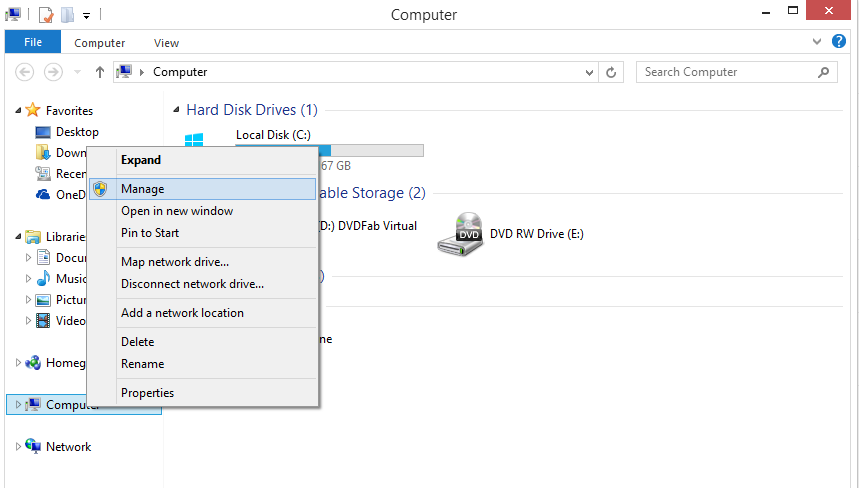
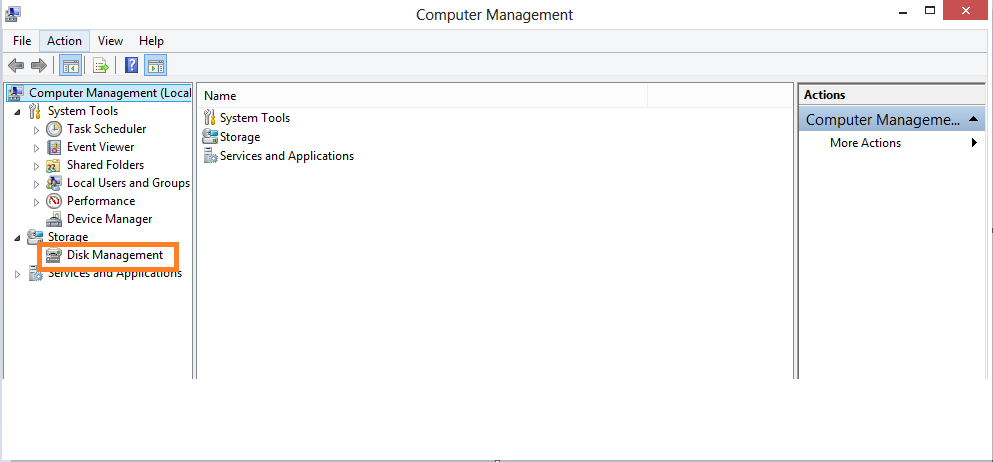
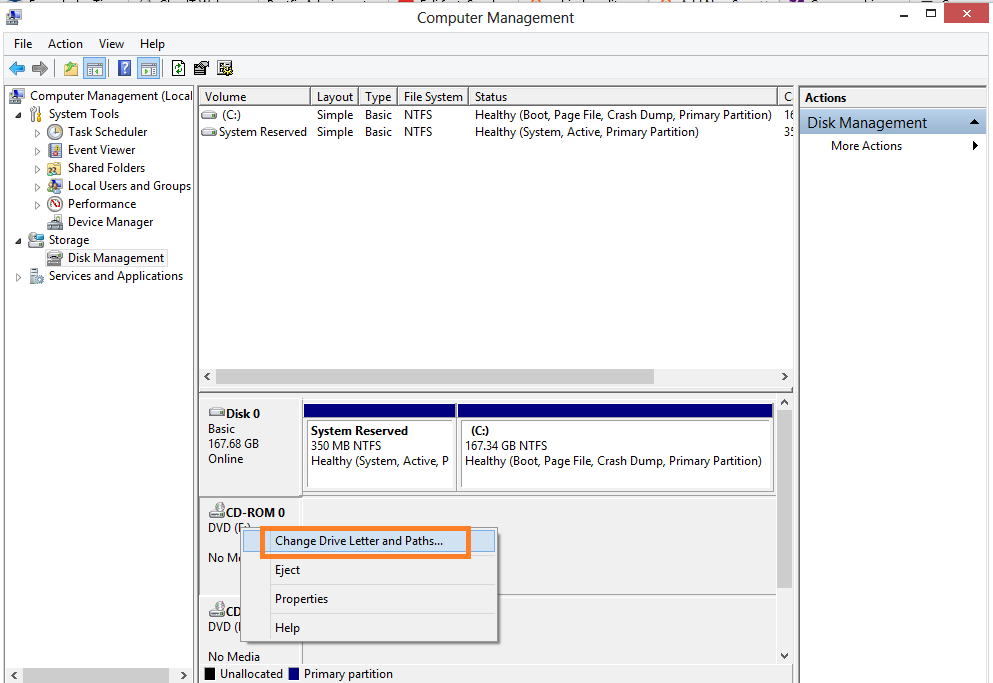
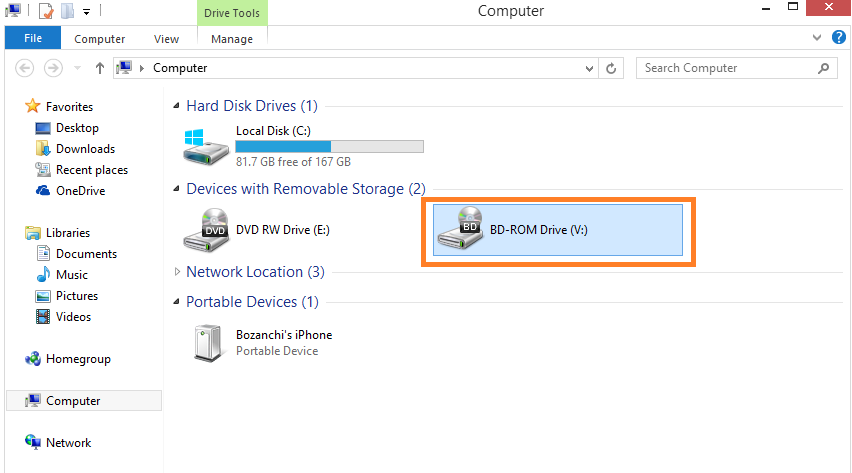
Cum se schimba litera unei partitii in Windows 8.1 Data 25/05/2015 Autor Valentin Bozanchi Categorie OS - Windows, Stații de lucru, Setari partitii 7 2154 Configurare noua (How To) SituatiePentru schimbarea litere unei partitii vom urma pasii urmatori Solutie Pasi de urmat Deschidem “File Explorer” –> dam click dreapta pe Computer –> Manage –> se deschide Computer Management –> si click pe Disk Management –> click dreapta pe diskul caruia dorim sa-i schimbam litera –> click pe “Change..” –> dupa ce alegem litera dorita, exemplu litera V –> click OK –> dam Yes la mesajul urmator –>si acum putem vedea ca am schimbat din litera D, in litera V cu succes! Tip solutieWorkaround Voteaza Up Down (52 din 97 persoane apreciaza acest articol) ShareTweetShare Despre Autor Valentin Bozanchi Solutii Asemanatoare Your Android phone’s battery has a limited lifespan -1 5 Samsung settings you should change on every new Galaxy -1 Your Android Status Bar is cluttered with Icons? -3 Go to the bottom of the page in Google Chrome -1 Google Chrome – open a link, and jump to it 3 Shortcut switch to the previous tab in Google Chrome v2 -1 Leave A Comment? × Cancel Reply Save my name, email, and website in this browser for the next time I comment. five × = thirty five
Leave A Comment?