Follow Us

Soluții pentru problemele tale IT

Home /Stații de lucru/OS - Windows/Cum setezi sau schimbi parola de Login

Cum setezi sau schimbi parola de Login

  • Data 14/11/2017
  • Autor Tiberiu Gache
  • Categorie OS - Windows
  • -21
  • 1476
Configurare noua (How To)

Situatie


Solutie

Pasi de urmat

Apasati butonul “Start” apoi “Settings”

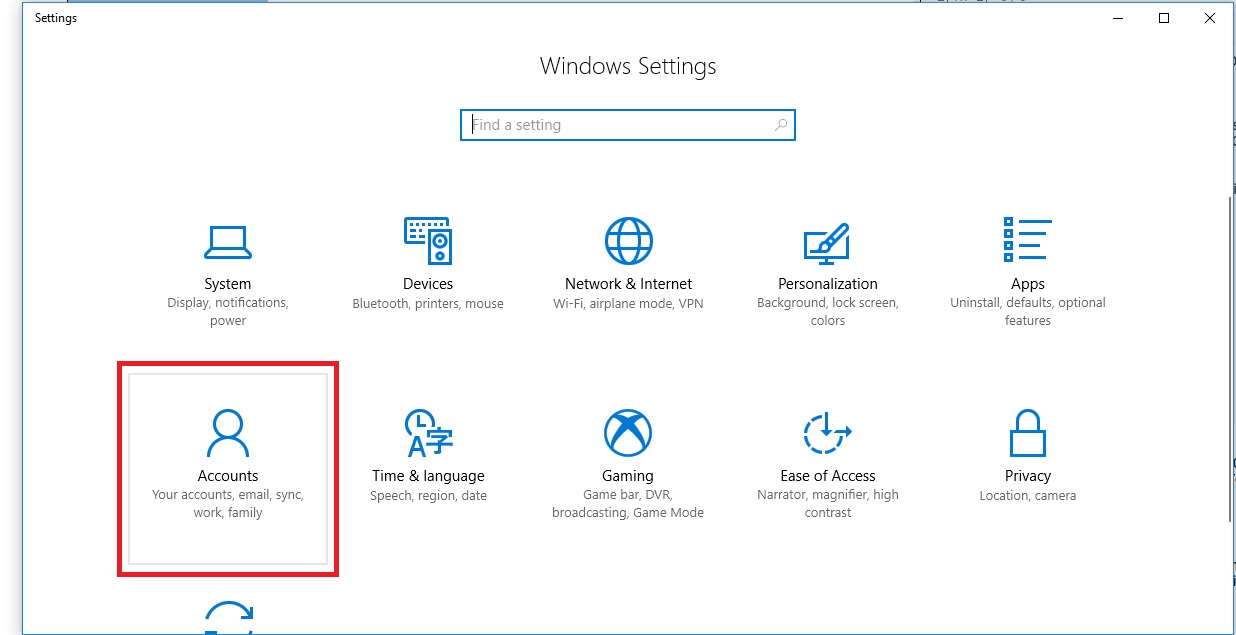
Selectati “Accounts”
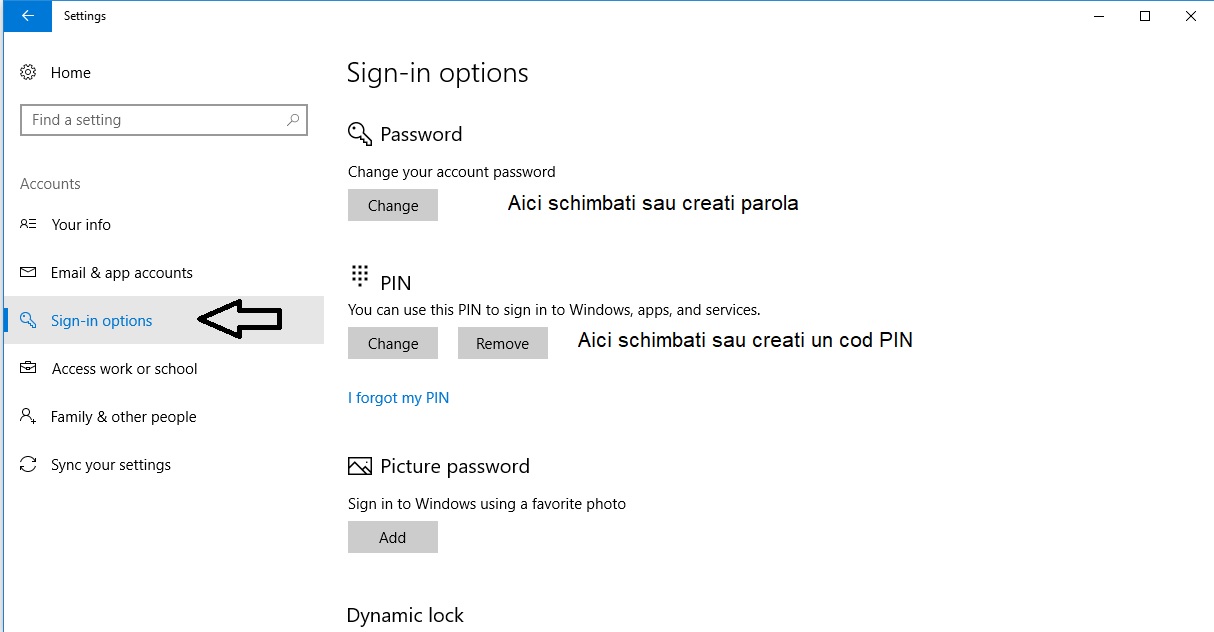
Selectati “Sign-in options” si alegeti cum doriti sa securizati PC-ul : cu parola, cu PIN sau cu o poza.

Tip solutie

Permanent
Etichetare: #cum schimbi parola login#parola loginaskitaskit.roCum setezi schimbarea paroleischimbare parolasetup user password

Voteaza

Up Down
(25 din 71 persoane apreciaza acest articol)
Share
Tweet
Share

Despre Autor

Tiberiu Gache

Solutii Asemanatoare

  • Windows 11’s predictive text is the hidden typing tool 8
  • 3 Excel functions, 1 cell: how to build a “pro” dashboard engine 4
  • Analiza și remedierea Erorii 0x8024200B în Windows Server 2022 6
  • Analiza și remedierea erorii:„CONFIG INITIALIZATION FAILED” în Windows Server 2
  • Shortcut minimize the current window of Google Chrome 3
  • Shortcut open your home page in the current tab Google Chrome 4

Leave A Comment? × Cancel Reply

31795

Soluții Disponibile

0 Articole

In ultima saptamana

Cele mai recente soluții

  • Windows 11’s predictive text is the hidden typing tool
    • 68
    • 1 week ago
  • How to quickly fix CSV files in Excel using Power Query
    • 52
    • 02/07/2026
  • How to turn old Galaxy phone into a pocket Linux server with Termux
    • 21
    • 02/07/2026
  • How to give your old Android tablet a second life as an Android Auto display
    • 21
    • 02/07/2026
  • 3 Excel functions, 1 cell: how to build a “pro” dashboard engine
    • 20
    • 02/07/2026
© Askit.ro, 2014 - 2026. All rights reserved. Done by Class IT
Share
Tweet
Share