
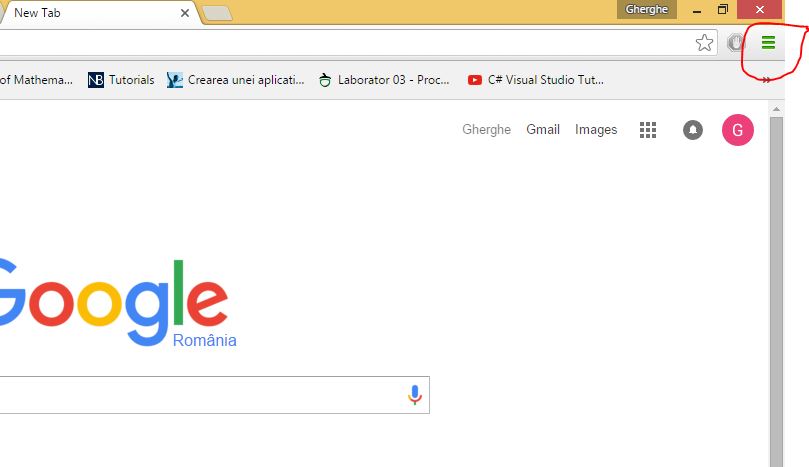
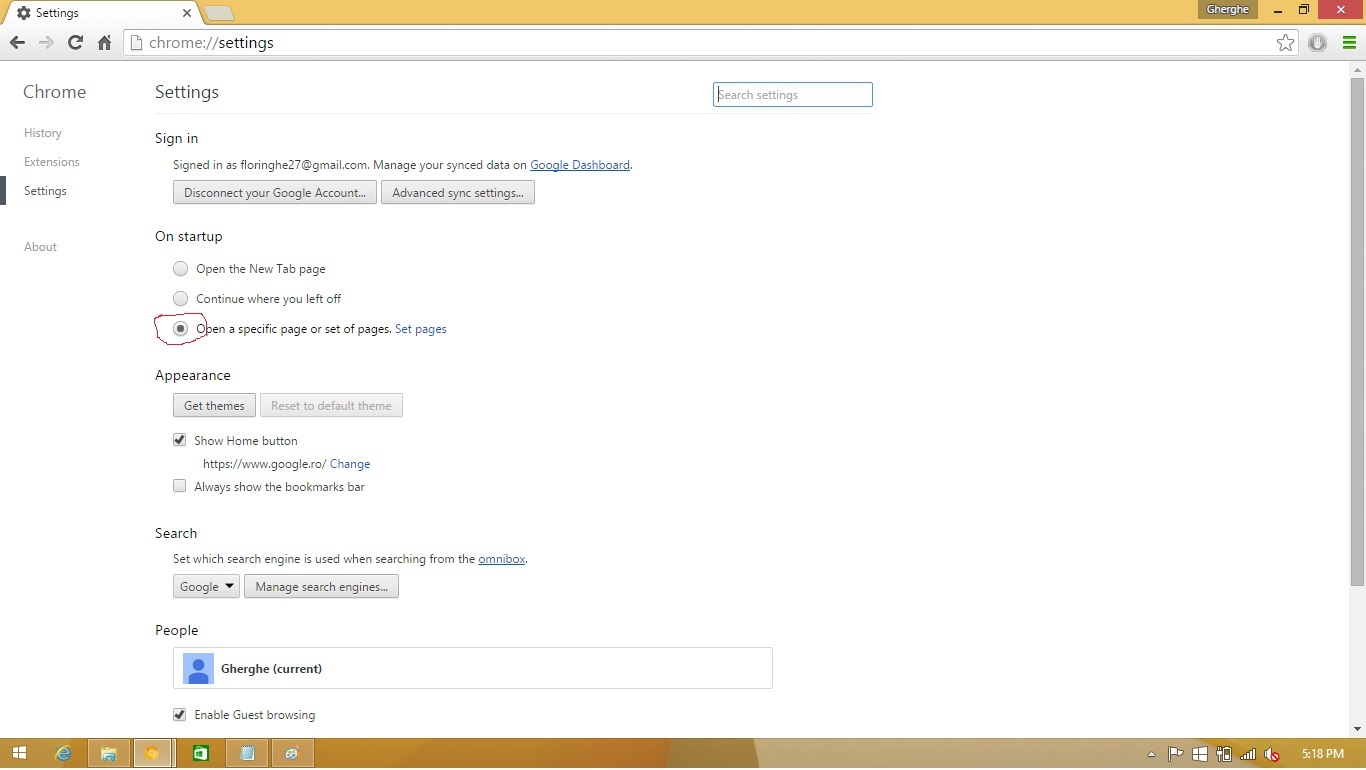
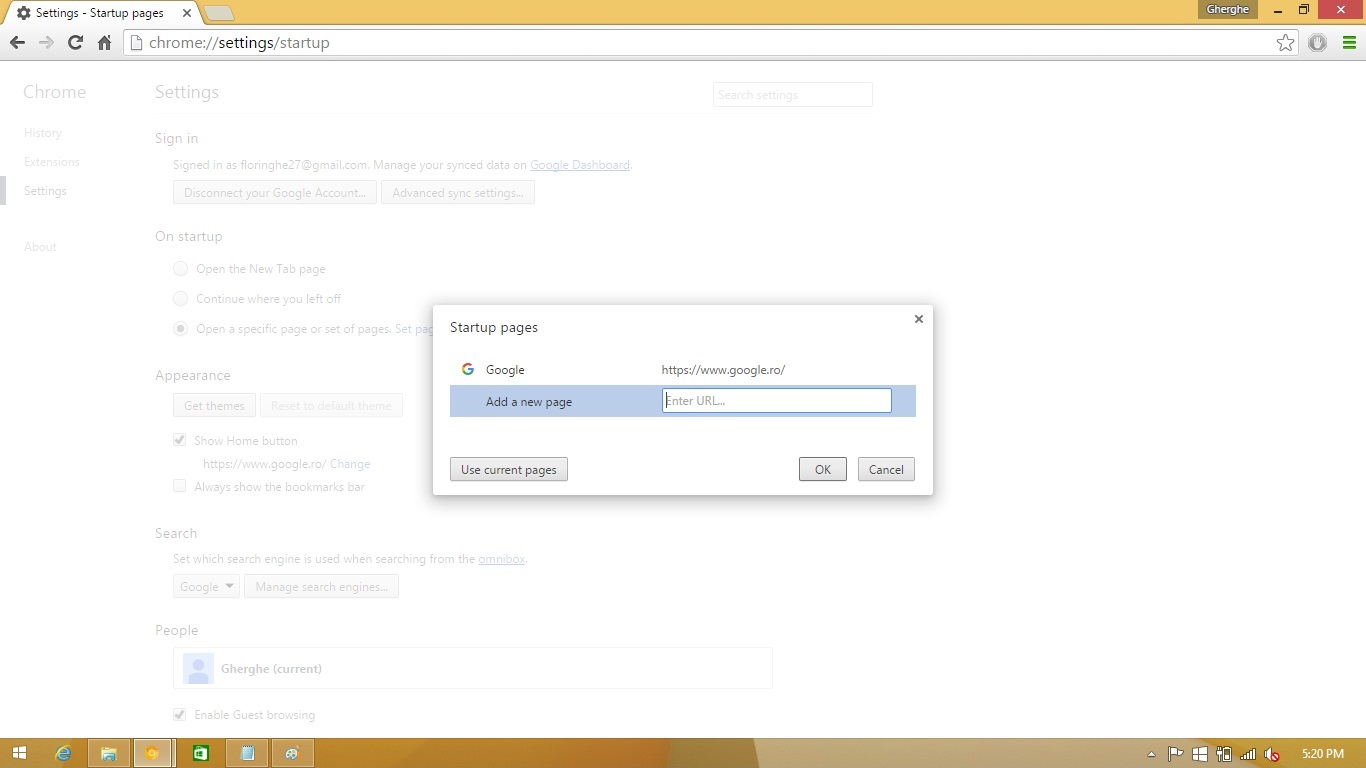
Deschidere pagini multiple Google Chrome Data 11/12/2015 Autor Florin Ghe Categorie Configurare browser, Aplicatii specifice, Stații de lucru -4 3514 Configurare noua (How To) SituatieAtunci cand deschizi Google Chrome, doresti sa se deschida mai multe pagini Solutie Pasi de urmat Click pe Customize and control Google Chrome Click pe Settings Selectare Open a specific page or set of pages. Si se face click pe Set pages. Introduceti link-urile catre paginile pe care vreti sa se deschida odata cu chrome si apasati Ok. Tip solutiePermanent Voteaza Up Down (34 din 73 persoane apreciaza acest articol) ShareTweetShare Despre Autor Florin Ghe Solutii Asemanatoare Bring your Windows Desktop to life with Wallpaper Engine 3 How to move Taskbar to top or side on Windows 11 2 Arduino Soil Moisture Sensor 3 Review Attack Shark X3Pro mouse 4 Review Attack Shark x85 keyboard 4 Arduino Fingerprint Sensor 4 Leave A Comment? × Cancel Reply Save my name, email, and website in this browser for the next time I comment. one + = eight
Leave A Comment?