
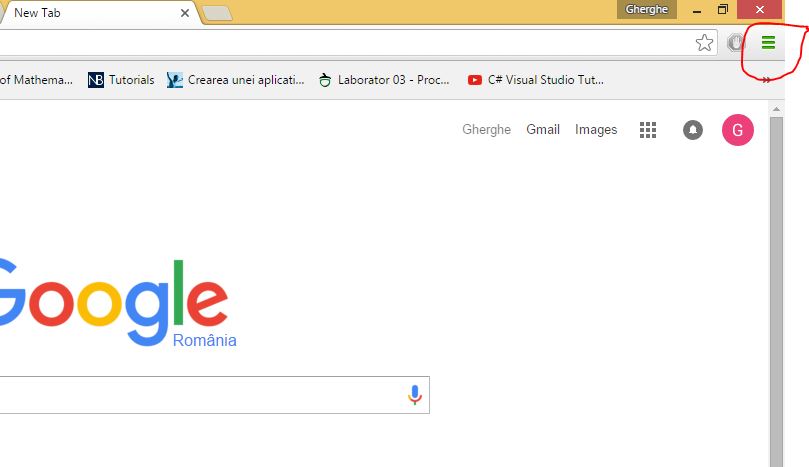
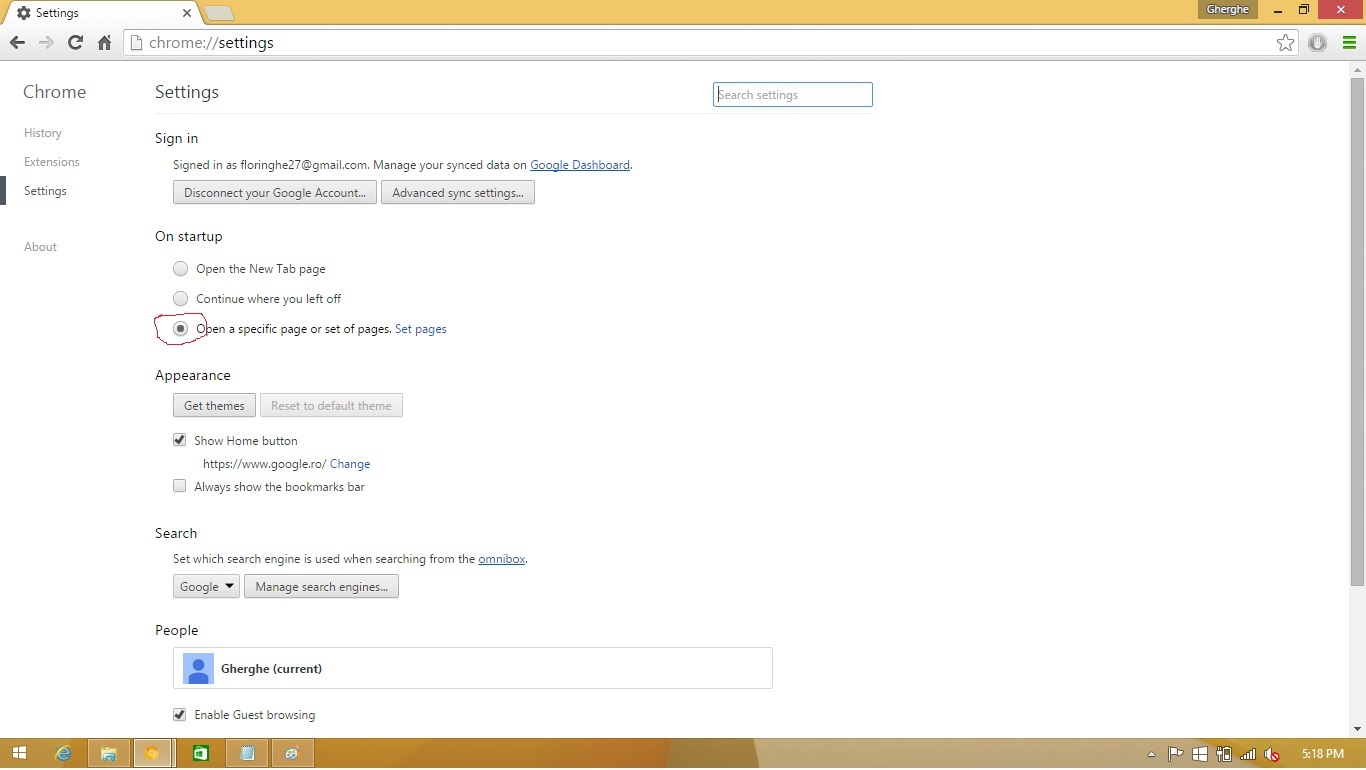
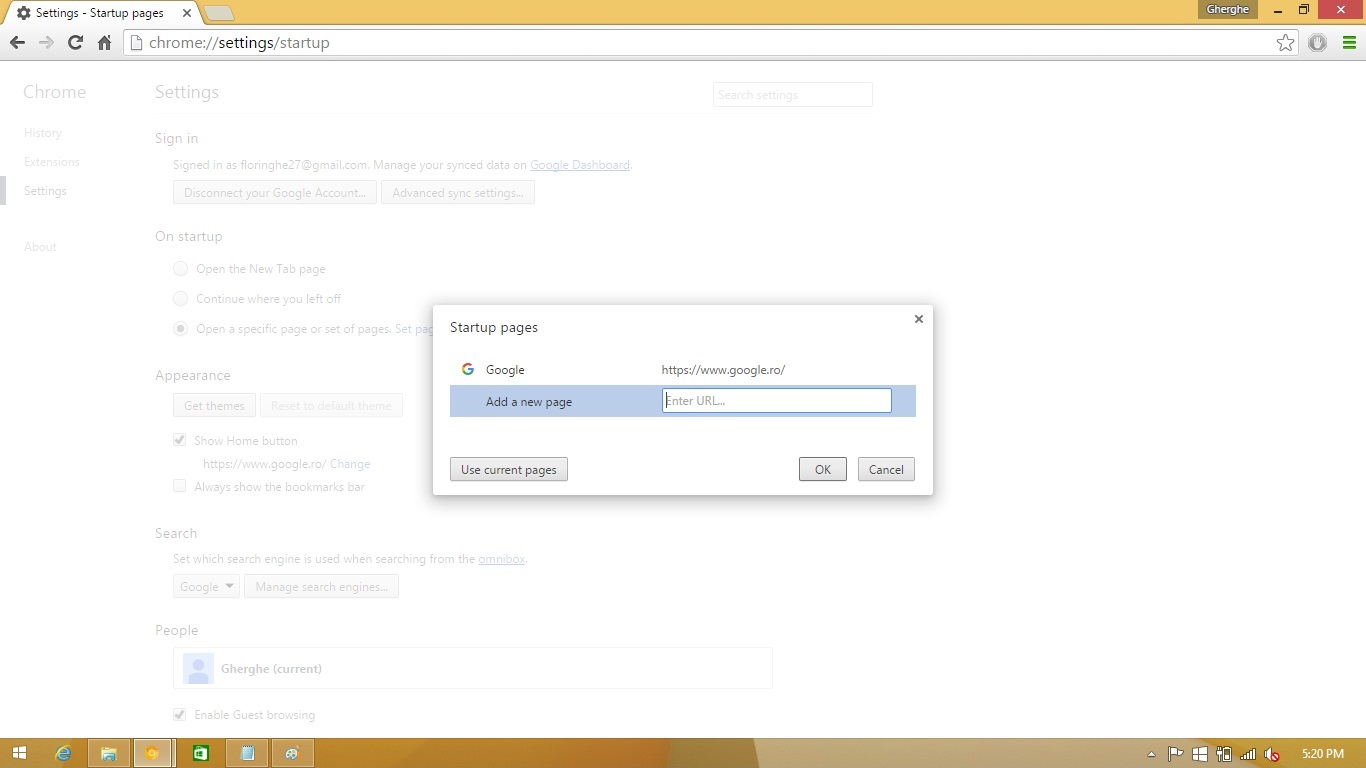
Deschidere pagini multiple Google Chrome Data 11/12/2015 Autor Florin Ghe Categorie Configurare browser, Aplicatii specifice, Stații de lucru -3 3606 Configurare noua (How To) SituatieAtunci cand deschizi Google Chrome, doresti sa se deschida mai multe pagini Solutie Pasi de urmat Click pe Customize and control Google Chrome Click pe Settings Selectare Open a specific page or set of pages. Si se face click pe Set pages. Introduceti link-urile catre paginile pe care vreti sa se deschida odata cu chrome si apasati Ok. Tip solutiePermanent Voteaza Up Down (41 din 86 persoane apreciaza acest articol) ShareTweetShare Despre Autor Florin Ghe Solutii Asemanatoare Windows 11’s predictive text is the hidden typing tool 5 How to quickly fix CSV files in Excel using Power Query -3 Analiza și remedierea Erorii 0x8024200B în Windows Server 2022 3 Analiza și remedierea erorii:„CONFIG INITIALIZATION FAILED” în Windows Server 0 Changing these 3 settings instantly makes your Android phone more private 2 Stop using Rufus to burn ISOs, these 2 tools for Windows and Linux are better 5 Leave A Comment? × Cancel Reply Save my name, email, and website in this browser for the next time I comment. 7 × = seven
Leave A Comment?