
Situatie
For years, Excel was powerful but temperamental. You learned pretty quickly to walk on eggshells around your formulas just to keep things from breaking. But while most of us were building workarounds and muscle-memory fixes, Microsoft was quietly upgrading the engine under the hood in ways that weren’t obvious from the surface.
Solutie
Pasi de urmat
Dynamic arrays killed the spill headache
One formula can finally behave like a proper list
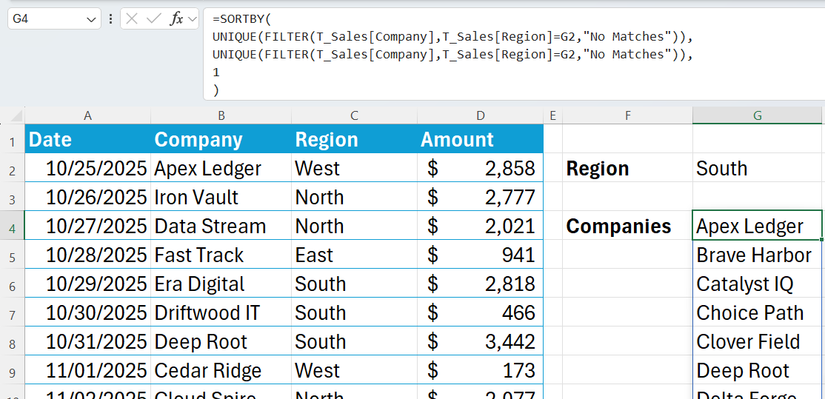
Older versions of Excel were very literal: one cell, one result. Generating a list of filtered data required dragging formulas down thousands of rows or writing array formulas that felt like a secret language only a few experts fully trusted. If the source data changed size, the output usually broke.
Dynamic arrays completely changed how that behaves. Now, a single formula can return multiple results and automatically spill into neighboring cells. As the data grows or shrinks, the output adjusts with it. Functions like FILTER, SORTBY, and UNIQUE rely on this idea, allowing Excel to handle output ranges automatically. It sounds obvious in hindsight, but for a long time, spreadsheets just didn’t behave like that at all. Despite this, it’s still common to see coworkers dragging fill handles down to row 5,000 out of habit, even when a single modern formula would do the job more cleanly.
XLOOKUP is the replacement we all deserved
No more fragile lookups that break when a column moves
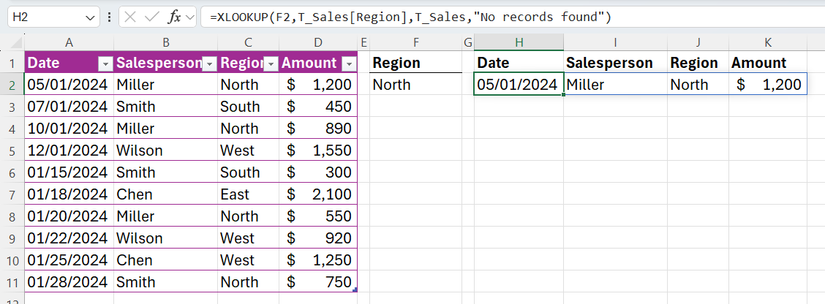
Almost every spreadsheet user has experienced the frustration of breaking a file by simply inserting a column. That was the main weakness of VLOOKUP: it worked fine until anything structural changed, at which point it would confidently return the wrong results or fail entirely.
XLOOKUP was the quiet fix for that entire situation. Instead of relying on static column index numbers (the primary cause of fragility), XLOOKUP defines exactly what to search for and what to return. It works left, right, up, or down without issue. It also defaults to exact matches and handles missing values without forcing you to wrap everything in IFERROR logic. It behaves the way most people assumed Excel already did, yet VLOOKUP remains the standard simply because it’s hard-coded into long-term users’ muscle memory.
Power Query ended the data janitor era
Cleaning messy data no longer requires manual punishment
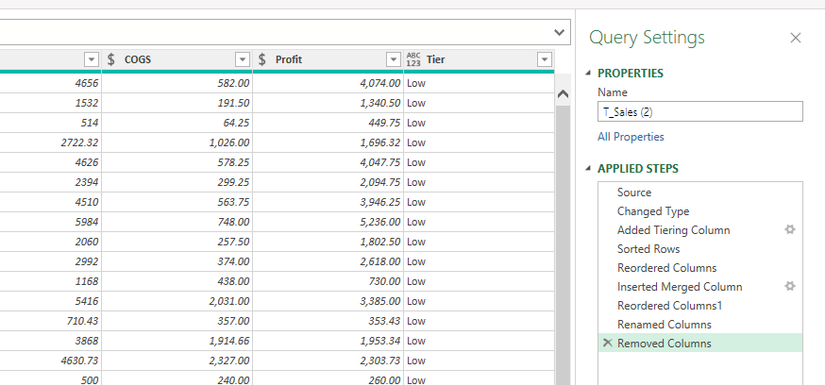
There’s a traditional “janitor phase” in almost every data project. It involves importing messy files and manually fixing dates, trimming spaces, splitting columns, and removing duplicates. Most workers just accept this tedious cleanup as a standard part of the job description.
Power Query changed that by turning manual cleanup into an automated script. It acts as a “record” button for data transformation—once the cleaning, shaping, and merging steps are defined, Excel remembers them. The next time new data arrives, a simple refresh runs the entire sequence again automatically. The irony is that Power Query is tucked away in the Data tab, and at first glance, it can look more intimidating than it really is. As a result, many people ignore it and keep rebuilding the same cleanup process every Monday morning as if the software hadn’t already solved the problem.
High-level coding is now built into the cells
The line between spreadsheet and software has vanished
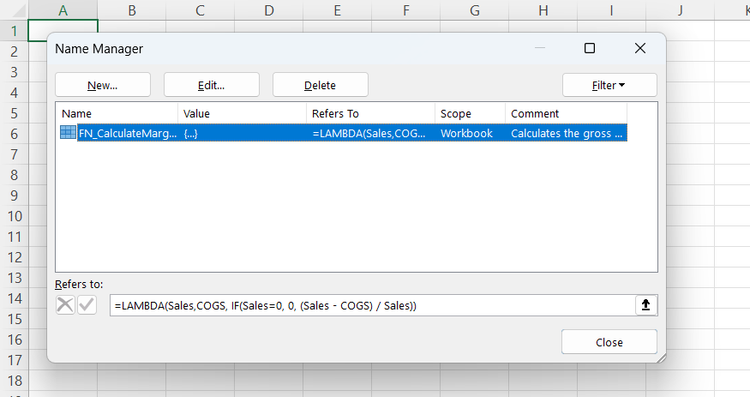
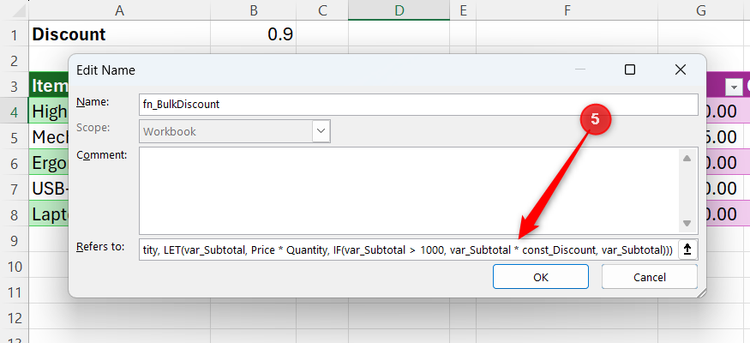
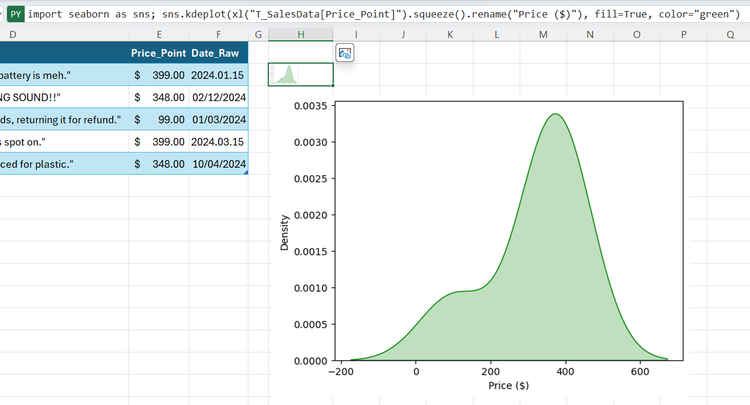
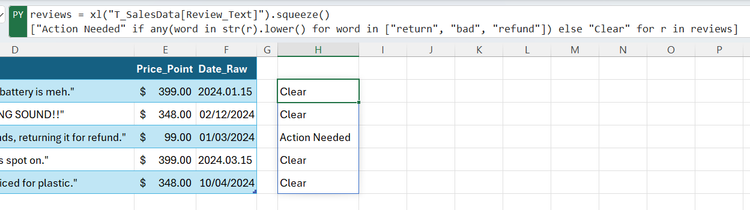
Perhaps the most overlooked milestone in Excel’s evolution was when it became a programming environment. With the introduction of the LAMBDA function, Excel’s formula language became expressive enough to represent any computation in theory, placing it in the same class as general-purpose programming languages.
You can even go far enough to build something absurd, like a 16-bit CPU, inside Excel. This shift means the boundaries of what you can build in a spreadsheet have expanded dramatically. If you can dream up an algorithm, Excel now has the infrastructure to execute it.
Modern Excel handles large datasets better than it used to
Performance tweaks that stopped the constant freezing
A decade ago, “The Excel Freeze” was a standard part of the workday. Hitting Enter on a large sheet meant walking away to make a coffee while the file struggled to come back to life. That’s rarely the case today
Excel has been steadily improved to handle large datasets more efficiently, especially within Microsoft 365. It now spreads calculations across multiple processor cores and avoids unnecessary recalculations that used to grind the system to a halt. But these improvements are invisible—you only notice them when you realize files that used to feel risky just don’t choke anymore. Large PivotTables refresh faster, and workbooks with hundreds of thousands of rows are far more usable than they used to be.
Leave A Comment?