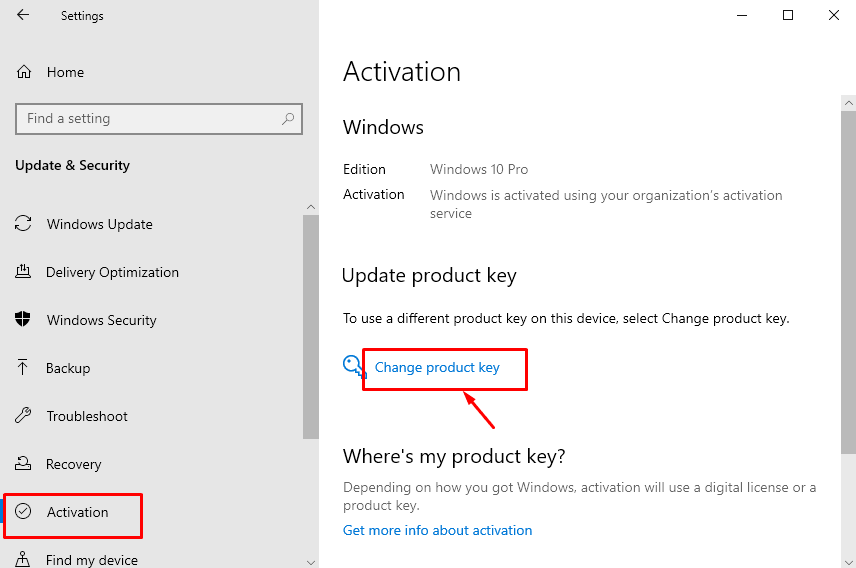
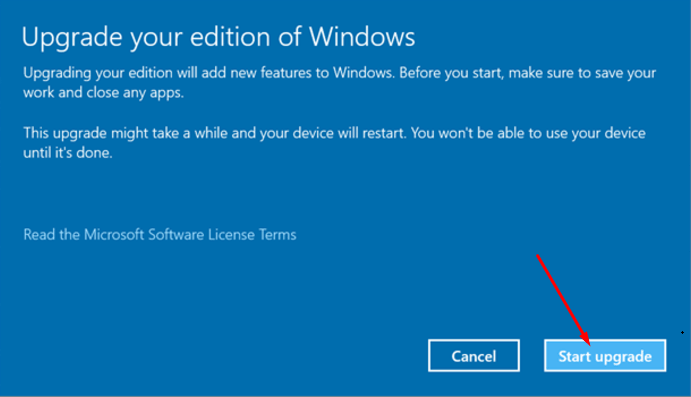
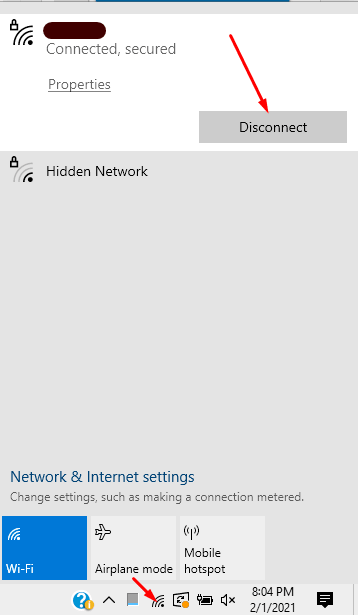
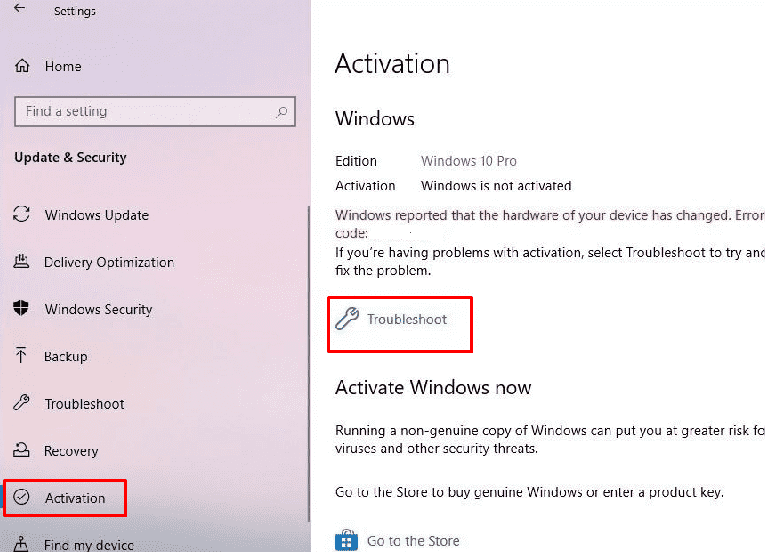
Fix 0x803fa067 Windows 10 activation error Data 07/02/2021 Autor Tiberiu Gache Categorie OS - Windows -13 1473 Rezolvare problema (Fix IT) SituatieEroare la activare Windows Simptome Solutie Pasi de urmat Deconectati-va de la internet (daca sunteti conectati pe cablu, scoate-i cablul de internet din PC/Laptop) Click – Update & Security din Windows Settings Selectati – Activation Click – Change product key Introduceti key-ul, Click – Next, activate Troubleshoot Click pe start – > tastati activation si apasati enter-> Troubleshoot Upgrade your edition of Windows Alegeti – Start upgrade Tip solutiePermanent Etichetare: Fix 0x803fa067 Windows 10 activation error Voteaza Up Down (20 din 53 persoane apreciaza acest articol) ShareTweetShare Despre Autor Tiberiu Gache Solutii Asemanatoare Activarea multi-sesiunilor pentru Remote Desktop pe Windows Server 3 Sistemul de operare optimizat pentru Edge Computing și Self-Healing -1 Bara de instrumente Microsoft Word a fost gri sau nu răspunde 1 Nu s-a putut actualiza reagent.xml pe computerul Windows 1 File Explorer se blochează la montarea ISO în Windows 11 0 Cum scapam de ferestrele enervante cand aprindem calculatorul 1 Leave A Comment? × Cancel Reply Save my name, email, and website in this browser for the next time I comment. 3 × 4 =
Leave A Comment?