
Situatie
To disable the Snipping Tool Print Screen key shortcut on Windows 11, use these steps:
Solutie
1. Open Settings on Windows 11
2. Click on Bluetooth & devices
3. Click the Keyboard page
4. Turn off the “Use the Print screen key to open screen capture” toggle switch to disable the Snipping Tool keyboard shortcut integration.
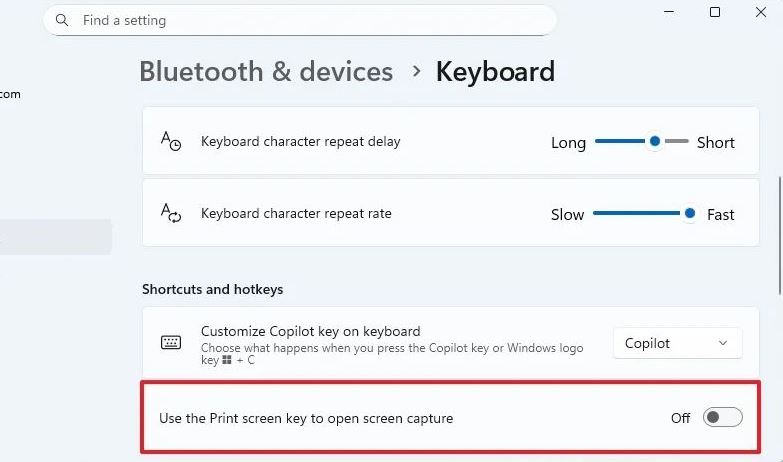
5. Once you complete the steps, the Snipping Tool will default to the “Windows key + Shift + S” keyboard shortcut to bring up the screen capture tools, and you can now assign the “Print Screen” key to another screenshot application.
Leave A Comment?