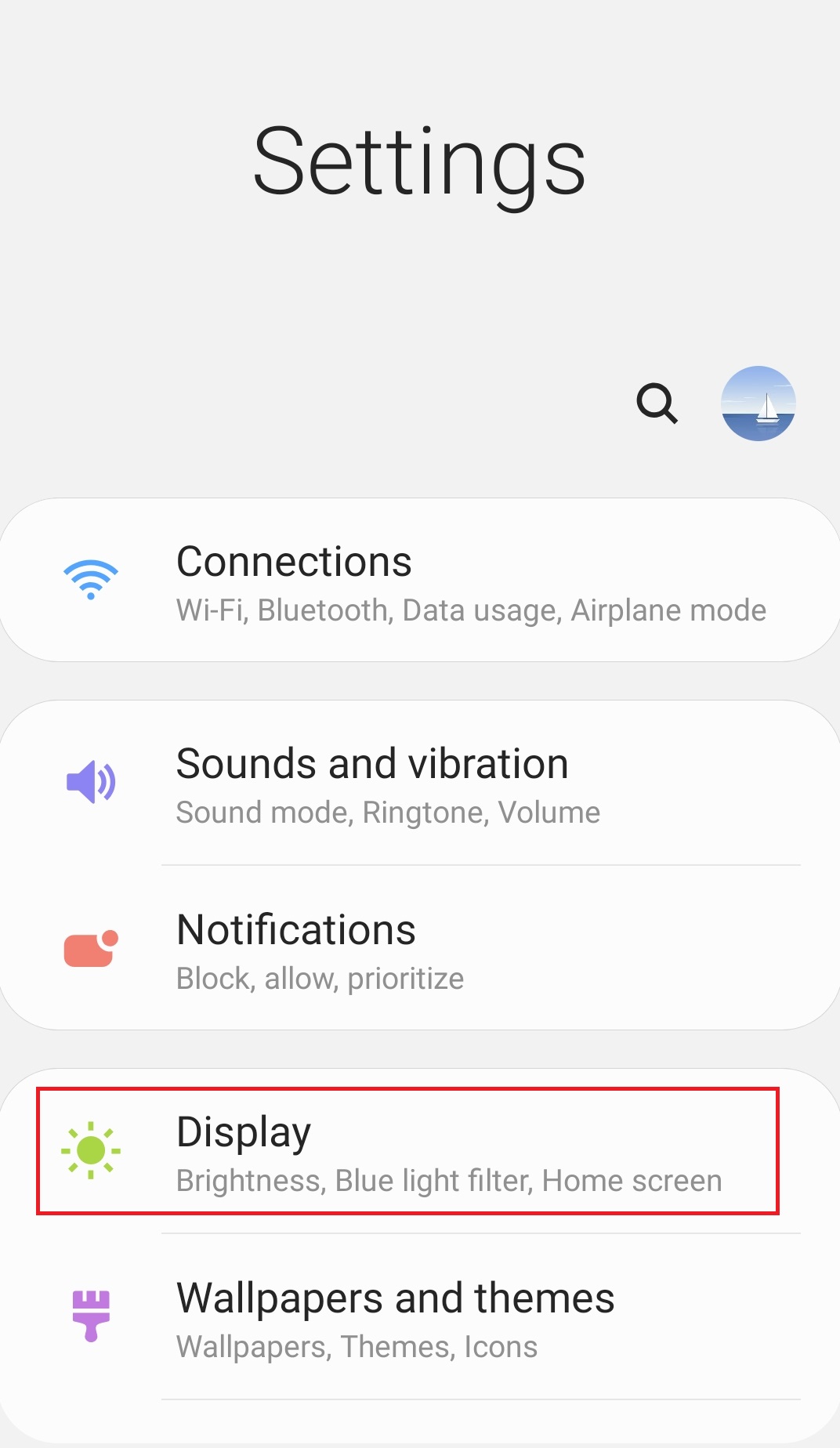
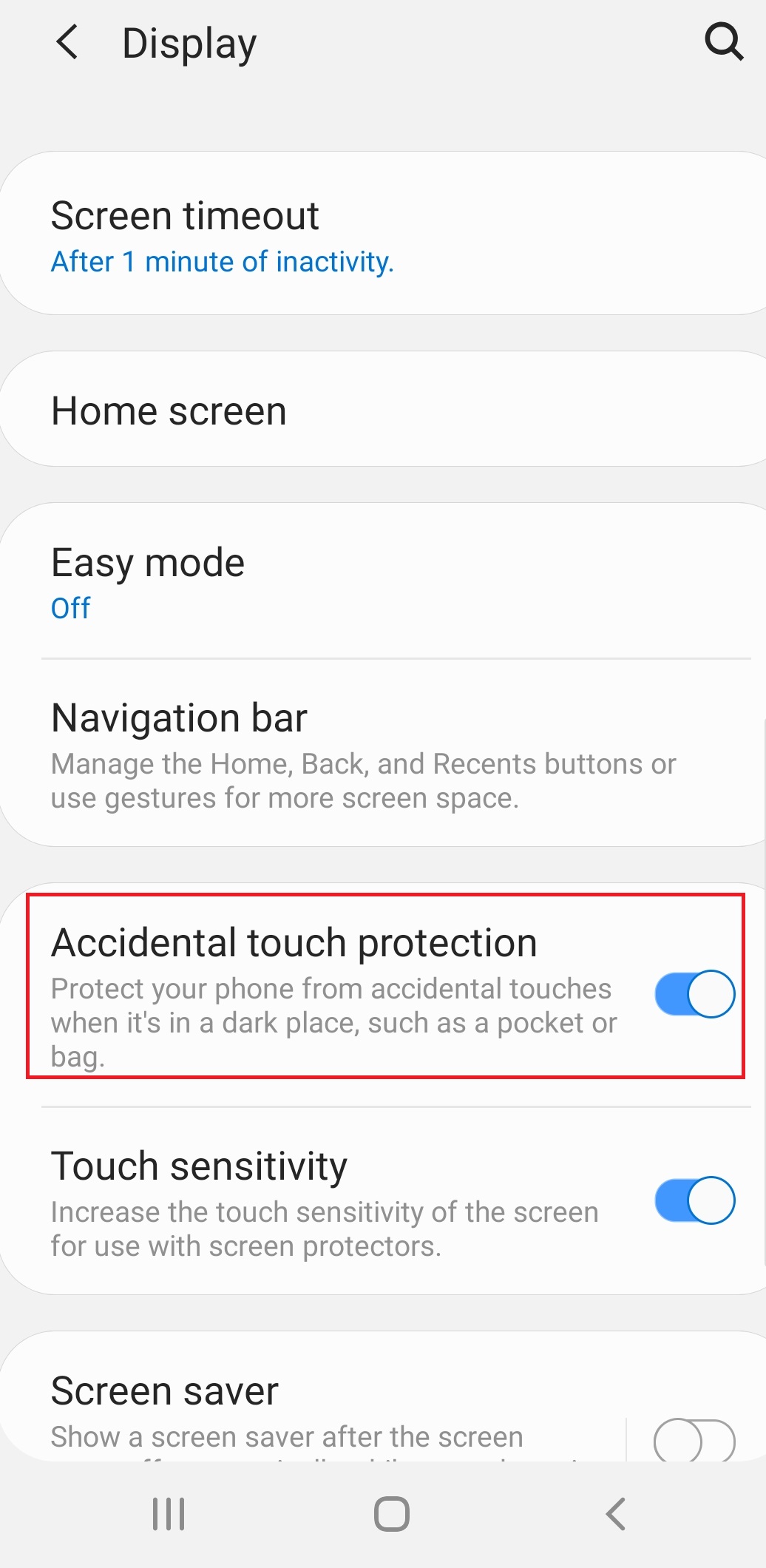
How to Enable “Accidental touch protection” on Samsung Android 9.0 Data 10/12/2019 Autor Ionut Pavel Categorie Mobile -10 711 Configurare noua (How To) Situatie Solutie Pasi de urmat Accesati Settings>Display: Activati functia “Accidental touch protection”: Tip solutiePermanent Voteaza Up Down (17 din 44 persoane apreciaza acest articol) ShareTweetShare Despre Autor Ionut Pavel Solutii Asemanatoare Cum testezi o aplicatie de React Native cu Expo 2 Interrupted file playback with Repeat All on Android TV media player – external storage 0 Unable to recharge mobile terminals that have a swappable power connector 4 Cum stergem istoricul Siri pe iOS 26.4 10 Partajarea fisierelor intre Samsung Galaxy si iPhone folosind Quick Share si AirDrop 8 Remediere probleme acces statie de lucru in domeniu -2 Leave A Comment? × Cancel Reply Save my name, email, and website in this browser for the next time I comment. 6 − four =

Leave A Comment?