
Situatie
To enable Screen Tint on Windows 11 26H2 or higher releases, follow these steps:
Solutie
1. Open Settings on Windows 11
2. Click on Accessibility
3. Click the Screen Tint page
4. Turn on the “Show a color overlay on your display” toggle switch.
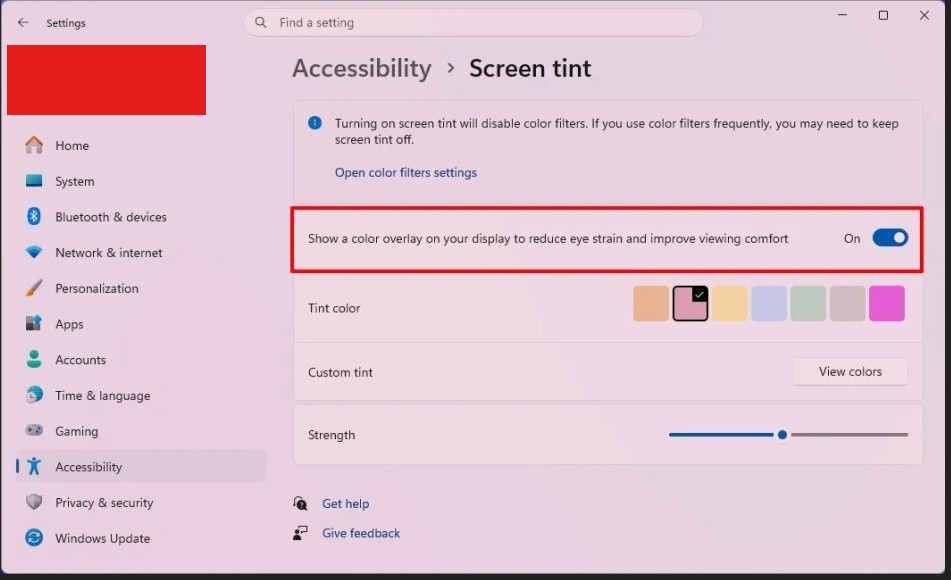
5. (Option 1) Choose the color overlay from the presets
6. (Option 2) Click the View colors button to create a custom color
7. Use the slider to set the color overlay strength
Once you complete the steps, the color overlay will cover the entire desktop.
Leave A Comment?