
Situatie

Solutie
- Open the Word software a Word file
- Go to File > Open
- Click the Browse button and select the Word file that has the Word found unreadable content error
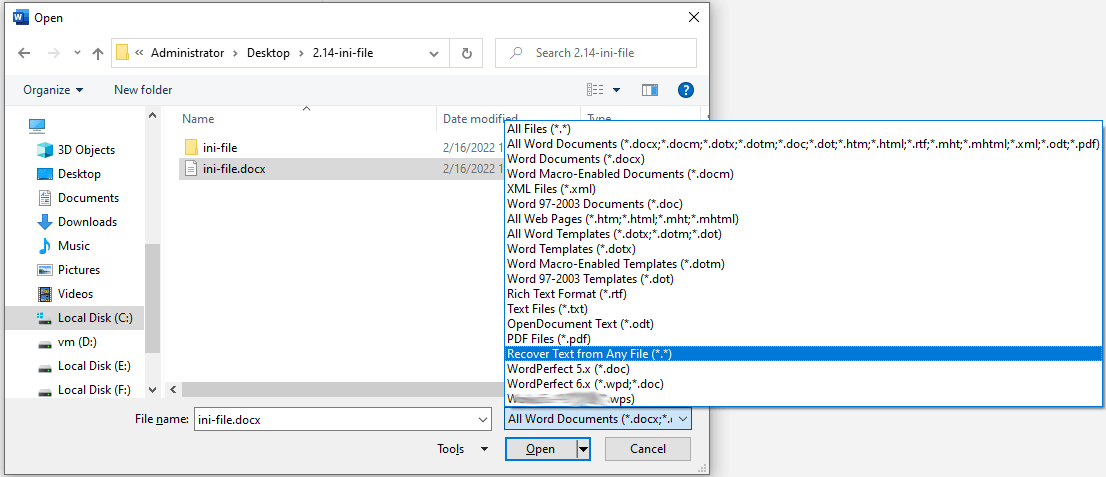
- Expand the All Word Documents drop-down menu and choose Recover Text from Any File
- Click the Open button and wait for the damaged file to open.
Leave A Comment?