
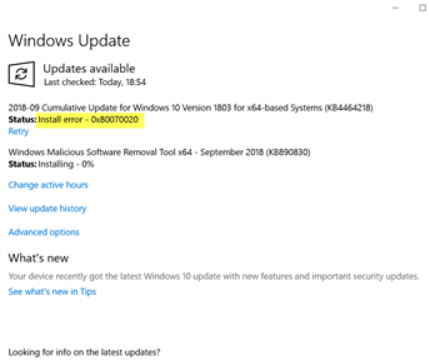
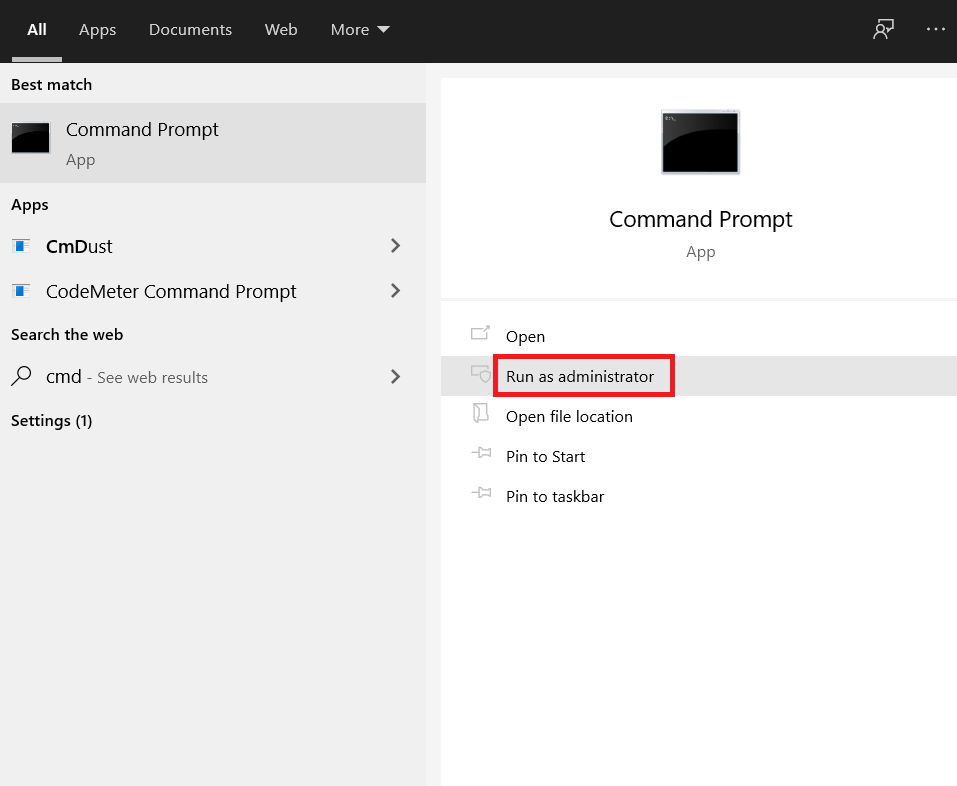
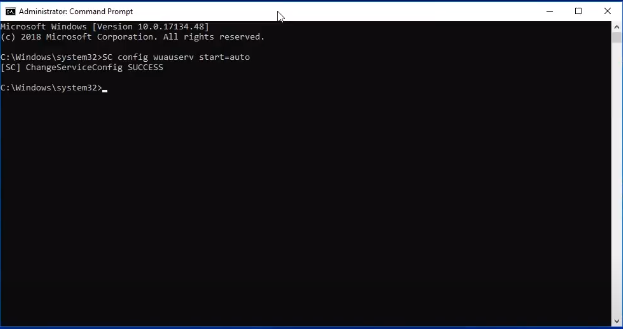
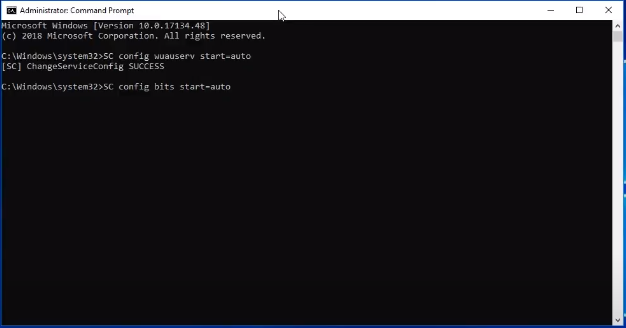
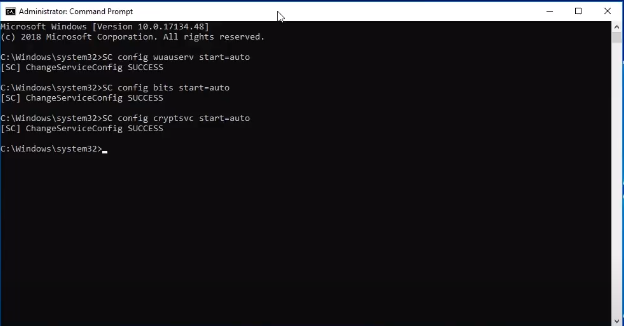
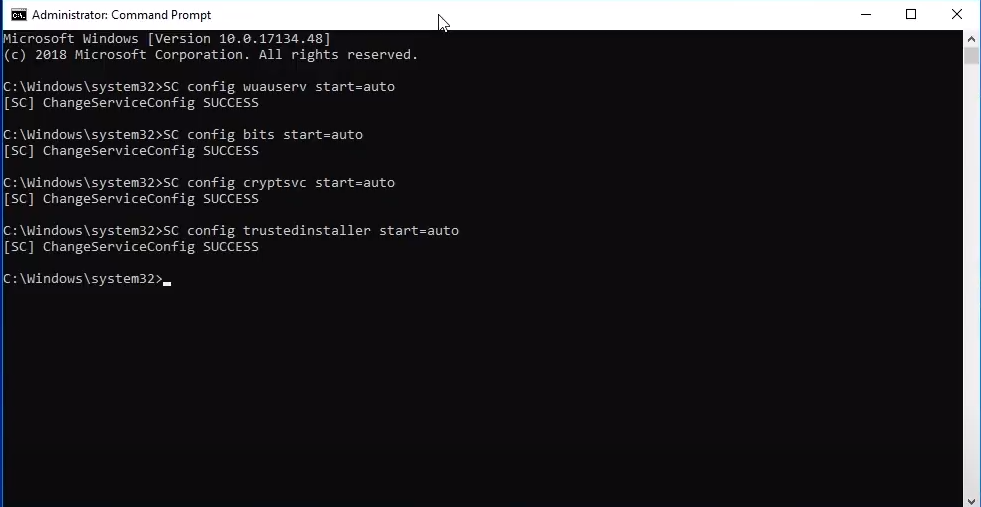
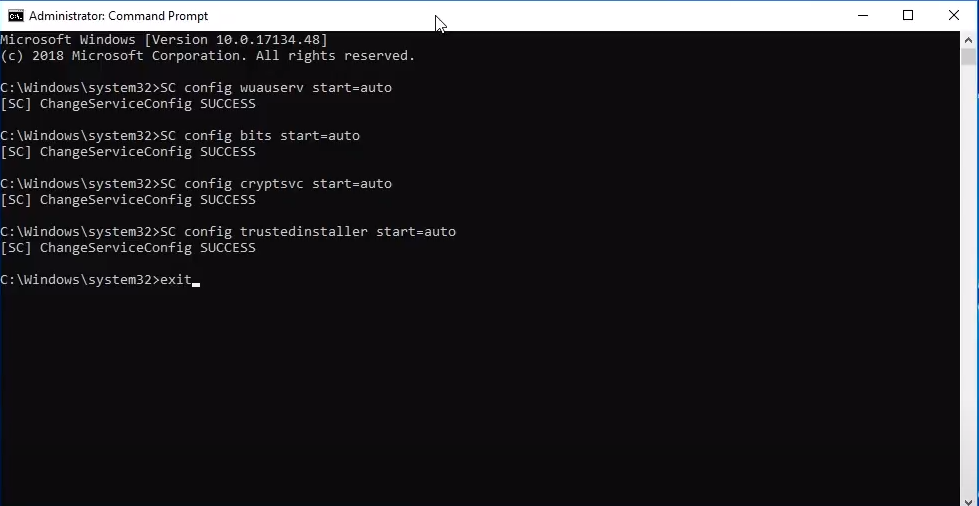
How to fix Windows Update Error 0x80070020 for Windows 7/8/10 Data 17/08/2020 Autor George Ciobanu Categorie Soluții -5 828 Rezolvare problema (Fix IT) SituatieWhat to do if Windows Update shows error 0x80070020. Simptome Solutie Pasi de urmat Steps to follow: Open Command Prompt and Run as Adminstrator: Write “SC config wuauserv start-auto” and press enter. Write “SC config bits start=auto” and press enter. Write “SC config cryptsvc start=auto” and press enter. Write “SC config trustedinstaller start=auto” and press enter. Write “exit” and press enter. Restart your computer! Tip solutiePermanent Voteaza Up Down (26 din 57 persoane apreciaza acest articol) ShareTweetShare Despre Autor George Ciobanu Solutii Asemanatoare Monitorizarea automată a certificatelor SSL în Windows Server 1 PikaOS install guide 0 How to install and configure MX Linux 2 How to move Ollama Models to different location 2 How to install Ollama on Windows 1 Server fara spatiu in /var 1 Leave A Comment? × Cancel Reply Save my name, email, and website in this browser for the next time I comment. nine − 7 =
Leave A Comment?