
Situatie
Storage Sense is the Disk Cleanup replacement for the modern world. It frees up space on your computer by deleting things like recycle bin contents, temporary internet files, and app temporary files.
Solutie
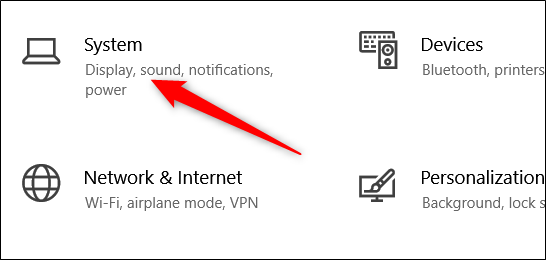
1.Open the Settings app by pressing Win+I, then clicking on “System.”
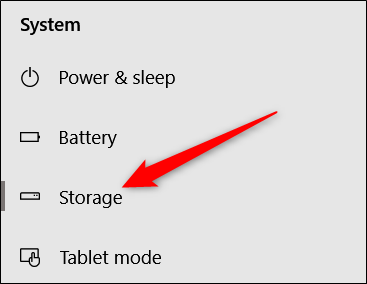
2.On the left side of the System page, click the “Storage” category.
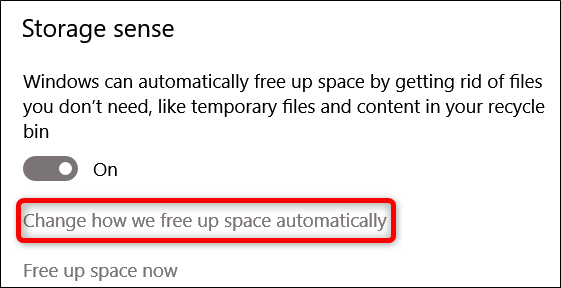
3.Under the “Storage Sense” section on the right, click the “Change how we free up space automatically” link.
4.Now, open the “Delete files in my Downloads folder” drop-down menu and select the “Never” option
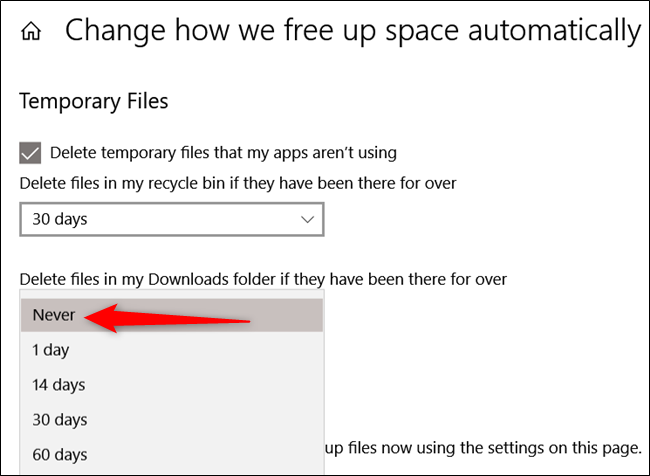
After you’ve completed this, Smart Sense continues to run periodically but leaves your precious downloads alone.
Leave A Comment?