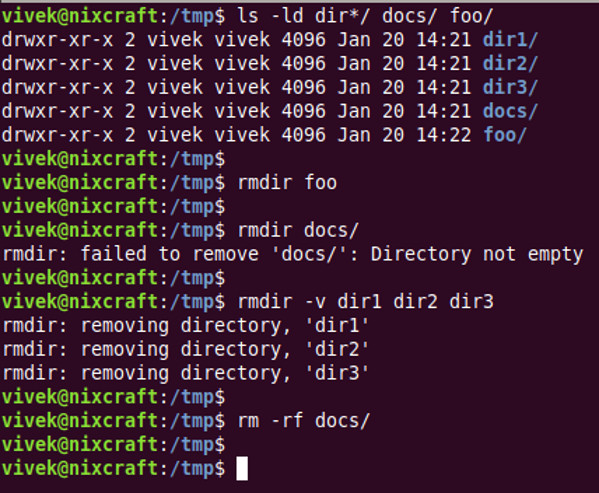
How to remove directory in Linux Data 12/01/2021 Autor Sergiu Nae Categorie Soluții -5 1090 Configurare noua (How To) SituatieI will show how to remove a directory in Linux (the directory should be empty, otherwise you will face an error message). Solutie You should type the following command: rmdir directory-name Tip solutiePermanent Etichetare: linux Voteaza Up Down (31 din 68 persoane apreciaza acest articol) ShareTweetShare Despre Autor Sergiu Nae Solutii Asemanatoare 3 annoying Windows apps you can replace with an Excel spreadsheet 2 3 Linux commands you’ve overlooked for too long 1 Cum schimbam automat fundalul in Windows in funcție de zi și noapte 0 Cum redimensionam si convertim imagini instant direct din Windows File Explorer 0 How to turn your Raspberry Pi into an Android TV box 5 How to restore the Missing NVIDIA Tray Icon 2 Leave A Comment? × Cancel Reply Save my name, email, and website in this browser for the next time I comment. five + seven =

Leave A Comment?