
Situatie
To perform a full virus scan on Windows 11, follow these steps:
Solutie
1. Open Start on Windows 11
2. Search for Windows Security and click the top result to open the app
3. Click on Virus & threat protection
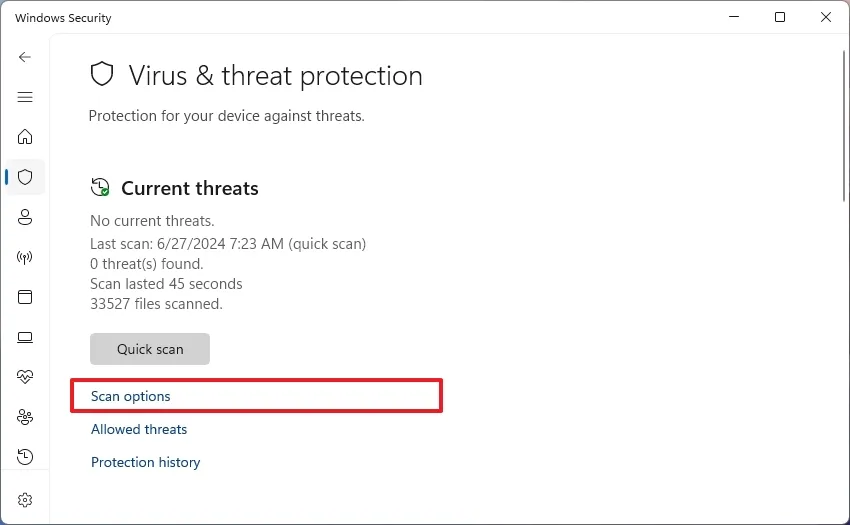
4. Click on Scan options under the “Current threats” section
5. Select the Full scan option to check the entire system for viruses and any other type of malware
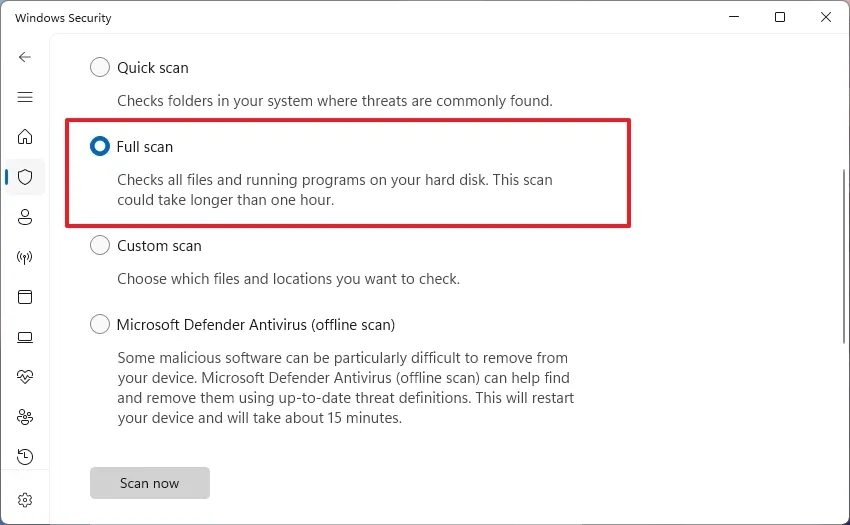
6. Click the Scan now button. Once you complete the steps, Microsoft Defender Antivirus will scan the computer for viruses and other types of malware. If anything is detected, the antivirus automatically removes (or quarantines) the threats.
Leave A Comment?