
Situatie
To switch preview channels on Windows 11, follow these steps:
Solutie
1. Open Settings on Windows 11
2. Click on Windows Update
3. Click the Windows Inside Program page
4. Select the experience (formerly known as channels), including Experimental or Beta
Quick note: The “Release Preview” option is only available if the option was previously enabled in the “Advanced options” section.
5. Click the Advanced option setting
6. Choose the Windows 11 version you want to test, either 25H2 or 26H1.
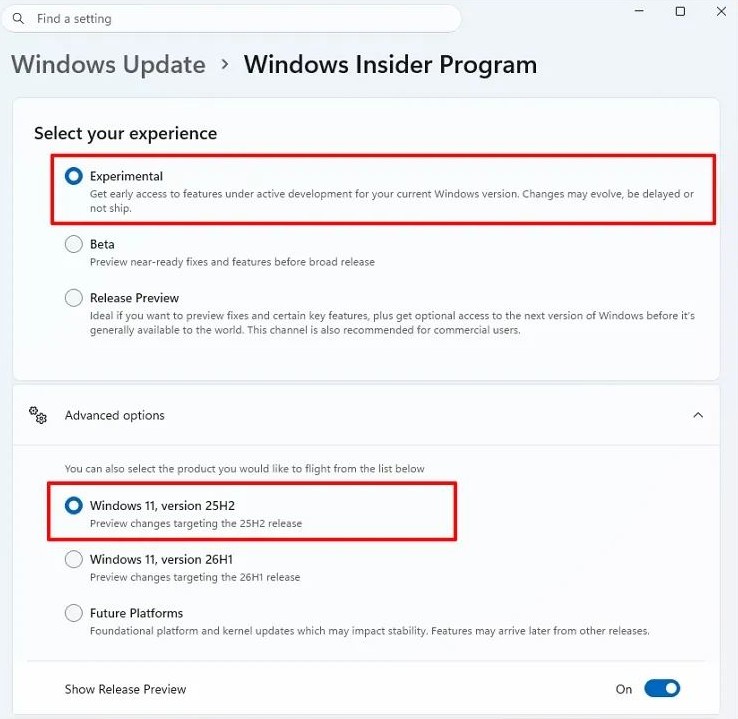
Quick note: You cannot select the “Future Platform” option, as it is the only one that requires a clean installation.
7. Click on Windows Update
8. Click the “Check for Updates” button to start the in-place upgrade process.
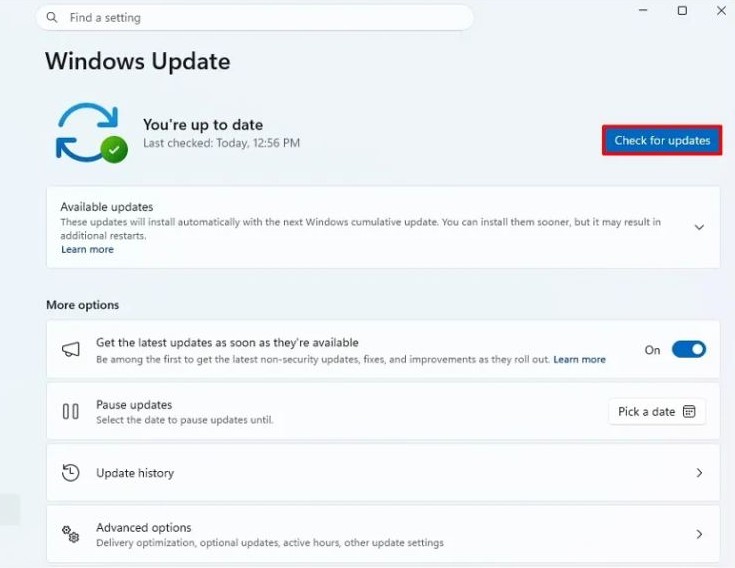
9. Click the Restart now button to complete the process.
Leave A Comment?