
Situatie
This new Docker architecture works a lot like Visual Studio Code’s WSL remote development support in that the Docker CLI running on the host machine executes commands within the Docker Integration Package, which runs on the remote WSL VM.
Solutie
First some prerequisites:
- Install Windows 10 Insider Preview build 18975 (Slow) or later for WSL 2
- Install Ubuntu from the Microsoft store
- Enable WSL 2 by following this guide
- Install the WSL extension for VS Code
- Install the Docker WSL 2 Technical Preview
Once installed, Docker will recognize that you have WSL installed and prompt to enable WSL integration. You want to Enable WSL integration for this tutorial.
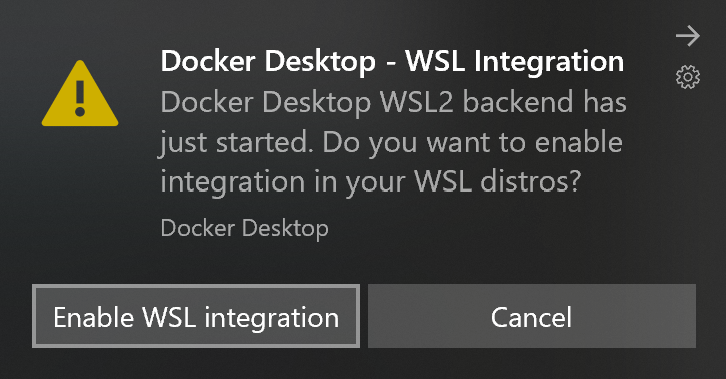
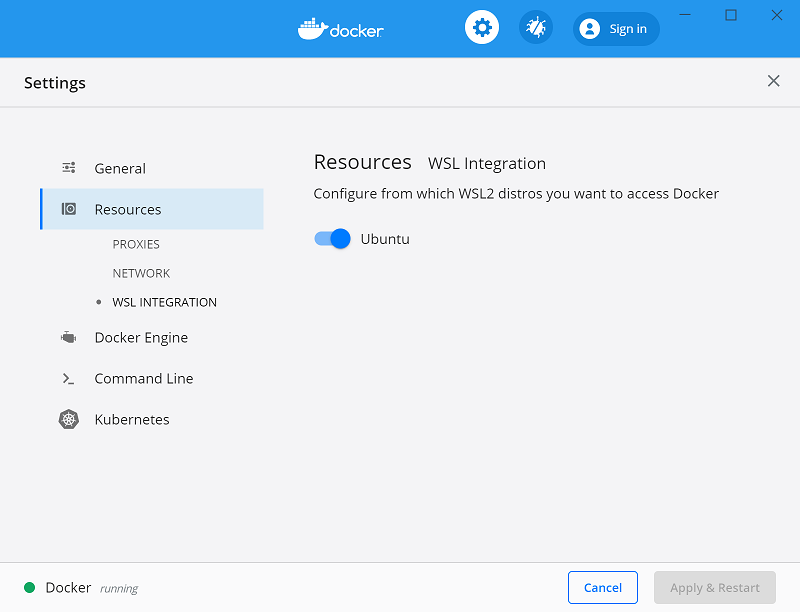
This option will allow you to access Docker Desktop via the Docker CLI directly from within your Linux distro.If you have multiple Linux distros, make sure you only have WSL integration turned on for the correct one in your Docker settings:
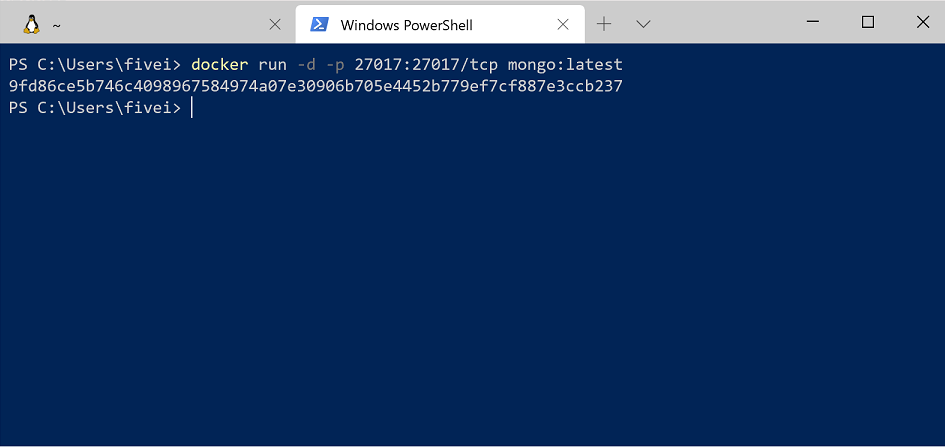
With that configured, all commands will execute in the Linux context – this includes Docker commands run from PowerShell so running something like docker run mongo… will start a Linux container within the WSL VM.
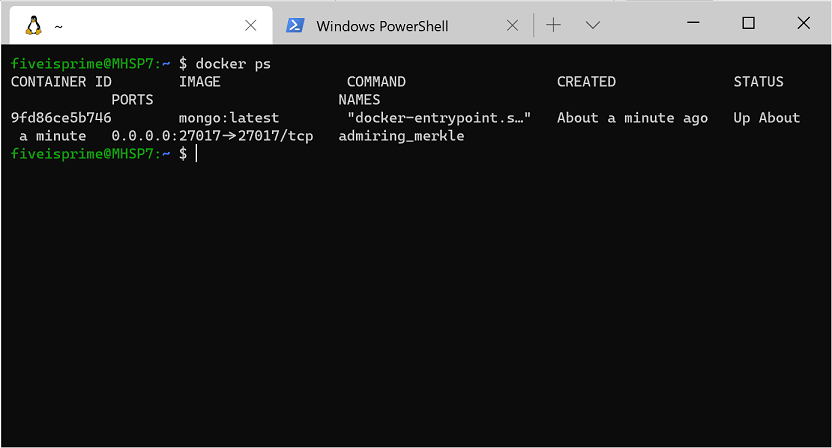
Running the docker ps command over in WSL, you’ll see the container as expected. Notice that the container ID matches.
With this set up and running, you can install the VS Code Docker extension and access your containers. If you’re already running WSL 2 and the WSL extension, this will help you get Docker integrated into your WSL workflow rather than switching contexts when you need containers. And because the Docker CLI’s context is set to use DockerD in WSL, the extension will work with your containers regardless of whether you opened VS Code using the WSL extension.
Notice how in the screenshot below, I’m connected and working in WSL and still building/running containers without changing from my preferred environment (zsh in Ubuntu).
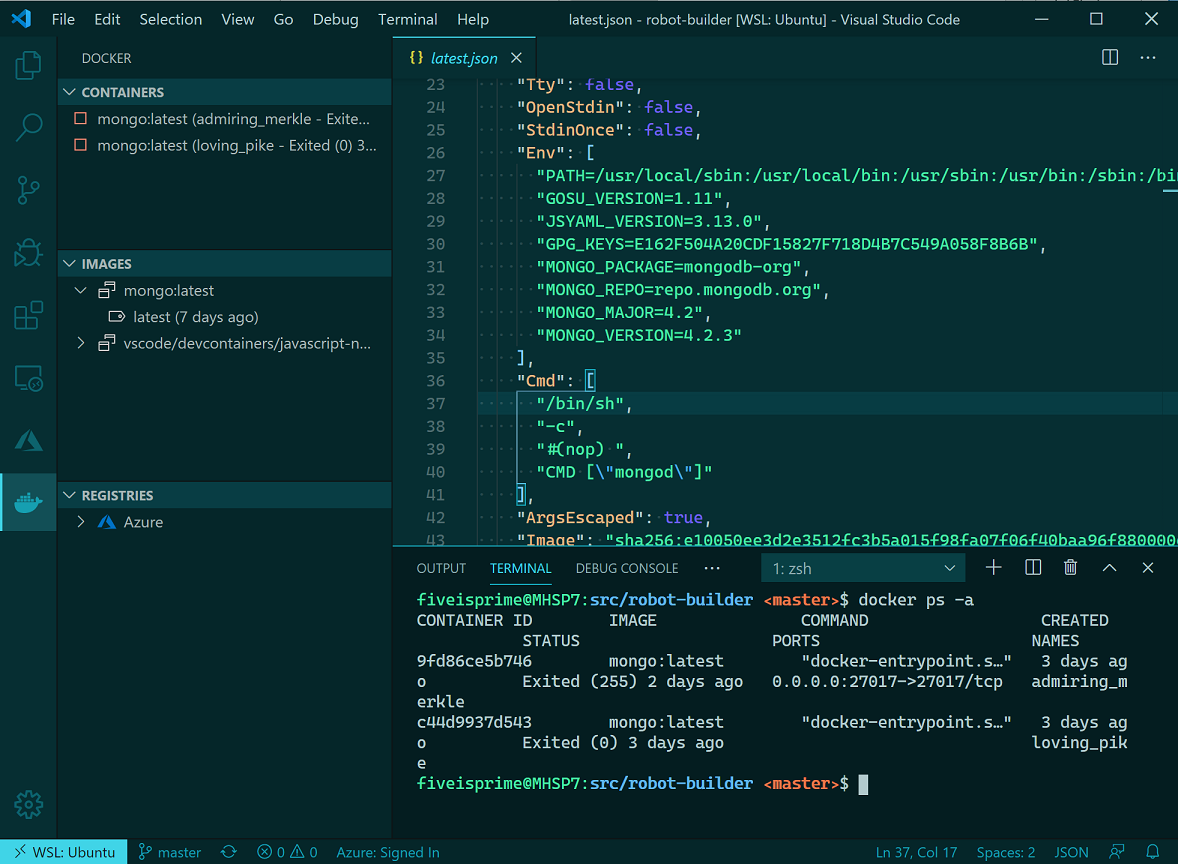
I’ve personally noticed a vast improvement in container execution times using this configuration and each part of my typical development workflow remains the same. I’m also using the Dev Containers extension within WSL for testing specific environments without setting things up directly on my machine.
Leave A Comment?