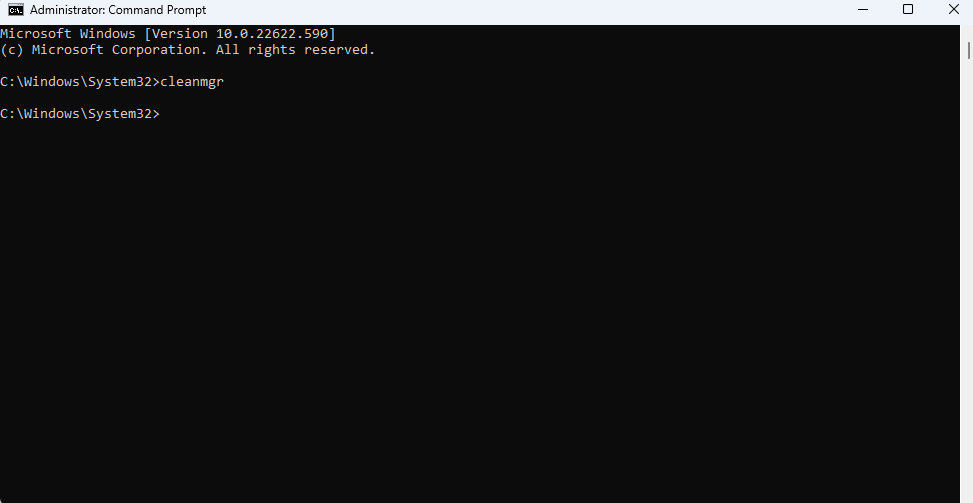
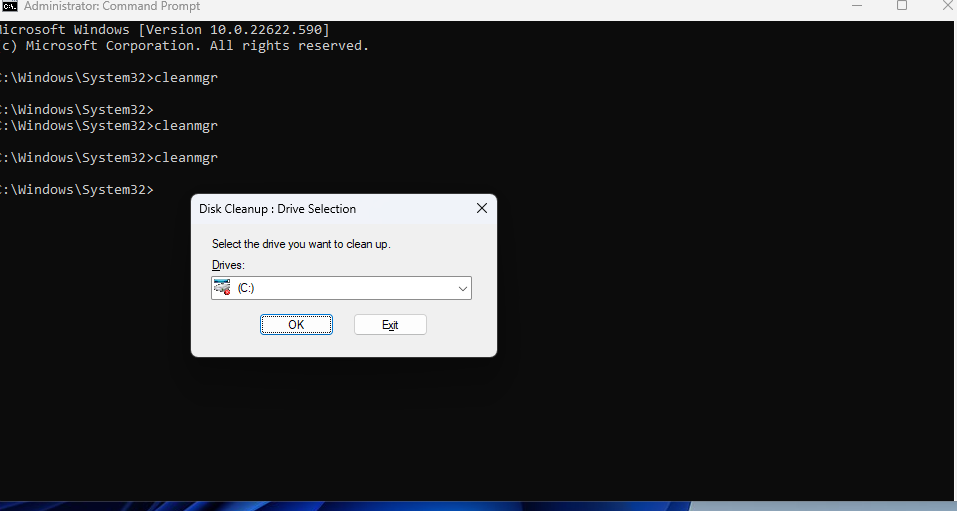
How to start Disk Cleanup by using CMD Windows 11 Data 05/09/2022 Autor razvan martes Categorie Soluții -5 558 Configurare noua (How To) Situatie Open Command Prompt. Type cleanmgr in CMD, and then press Enter. Select the disk you want to Cleanup Solutie Tip solutiePermanent Voteaza Up Down (13 din 32 persoane apreciaza acest articol) ShareTweetShare Despre Autor razvan martes Solutii Asemanatoare Bara de instrumente Microsoft Word a fost gri sau nu răspunde -1 Nu s-a putut actualiza reagent.xml pe computerul Windows 1 File Explorer se blochează la montarea ISO în Windows 11 1 Cum scapam de ferestrele enervante cand aprindem calculatorul 1 Cum prelungim viata PC-urilor noastre -1 How to Flush DNS Cache on macOS to Fix Website Loading Errors -1 Leave A Comment? × Cancel Reply Save my name, email, and website in this browser for the next time I comment. three − = one

Leave A Comment?